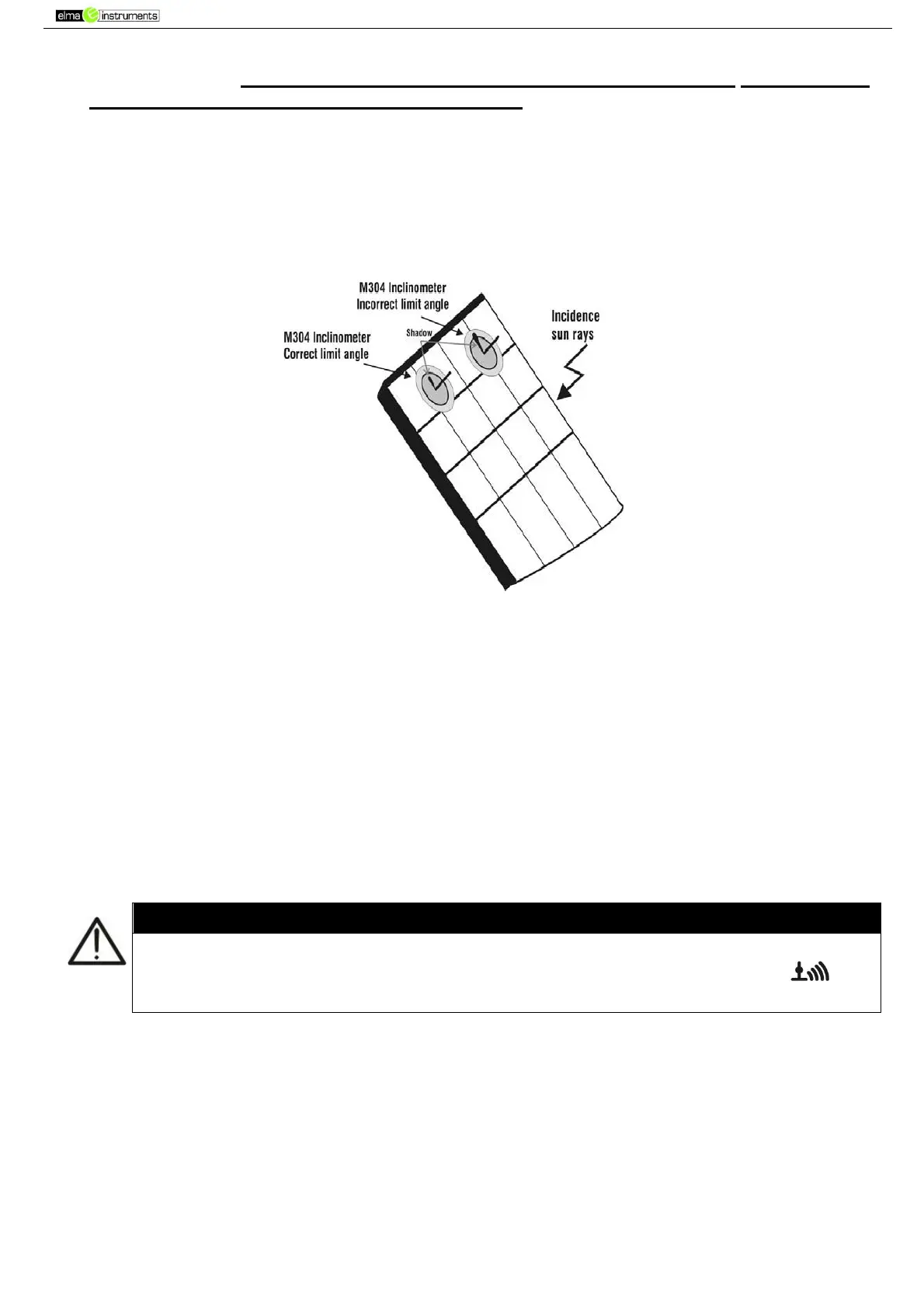
9. Mount the rod onto the disc of the optional accessory M304 and keep it in touch with the
module’s surface. Make sure that the shadow cast by the rod onto the disc falls within the
“limit internal circle” on the disc itself (see Fig. 7). If this is not the case, the incidence angle
between the sun rays and the module surface is too high and, therefore, the measurements
carried out by the instrument CANNOT be considered reliable. Repeat the same operations at
another daytime.
10. Fasten the bracket to the module by using the supplied set of screws and mount the reference
cell on it, if possible with output terminals facing downwards. Rotate the cell until it rests on
the tang found on the bracket so that the cell is perfectly parallel to the surface of the module,
then fix it with the relevant screws provided.
Fig. 7: Positioning the inclinometer M304
11. Connect the output of the cell corresponding to the type of module being tested to the IRR. input
of the instrument using the cable supplied with the cell, or to the PYRA/CELL input of the remote
unit SOLAR-02, if used (see Fig. 8 and Fig. 9)
12. If used, connect the temperature sensor to the TEMP input of the instrument and fasten it to the
backside of the module under a cell using some adhesive tape. As an alternative, connect the
sensor to the TEMP input of the remote unit SOLAR-02, if used (see Fig. 8 and Fig. 9)
13. Connect the instrument to the module/string being tested and, if necessary, to the main earth
node of the system and to the earthed metal masses as shown in Fig. 8 and Fig. 9. In particular,
connect the negative output pole of the module/string to terminal N and the positive output pole
of the module/string to terminal P.
In case the remote unit SOLAR-02 is used for measuring irradiance, make sure that the
RF communication with the master unit PVCHECK is always active (symbol “ ” on
and steady on the display).



 To Next Page