LTE CPE B2368 User's
Guide 19 system
Issue 01 Copyright © Huawei Technologies Co., Ltd. 140
There are three scenarios in which you should consider updating the encryption key:
19.3.1 Common usage: Set of indoor and outdoor unit
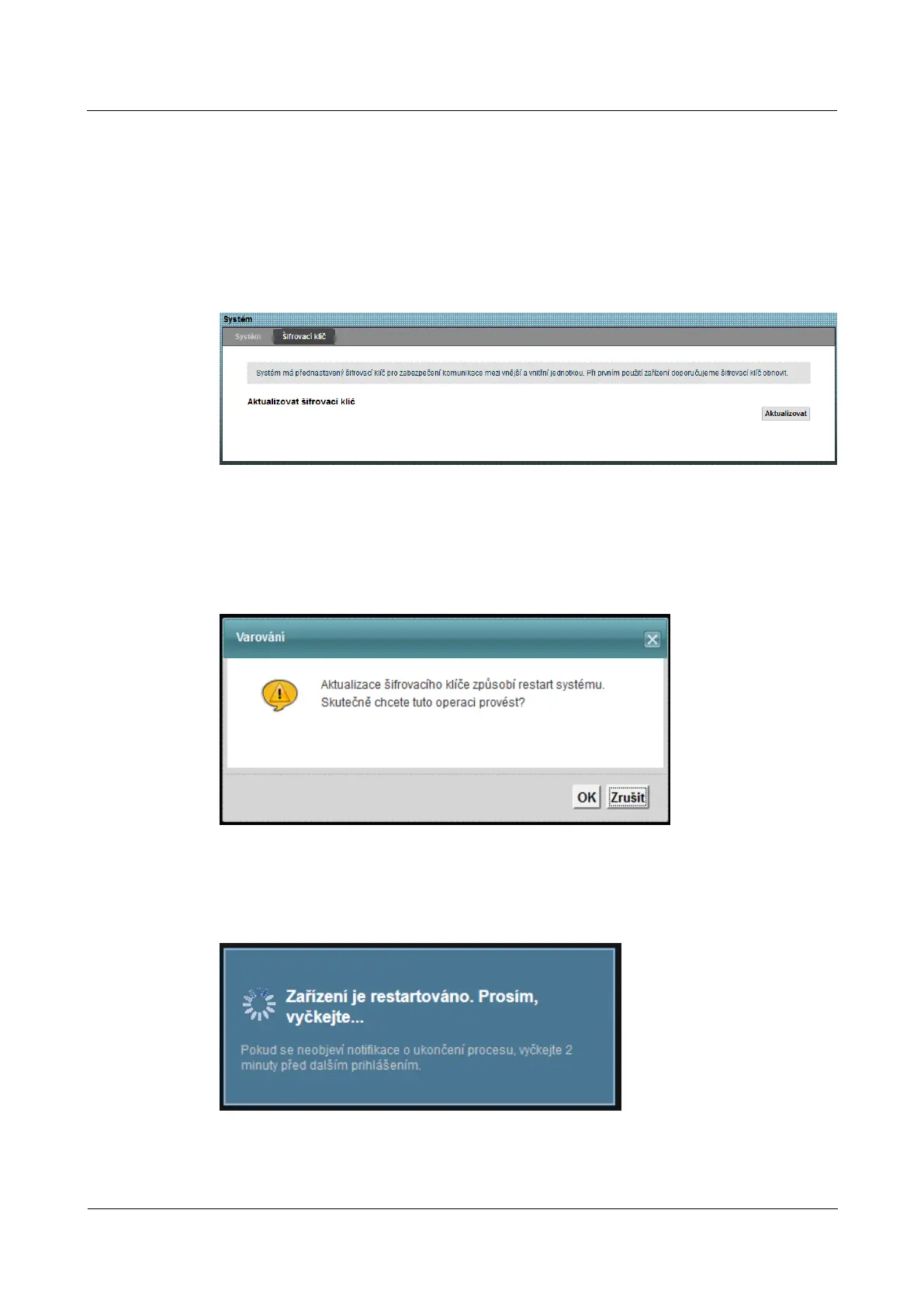
Step 1 The following screen, click on device Management > system > Encryption key.Step 1 The following screen, click on device Management > system > Encryption key.Step 1 The following screen, click on device Management > system > Encryption key.Step 1 The following screen, click on device Management > system > Encryption key.Step 1 The following screen, click on device Management > system > Encryption key.
Figure 19-2 Device Management> System> Encryption Key. Figure 19-2 Device Management> System> Encryption Key.
step 2 To update the encryption key click Update.step 2 To update the encryption key click Update.step 2 To update the encryption key click Update.
step 3 A dialog box appears to confirm the update. Click on OK.step 3 A dialog box appears to confirm the update. Click on OK.step 3 A dialog box appears to confirm the update. Click on OK.
Figure 19-3 Device Management> System> Encryption key> Update Figure 19-3 Device Management> System> Encryption key> Update
step 4 Wait for the successful restart LTE modem. step 4 Wait for the successful restart LTE modem.
Figure 19-4 Device Management> System> Encryption key> Update: Restart Figure 19-4 Device Management> System> Encryption key> Update: Restart
---- End



 To Next Page