LTE CPE B2368 User's
Guide 4 Broadband
Issue 01 Copyright © Huawei Technologies Co., Ltd. 30
Item Description
address.
Special device MAC
address
If the mode function Mode IP Pass Through static enter into this field the MAC
address of the device.
IP lease time Pass
Through
Enter the length of time after which the client can use the LAN IP address
assigned by the ISP.
Use Clicking Use save your changes. Clicking Use save your changes. Clicking Use save your changes.
back Clicking back To return to the previous screen. Clicking back To return to the previous screen. Clicking back To return to the previous screen.
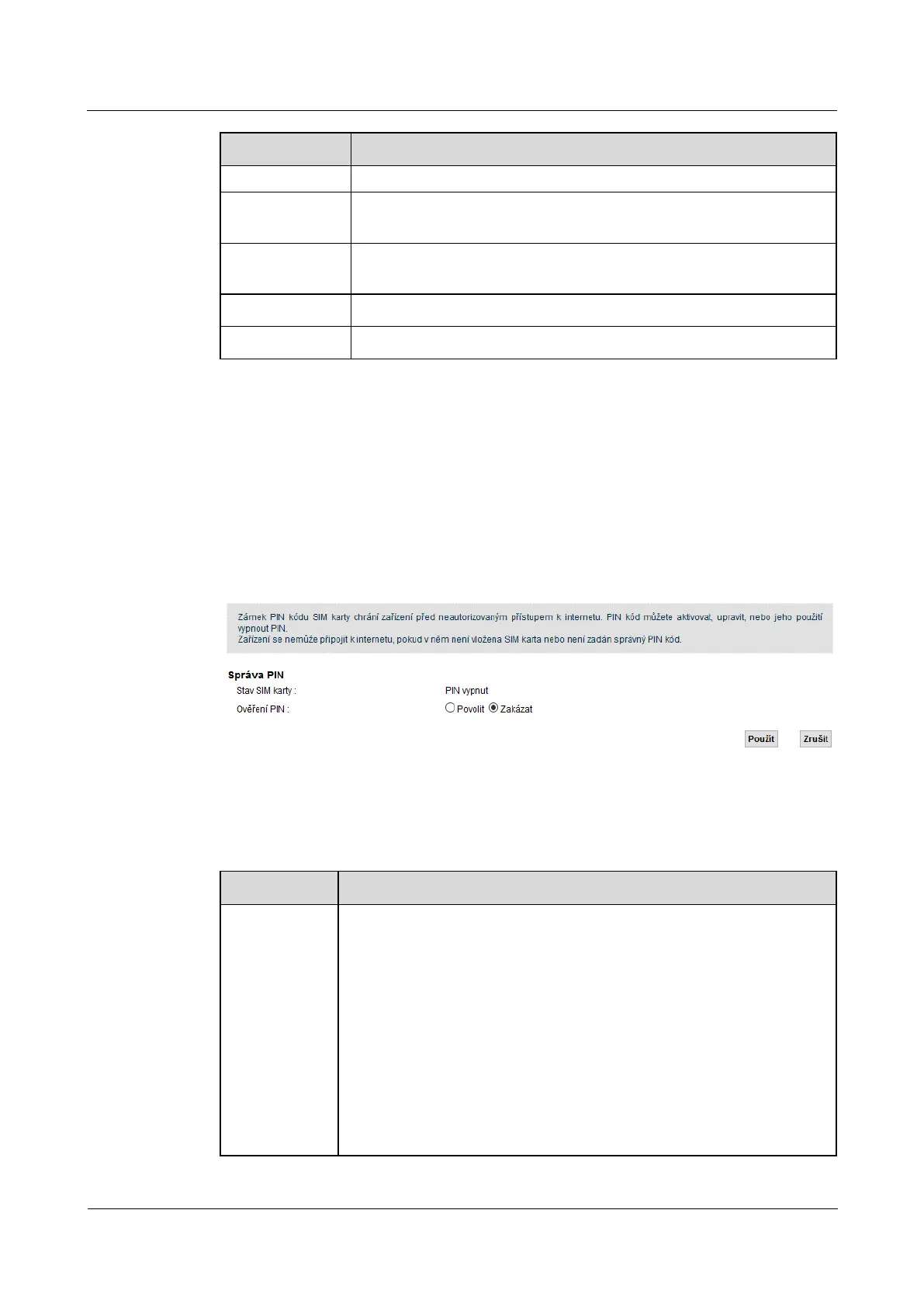
4.3 SIM Screen
If the device is part of the configuration of your screen LTE modem SIM, You can use it to manage PIN SIM If the device is part of the configuration of your screen LTE modem SIM, You can use it to manage PIN SIM If the device is part of the configuration of your screen LTE modem SIM, You can use it to manage PIN SIM
card. Enter this screen by clicking on
Network Settings> Broadband> SIM.
Figure 4-3 Network Settings> Broadband> SIM Figure 4-3 Network Settings> Broadband> SIM
The following table summarizes the available fields on this screen.
Table 4-3 Network Settings> Broadband> SIM Table 4-3 Network Settings> Broadband> SIM
Item Description
SIM Status This field displays the status of the SIM card in the system:
PIN off - The SIM card is not protected by a PIN. PIN off - The SIM card is not protected by a PIN. PIN off - The SIM card is not protected by a PIN.
PIN required - The SIM card is protected by a PIN code, which has not yet been specified. PIN required - The SIM card is protected by a PIN code, which has not yet been specified. PIN required - The SIM card is protected by a PIN code, which has not yet been specified.
PIN verified - The SIM card is protected by a PIN code which has already been successfully entered. PIN verified - The SIM card is protected by a PIN code which has already been successfully entered. PIN verified - The SIM card is protected by a PIN code which has already been successfully entered.
PIN locked - Too often you entered the wrong PIN and the SIM card was therefore PIN locked - Too often you entered the wrong PIN and the SIM card was therefore PIN locked - Too often you entered the wrong PIN and the SIM card was therefore
locked. To unlock and use a SIM card, you will need the PUK code, which is available
from your operator.
SIM error - LTE modem does not recognize any SIM card inserted. SIM error - LTE modem does not recognize any SIM card inserted. SIM error - LTE modem does not recognize any SIM card inserted.



 To Next Page