LTE CPE B2368 User's
Guide 6 Setting up a home network
Issue 01 Copyright © Huawei Technologies Co., Ltd. 60
Item Description
Use Clicking Use save your changes. Clicking Use save your changes. Clicking Use save your changes.
back Clicking back to exit without saving. Clicking back to exit without saving. Clicking back to exit without saving.
6.4 UPnP Screen
Universal Plug and Play (UPnP) is a set of networking protocols announced by the UPnP Forum. The goal of UPnP is to allow
easy connection of peripheral computer components and simplify the implementation of networks in the home (data sharing,
communications, and entertainment) and enterprises. UPnP device is able to dynamically join a network, obtain an IP address
and identify devices on the network. If the device is not in use, it is able to automatically disconnect from the grid.
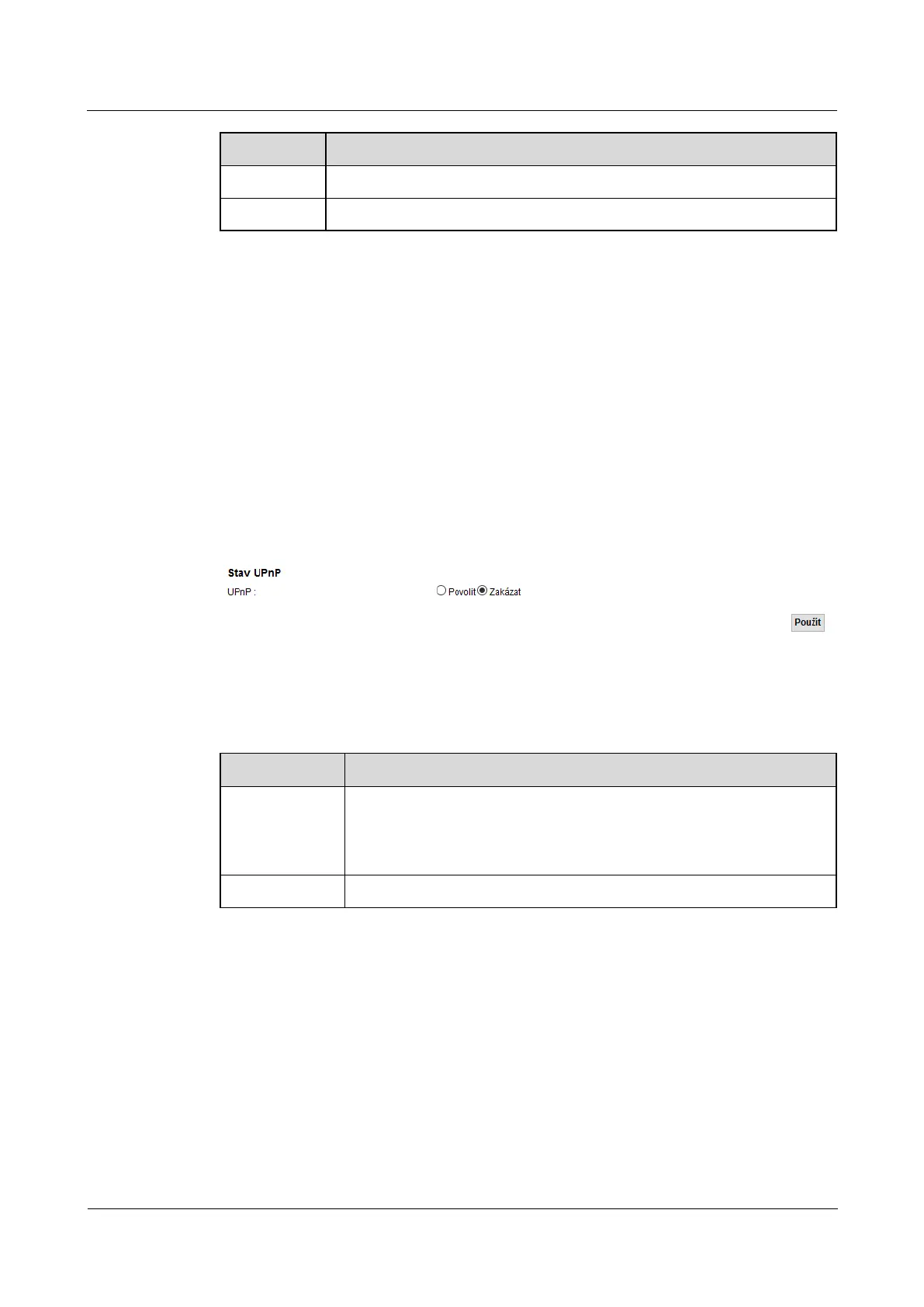
Using this screen, you can adjust your UPnP LTE modem. Click on
network settings > Home Network > UPnP.network settings > Home Network > UPnP.network settings > Home Network > UPnP.
Figure 6-5 Network Settings> Home Network> UPnP Figure 6-5 Network Settings> Home Network> UPnP
The following table summarizes the available fields on this screen.
Table 6-4 Network Settings> Home Network> UPnP Table 6-4 Network Settings> Home Network> UPnP
Item Description
UPnP
selecting Allow activate UPnP. Please note that by using UPnP or device, anyone selecting Allow activate UPnP. Please note that by using UPnP or device, anyone selecting Allow activate UPnP. Please note that by using UPnP or device, anyone
can open a page of the Web configuration interface without knowing the IP address
LTE modem (to access it, however, will still need a user name and password).
Use Clicking Use save your changes. Clicking Use save your changes. Clicking Use save your changes.
6.5 Screen UPnP list
If UPnP is enabled, this screen is a list of all UPnP devices that LTE modem network identifies.
Click on network settings > Home Network > UPnP list.Click on network settings > Home Network > UPnP list.Click on network settings > Home Network > UPnP list.Click on network settings > Home Network > UPnP list.



 To Next Page