LTE CPE B2368 User's
Guide 13 L2TP VPN
Issue 01 Copyright © Huawei Technologies Co., Ltd. 93
13 L2TP VPN 13 L2TP VPN
13.1 Overview
L2TP VPN tunnels forwarded to the network data flow between LTE modem and the device / server at the same level on the
internet.
13.2 Settings screen
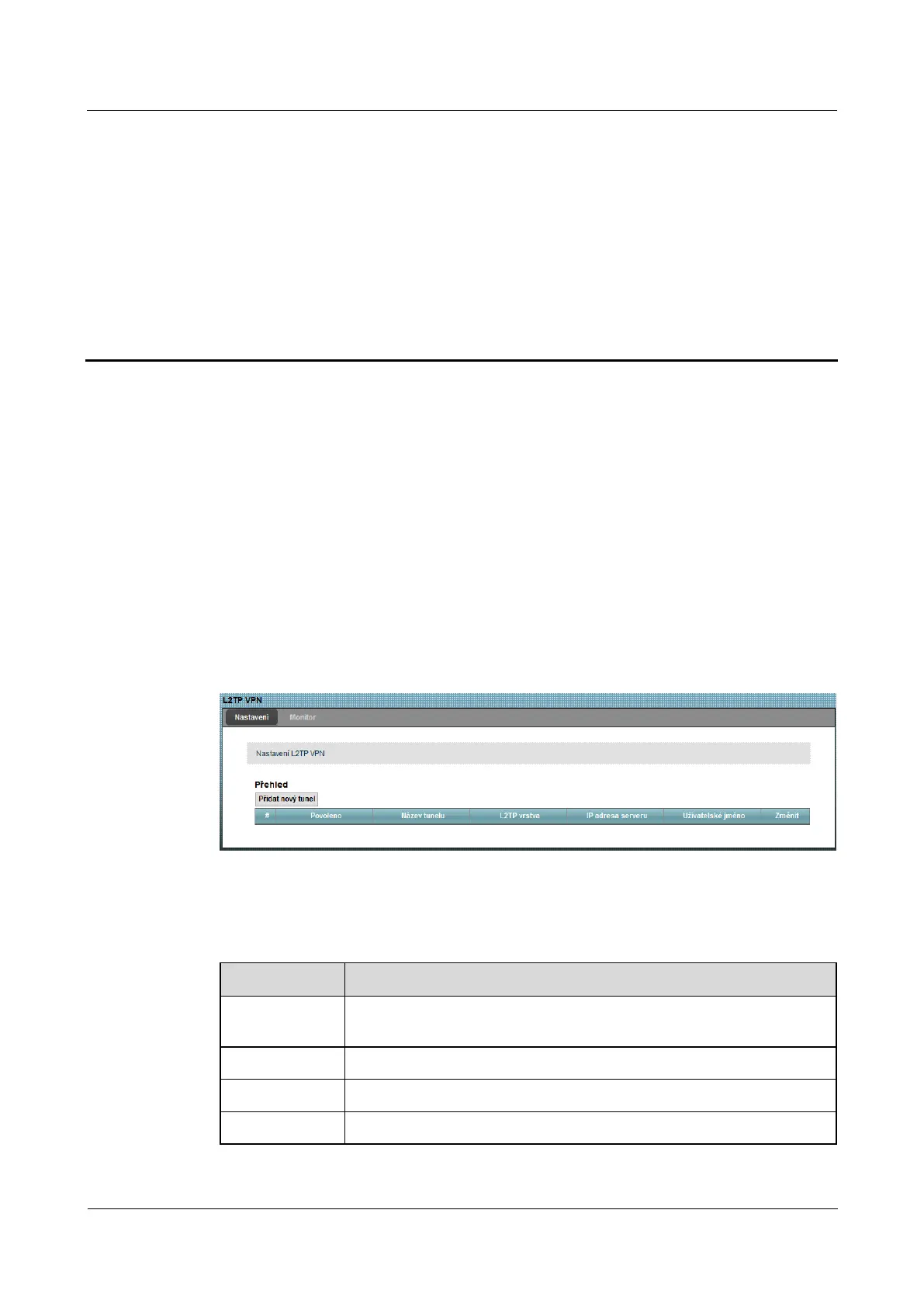
Use this screen to manage L2TP VPN tunnels. The following screen, click on Security> L2TP VPN.Use this screen to manage L2TP VPN tunnels. The following screen, click on Security> L2TP VPN.
Figure 13-1 Security> L2TP VPN> Settings Figure 13-1 Security> L2TP VPN> Settings
The following table summarizes the available fields on this screen.
Table 13-1 Security> L2TP VPN> Settings Table 13-1 Security> L2TP VPN> Settings
Item Description
Add a new
tunnel
Click this button to create a new L2TP tunnel.
# This is the serial number of the L2TP tunnel.
Allowed This field shows whether it is appropriate L2TP tunnel is active or not.
name of tunnel Name of the tunnel.



 To Next Page