LTE CPE B2368 User's
Guide 5 Wireless WiFi 2.4 / 5 GHz
Issue 01 Copyright © Huawei Technologies Co., Ltd. 42
Item Description
This field contains the name of the appropriate wireless network. Once the wireless device to
scan for available WiFi networks, this is the name that appears in the list.
secure it
This field is given the security mode of the SSID profile.
adjust Click on the icon adjust You can also adjust the appropriate SSID profile. Click on the icon adjust You can also adjust the appropriate SSID profile. Click on the icon adjust You can also adjust the appropriate SSID profile.
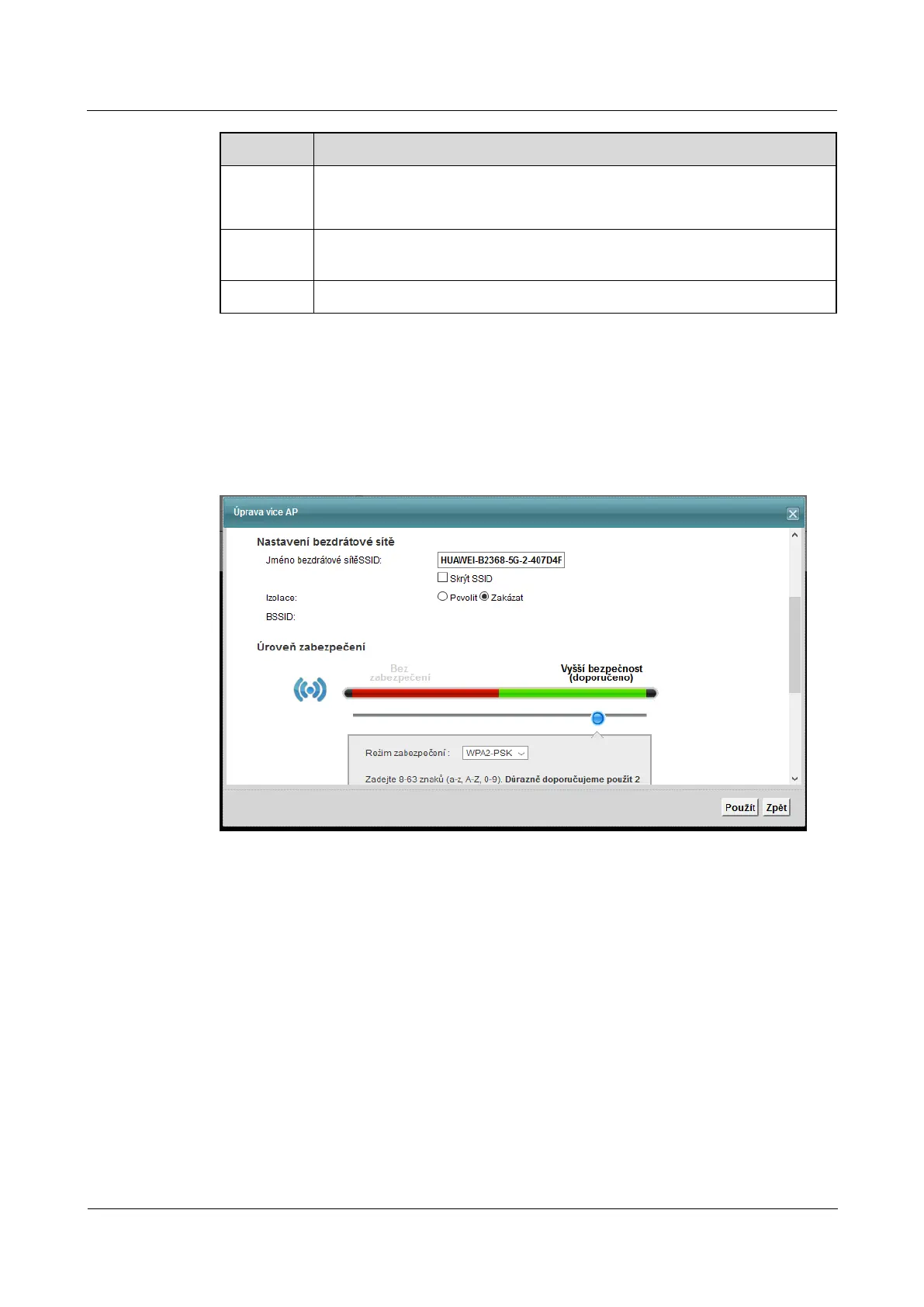
5.3.1 Editing multiple AP
Using this screen, you can edit the SSID profile. Click on the icon adjust at the appropriate SSID profile screen More Using this screen, you can edit the SSID profile. Click on the icon adjust at the appropriate SSID profile screen More Using this screen, you can edit the SSID profile. Click on the icon adjust at the appropriate SSID profile screen More Using this screen, you can edit the SSID profile. Click on the icon adjust at the appropriate SSID profile screen More
AP. The following screen will appear. AP. The following screen will appear.
Figure 5-7 WiFi 2.4 GHz> More AP: Edit Figure 5-7 WiFi 2.4 GHz> More AP: Edit



 To Next Page