LTE CPE B2368 User's
Guide 4 Broadband
Issue 01 Copyright © Huawei Technologies Co., Ltd. 31
Item Description
PIN verification
PIN (Personal Identification Number) is an authentication key to the SIM card. Without
this code, you can not use a SIM card. Choose Allow if the SIM card is PIN-protected this code, you can not use a SIM card. Choose Allow if the SIM card is PIN-protected this code, you can not use a SIM card. Choose Allow if the SIM card is PIN-protected
and requires a network operator's authentication. Choose Prohibit, when to use the and requires a network operator's authentication. Choose Prohibit, when to use the and requires a network operator's authentication. Choose Prohibit, when to use the
SIM card is not required to enter a PIN.
enter PIN
If authentication is enabled PIN, enter in this field 4-digit PIN (eg. 0000) that you
received from your service provider. In the event that your PIN is entered incorrectly too
often, it can be blocked SIM card, which will then be used to access the Internet.
The remaining
experiments
The remaining number of attempts to enter the correct PIN before locking the SIM card.
Use Click to save the changes made in this section.
Cancel Click to restore previous settings in this section.
4.3.1 Screen Blocked
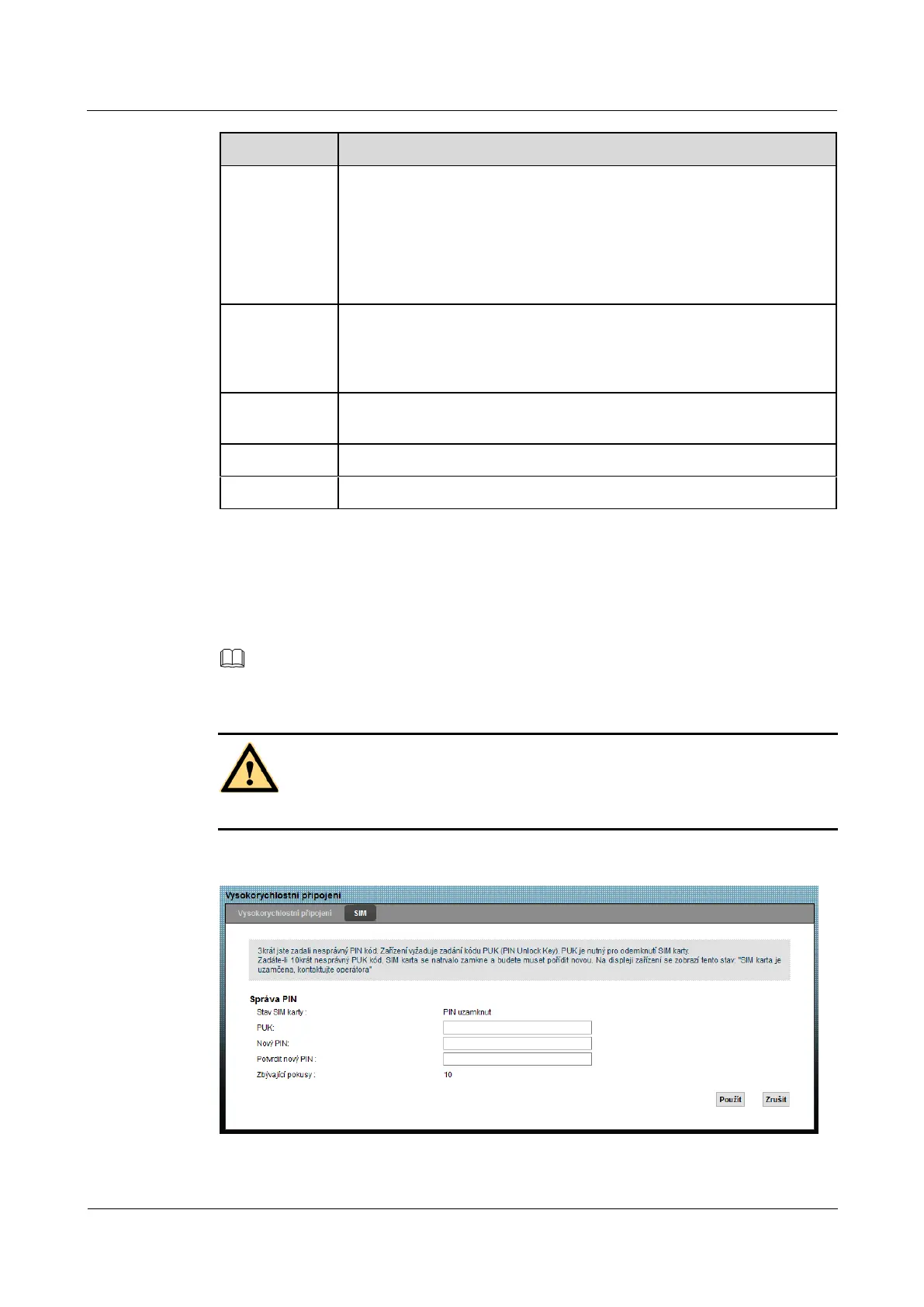
If the SIM card is blocked, it can be unlocked by entering the PUK (PIN Unlock Key) on this screen.
NOTE
PUK code to unlock the SIM card, contact your service provider.
NOTICE
However, if you enter the wrong PUK code several times, the SIM card is discarded.
Figure 4-4 Network Settings> Broadband> SIM: Card blocked Figure 4-4 Network Settings> Broadband> SIM: Card blocked



 To Next Page