LTE CPE B2368 User's
Guide 10 Firewall
Issue 01 Copyright © Huawei Technologies Co., Ltd. 76
10 firewall 10 firewall
10.1 Overview
Using the menu Firewall configuration interface LTE modem can activate the firewall protection to prevent
intrusion into your network attackers. By default, the firewall is set as follows:
•
It allows data stream originating from computers in the LAN and WLAN to get into all the other networks.
•
Blocks the flow of data from other networks from encroaching on the LAN and WLAN.
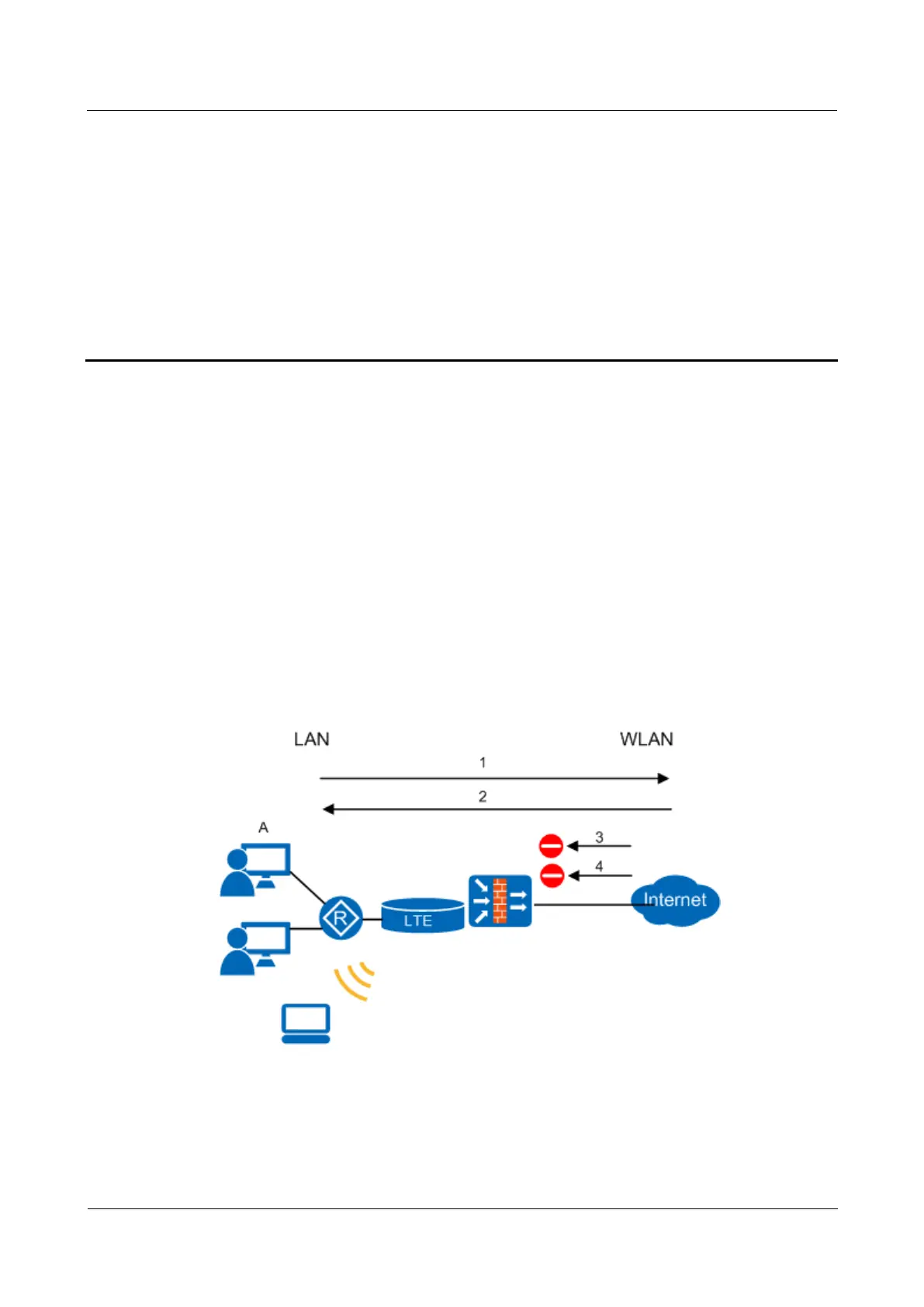
The default firewall settings are shown in the following diagram. User AND can initiate IM conversations from the The default firewall settings are shown in the following diagram. User AND can initiate IM conversations from the The default firewall settings are shown in the following diagram. User AND can initiate IM conversations from the
LAN to the WAN ( 1). Reverse operation for this session is also permitted ( 2). Other data stream from the WAN is LAN to the WAN ( 1). Reverse operation for this session is also permitted ( 2). Other data stream from the WAN is LAN to the WAN ( 1). Reverse operation for this session is also permitted ( 2). Other data stream from the WAN is LAN to the WAN ( 1). Reverse operation for this session is also permitted ( 2). Other data stream from the WAN is LAN to the WAN ( 1). Reverse operation for this session is also permitted ( 2). Other data stream from the WAN is
not blocked ( 3 and 4).not blocked ( 3 and 4).not blocked ( 3 and 4).not blocked ( 3 and 4).
Figure 10-1 The default firewall settings Figure 10-1 The default firewall settings



 To Next Page