LTE CPE B2368 User's
Guide 4 Broadband
Issue 01 Copyright © Huawei Technologies Co., Ltd. 27
4 Broadband connection 4 Broadband connection
4.1 Overview
This chapter describes the screen Broadband connection this LTE modem. Use the settings in this section, you This chapter describes the screen Broadband connection this LTE modem. Use the settings in this section, you This chapter describes the screen Broadband connection this LTE modem. Use the settings in this section, you
can set various connection parameters, eg. To enter the PIN code of the SIM card lock specific band frequency
transmitter or LTE networks.
4.2 Display Broadband
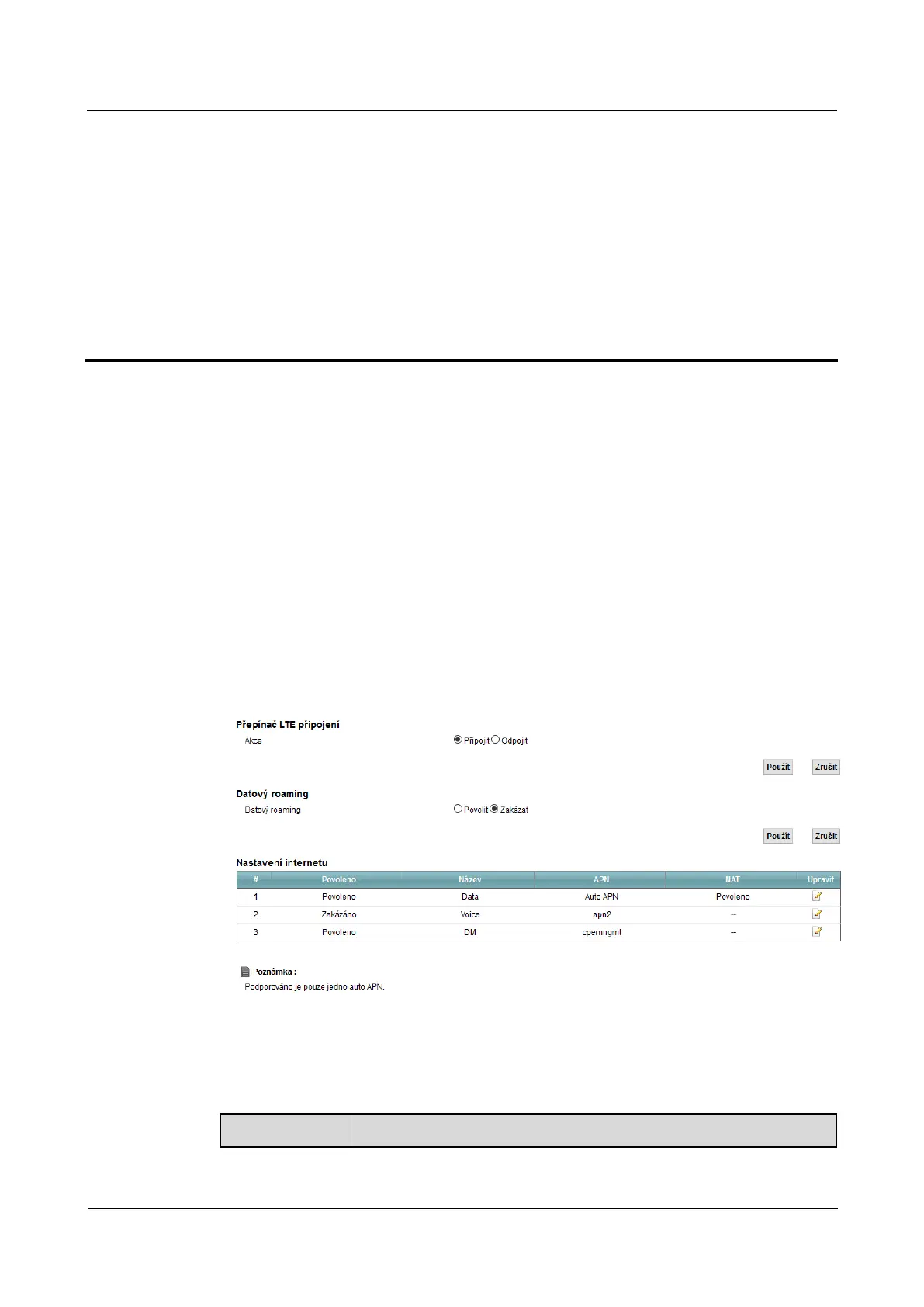
Using this screen, you can lock specific band frequency transmitter or LTE networks. Enter this screen by
clicking on Network Settings> Broadband.clicking on Network Settings> Broadband.
Figure 4-1 Network Settings> Broadband> Broadband Figure 4-1 Network Settings> Broadband> Broadband
The following table summarizes the available fields on this screen.
Table 4-1 Network Settings> Broadband> Broadband Table 4-1 Network Settings> Broadband> Broadband
Item Description



 To Next Page