LTE CPE B2368 User's
Guide 10 Firewall
Issue 01 Copyright © Huawei Technologies Co., Ltd. 79
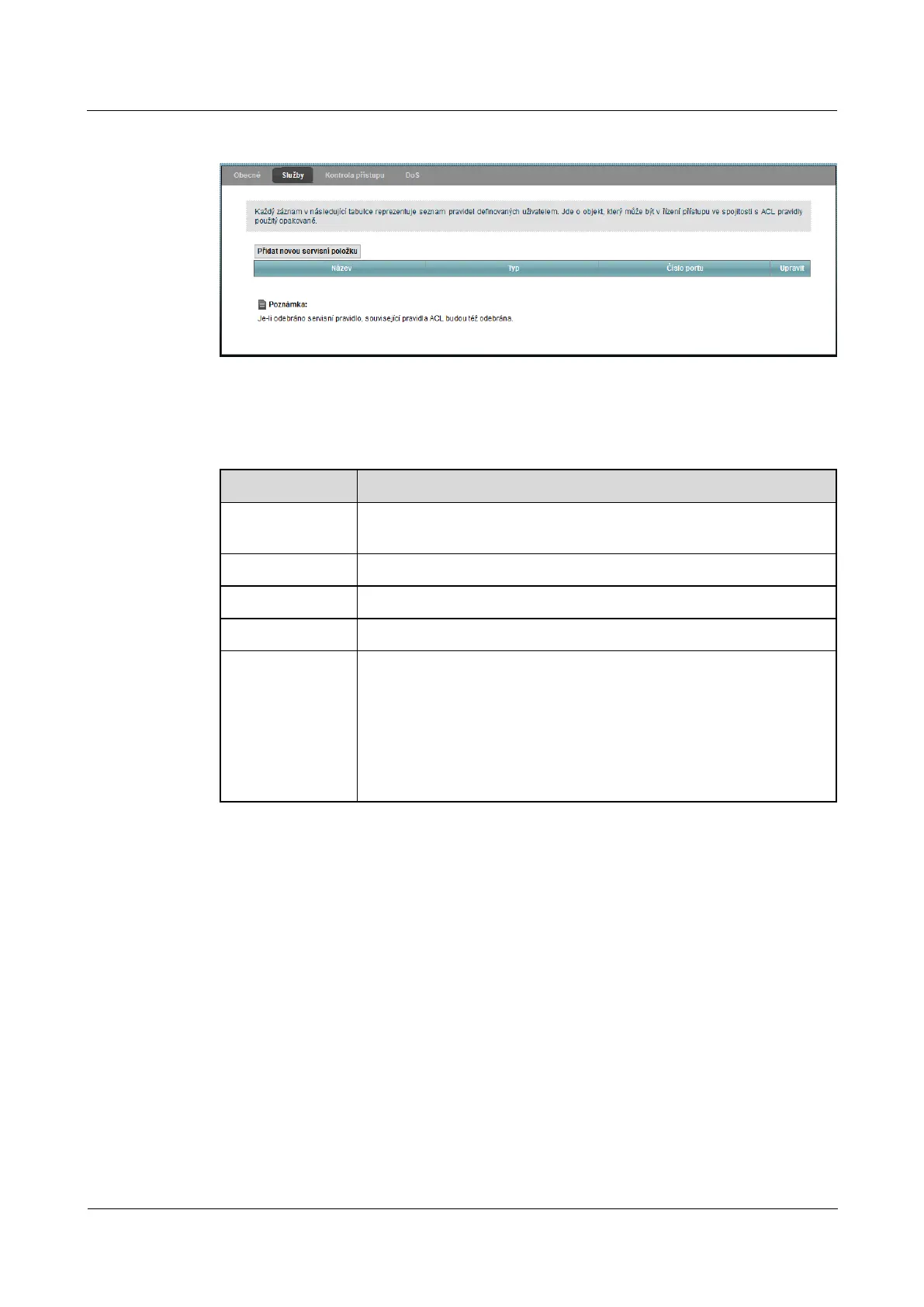
Figure 10-3 Security> Firewall> Services Figure 10-3 Security> Firewall> Services
Individual fields are described in the following table.
Table 10-2 Security> Firewall> Services Table 10-2 Security> Firewall> Services
Item Description
Add a new service
item
Click this button to add a new service.
Name The name of the service items.
Type The type of protocol used by the service ( TCP, UDP, ICMP or Other).The type of protocol used by the service ( TCP, UDP, ICMP or Other).The type of protocol used by the service ( TCP, UDP, ICMP or Other).The type of protocol used by the service ( TCP, UDP, ICMP or Other).
port number In this field there are ports defining the service.
adjust
Click on the icon adjust You can edit the appropriate service entry. Click on the Click on the icon adjust You can edit the appropriate service entry. Click on the Click on the icon adjust You can edit the appropriate service entry. Click on the
icon Remove You can select the appropriate service to remove. Keep in mind icon Remove You can select the appropriate service to remove. Keep in mind icon Remove You can select the appropriate service to remove. Keep in mind
that the following items after removing shifted one position above. Removing
service items will also lead to the removal of interconnected ACL rule set on the
screen Security> Firewall> Access Control.screen Security> Firewall> Access Control.
10.3.1 Screen Add a new maintenance item
Use this screen to configure the service to be used in the ACL rules created using the menu Security> Use this screen to configure the service to be used in the ACL rules created using the menu Security>
Firewall> Access Control> Add new ACL rule. To access this menu, go to the screen Security> Firewall> Firewall> Access Control> Add new ACL rule. To access this menu, go to the screen Security> Firewall> Firewall> Access Control> Add new ACL rule. To access this menu, go to the screen Security> Firewall>
Services and click on Add a new service item.Services and click on Add a new service item.Services and click on Add a new service item.



 To Next Page