LTE CPE B2368 User's
Guide Static routing 7
Issue 01 Copyright © Huawei Technologies Co., Ltd. 64
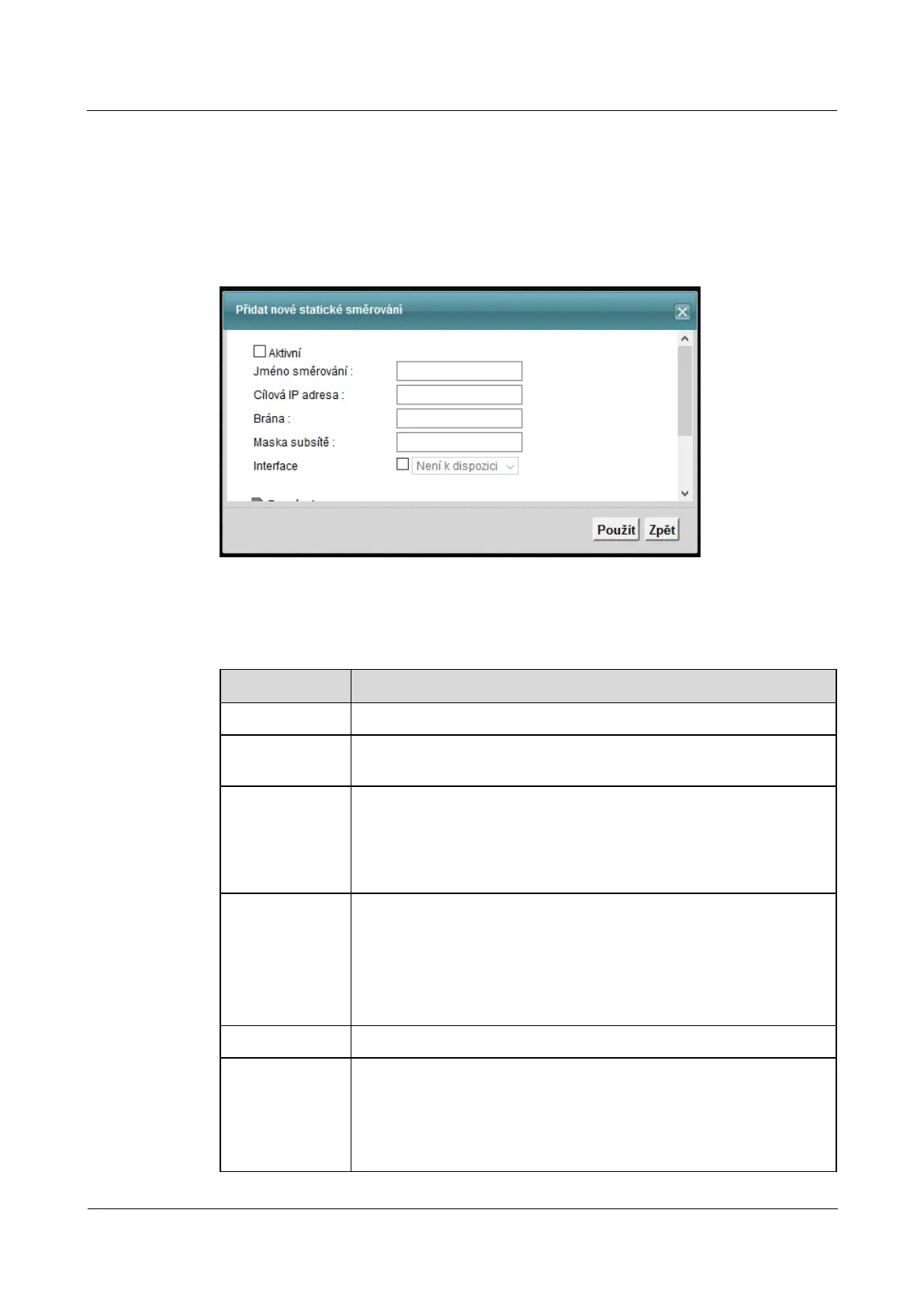
7.2.1 Add / Edit Static Routing
Click on the button Add new static routing on the screen Static routing,Click on the button Add new static routing on the screen Static routing,Click on the button Add new static routing on the screen Static routing,Click on the button Add new static routing on the screen Static routing,
or on the icon adjust on the right side of the table. The following dialog box. Using this window, you can set or on the icon adjust on the right side of the table. The following dialog box. Using this window, you can set or on the icon adjust on the right side of the table. The following dialog box. Using this window, you can set
the parameters of static routing.
Figure 7-3 Static Routing: Add / Edit Figure 7-3 Static Routing: Add / Edit
The following table summarizes the available fields on this screen.
Table 7-2 Static Routing: Add / Edit Table 7-2 Static Routing: Add / Edit
Item Description
Active Check to relevant rule of static routing.
name routing
Enter a name for the static routing.
Destination IP Address This parameter specifies the IP network address of the destination
routing. Routing is always based on the numbering on the network. If you want to direct
the guest to a single device, use a subnet mask of 255.255.255.255. This will
correspond to the numbering of the network ID of the host device.
Gate
You can specify whether you want to direct packets to IP gateway address or bound
interface.
To enter the IP address of the gateway, enter the gateway address for the next hop in the
network. Gateway may be a router (router) or switch (switch) located in the same network
segment as the LAN or WAN interfaces of the modem. Gateway is used to route packets to
their destination.
mask Enter the subnet mask.
Interface
You can specify whether you want to direct packets to IP gateway or a particular
interface.
If you want to use a specific interface, select the field from the drop down list,
select the interface over which you want to direct the flow of data.



 To Next Page