LTE CPE B2368 User's
Guide Content
Issue 01 Copyright © Huawei Technologies Co., Ltd. 6
Introduction
1.1 Use LTE modem
Below are some examples of appropriate use of the LTE modem.
1.1.1 Internet access
Your LTE modem to access the Internet using a wireless connection to the LTE network. The LTE modem
supports the following frequency bands of LTE networks. The use of a specific zone but usually decides Internet
service provider (operator).
•
B2368-22 B2368-66 models and supports LTE bands B38 / B40 / B41 /
B42 / B43 / B1 / B3 / B7 / B8 / B20.
•
B2368-57 model supports the LTE bands B40 / B41 / B42 / B4 / B7 / B28.
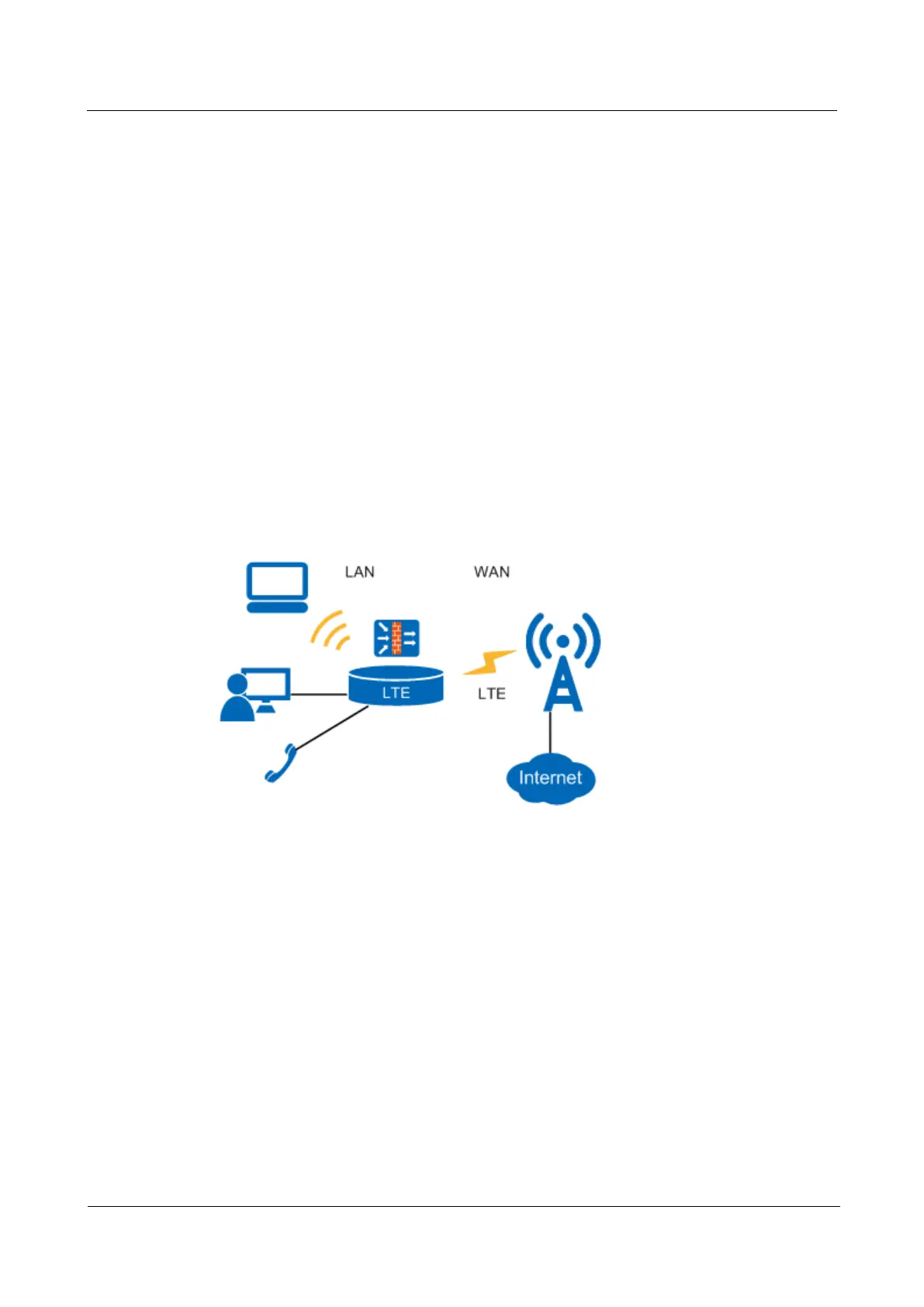
Figure 1-1 - computers can be connected directly to the port ETHERNET LTE modem (or wirelessly via Wi-Fi). Figure 1-1 - computers can be connected directly to the port ETHERNET LTE modem (or wirelessly via Wi-Fi). Figure 1-1 - computers can be connected directly to the port ETHERNET LTE modem (or wirelessly via Wi-Fi). Figure 1-1 - computers can be connected directly to the port ETHERNET LTE modem (or wirelessly via Wi-Fi). Figure 1-1 - computers can be connected directly to the port ETHERNET LTE modem (or wirelessly via Wi-Fi).
Figure 1-1 Diagram of Internet access via LTE modem Figure 1-1 Diagram of Internet access via LTE modem
1.1.2 VoIP telephony
A single user account can be assigned to one profile SIP (Session Initiation Protocol) and use such LTE
modem as a device for VoIP phone calls:



 To Next Page