LTE CPE B2368 User's
Guide 4 Broadband
Issue 01 Copyright © Huawei Technologies Co., Ltd. 29
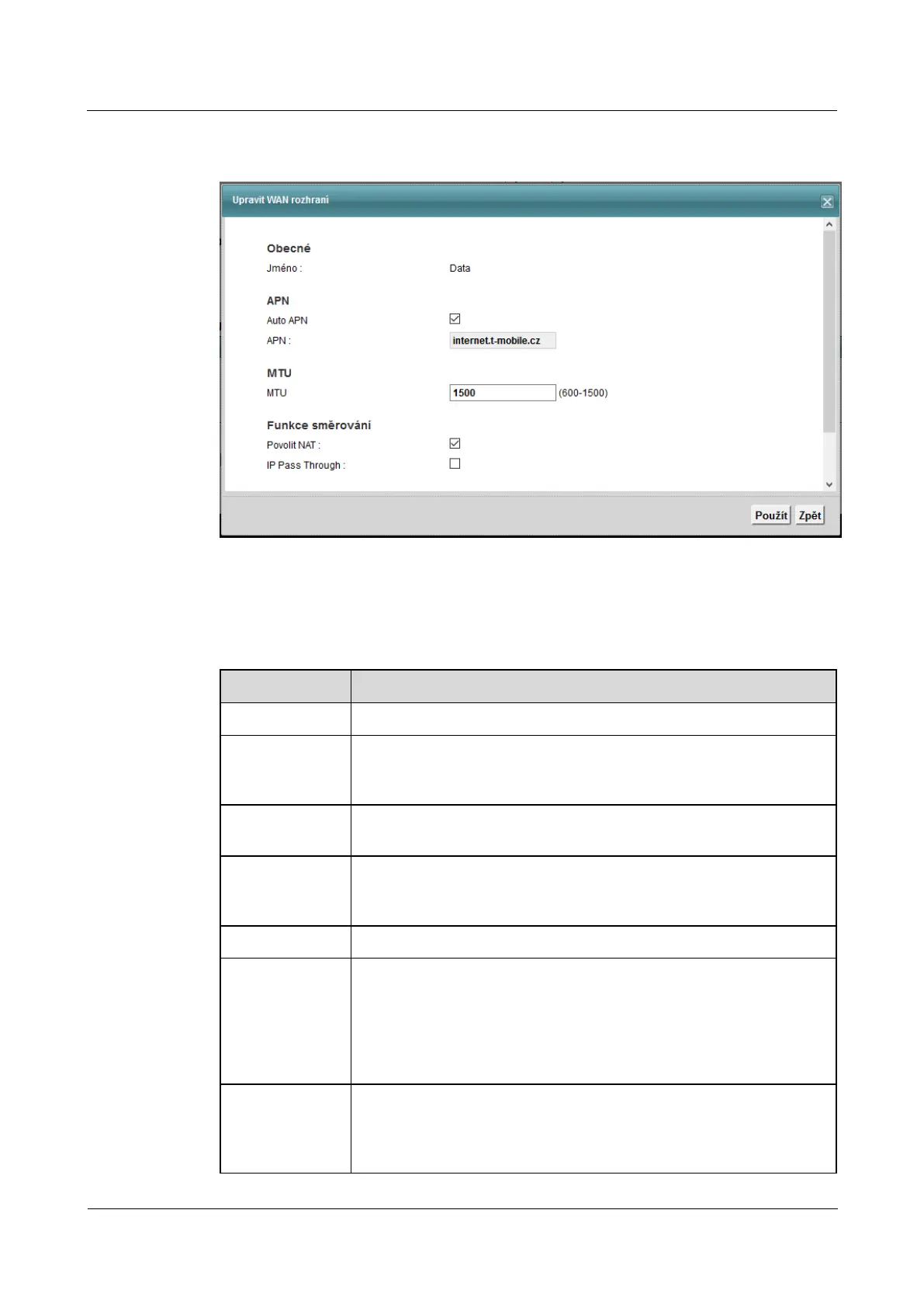
Figure 4-2 Network Settings> Broadband> Broadband> Edit Figure 4-2 Network Settings> Broadband> Broadband> Edit
The following table summarizes the available fields on this screen.
Table 4-2 Network Settings> Broadband> Broadband> Edit Table 4-2 Network Settings> Broadband> Broadband> Edit
Item Description
Name Name respective broadband.
Auto APN
Check this box to turn on automatic detection of the access point name APN of the
LTE network. Otherwise, enter the APN manually in the field below.
APN
Enter the name APN LTE network. Name, contact your ISP.
MTU
The maximum size of the transmission unit (MTU) defines the largest possible
packet size on the interface or connection. Enter the MTU value for the appropriate
WAN interface.
enable NAT Check to NAT routing for the WAN interface.
IP Pass Through Check this box to allow access providers assign IP
directly addresses devices on the LAN. This setting disables possibly setting NAT and
DHCP server configuration ( Network Settings> Home Network> LAN Settings). LTE DHCP server configuration ( Network Settings> Home Network> LAN Settings). LTE DHCP server configuration ( Network Settings> Home Network> LAN Settings). LTE
modem will be managed remotely via HTTPS and SNMP. Checking this item will also
receive additional parameters setting IP Pass Through.
The IP Pass
Through
Select Dynamic to assign IP addresses ISP via DHCP leases 5 minutes. Select StaticSelect Dynamic to assign IP addresses ISP via DHCP leases 5 minutes. Select StaticSelect Dynamic to assign IP addresses ISP via DHCP leases 5 minutes. Select StaticSelect Dynamic to assign IP addresses ISP via DHCP leases 5 minutes. Select Static
for assigning IP addresses via DHCP ISP only devices with specific MAC



 To Next Page