LTE CPE B2368 User's
Guide 23 Online Update
Issue 01 Copyright © Huawei Technologies Co., Ltd. 152
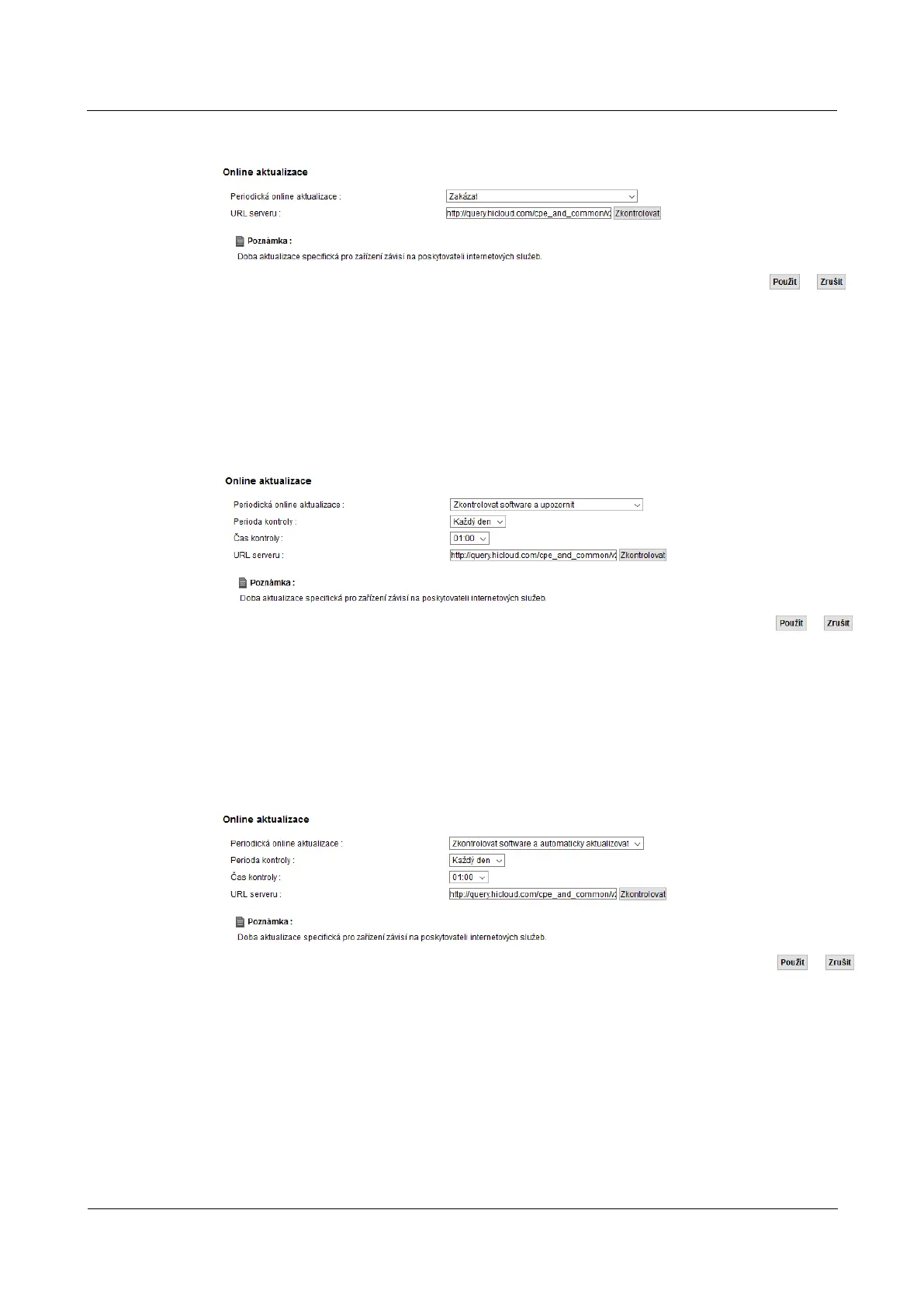
Figure 23-1 Device Management> Online Update: Disable Figure 23-1 Device Management> Online Update: Disable
If you want to LTE modem regularly check for a new version of firmware and alert you to select the menu Periodic If you want to LTE modem regularly check for a new version of firmware and alert you to select the menu Periodic
online updates possibility Check software and alert. Once LTE modem detects the presence of a new online updates possibility Check software and alert. Once LTE modem detects the presence of a new online updates possibility Check software and alert. Once LTE modem detects the presence of a new online updates possibility Check software and alert. Once LTE modem detects the presence of a new
version of the firmware, a pop-up window on the screen connection status or Online update.version of the firmware, a pop-up window on the screen connection status or Online update.version of the firmware, a pop-up window on the screen connection status or Online update.version of the firmware, a pop-up window on the screen connection status or Online update.
Figure 23-2 Device Management> Online Update: Check software and warn Figure 23-2 Device Management> Online Update: Check software and warn
If you want to LTE modem periodically check for new firmware is installed and automatically select the
menu Periodic online updates possibility menu Periodic online updates possibility menu Periodic online updates possibility
Check software and automatically updated.
Figure 23-3 Device Management> Online Update: Check the software and automatically update Figure 23-3 Device Management> Online Update: Check the software and automatically update
If you select Check software and warn or Check software and automatically update you will be able to If you select Check software and warn or Check software and automatically update you will be able to If you select Check software and warn or Check software and automatically update you will be able to If you select Check software and warn or Check software and automatically update you will be able to If you select Check software and warn or Check software and automatically update you will be able to
set the time in which to carry out a control ( Time controls).set the time in which to carry out a control ( Time controls).



 To Next Page