LTE CPE B2368 User's
Guide 2 Introduction to Web configuration interface
Issue 01 Copyright © Huawei Technologies Co., Ltd. 15
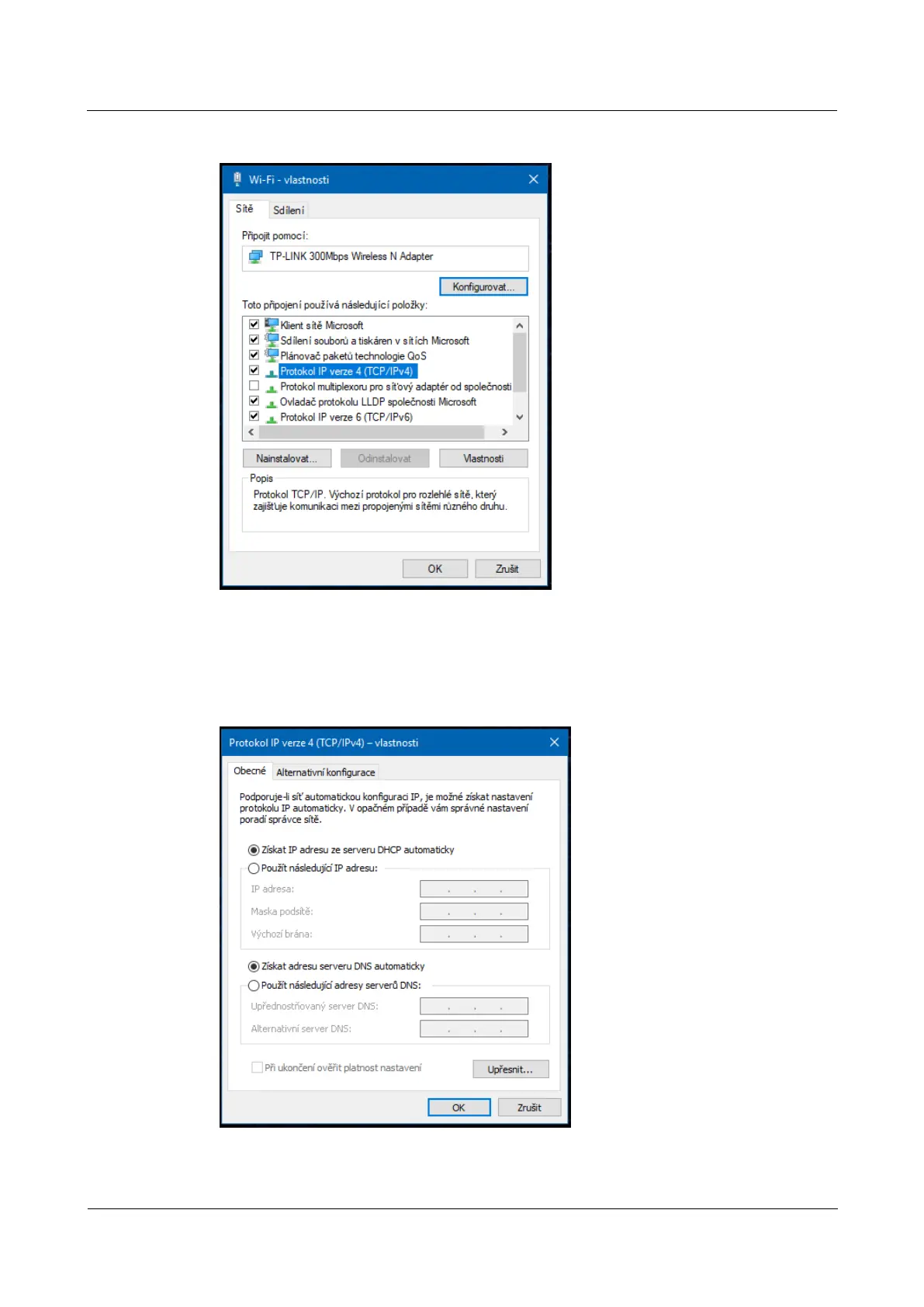
Figure 2-3 connection properties Figure 2-3 connection properties
step 5 Choose Obtain an IP address from a DHCP server and Obtain DNS server address step 5 Choose Obtain an IP address from a DHCP server and Obtain DNS server address step 5 Choose Obtain an IP address from a DHCP server and Obtain DNS server address step 5 Choose Obtain an IP address from a DHCP server and Obtain DNS server address step 5 Choose Obtain an IP address from a DHCP server and Obtain DNS server address
automatically and click on OK. then Close and in the next window again Close.automatically and click on OK. then Close and in the next window again Close.automatically and click on OK. then Close and in the next window again Close.automatically and click on OK. then Close and in the next window again Close.automatically and click on OK. then Close and in the next window again Close.automatically and click on OK. then Close and in the next window again Close.automatically and click on OK. then Close and in the next window again Close.
Figure 2-4 Properties of Internet Protocol Version 4 (TCP / IPv4) Figure 2-4 Properties of Internet Protocol Version 4 (TCP / IPv4)
---- End



 To Next Page