LTE CPE B2368 User's
Guide 13 L2TP VPN
Issue 01 Copyright © Huawei Technologies Co., Ltd. 95
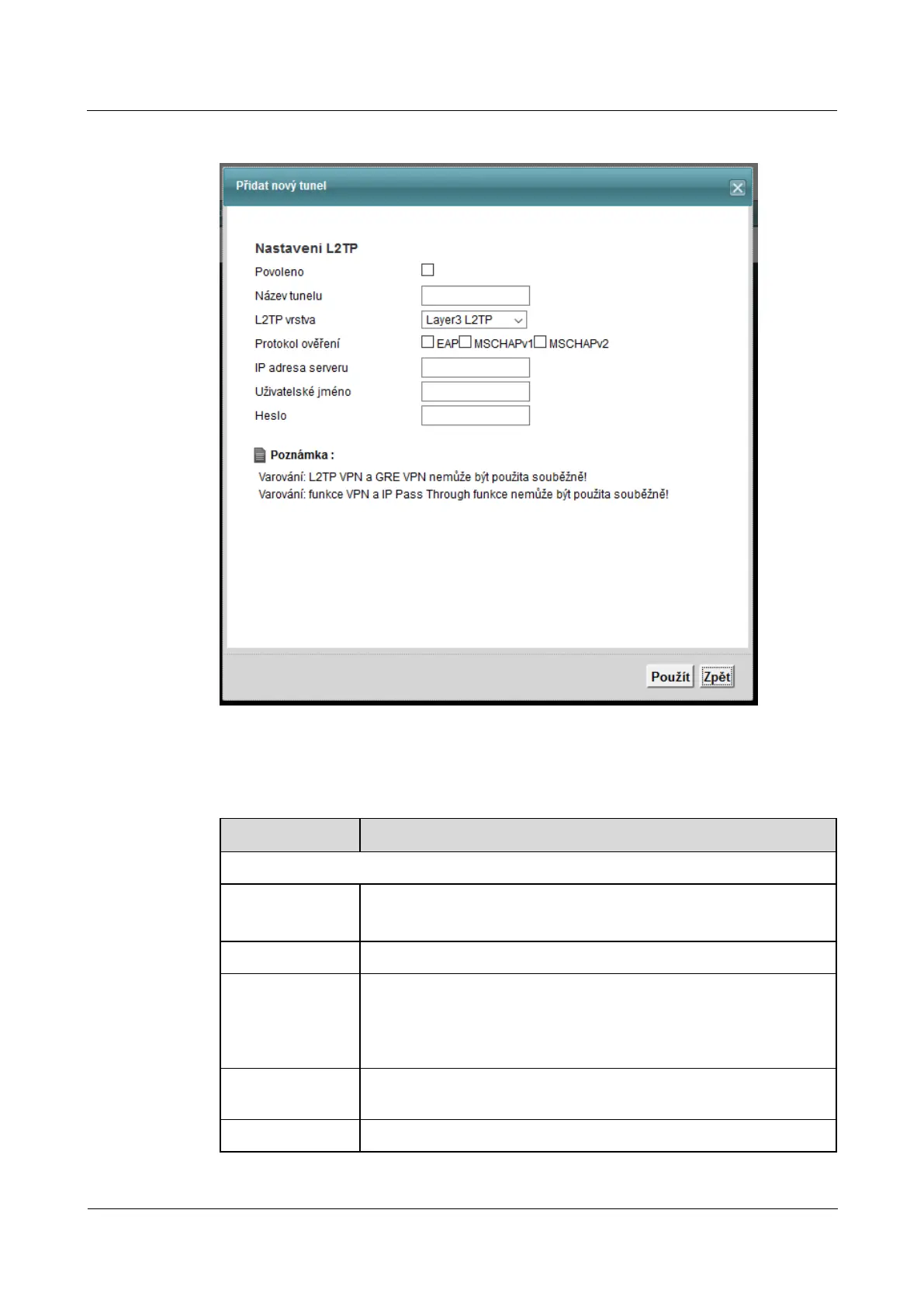
Figure 13-2 Add new tunnel / tunnel Modifications Figure 13-2 Add new tunnel / tunnel Modifications
The following table summarizes the available fields on this screen.
Table 13-2 Add new tunnel / tunnel Modifications Table 13-2 Add new tunnel / tunnel Modifications
Item Description
setting L2TP
Allowed Check the box to activate the L2TP tunnel.
Leave the box unchecked if you do not currently use the tunnel.
name of tunnel Enter a descriptive name for the L2TP tunnel.
L2TP layer
choose Layer3 L2TP for creating a tunnel in layer 3 of the OSI reference model. choose Layer3 L2TP for creating a tunnel in layer 3 of the OSI reference model. choose Layer3 L2TP for creating a tunnel in layer 3 of the OSI reference model.
choose layer2 L2TP to form in the layer 2 tunnel (tunnel BCP) OSI reference choose layer2 L2TP to form in the layer 2 tunnel (tunnel BCP) OSI reference choose layer2 L2TP to form in the layer 2 tunnel (tunnel BCP) OSI reference
model.
authentication protocol
Select the protocol, which will run through user authentication (EAP or
MSCHAPv2 MSCHAPv1).
IP address of the server IP address of the remote gateway.



 To Next Page