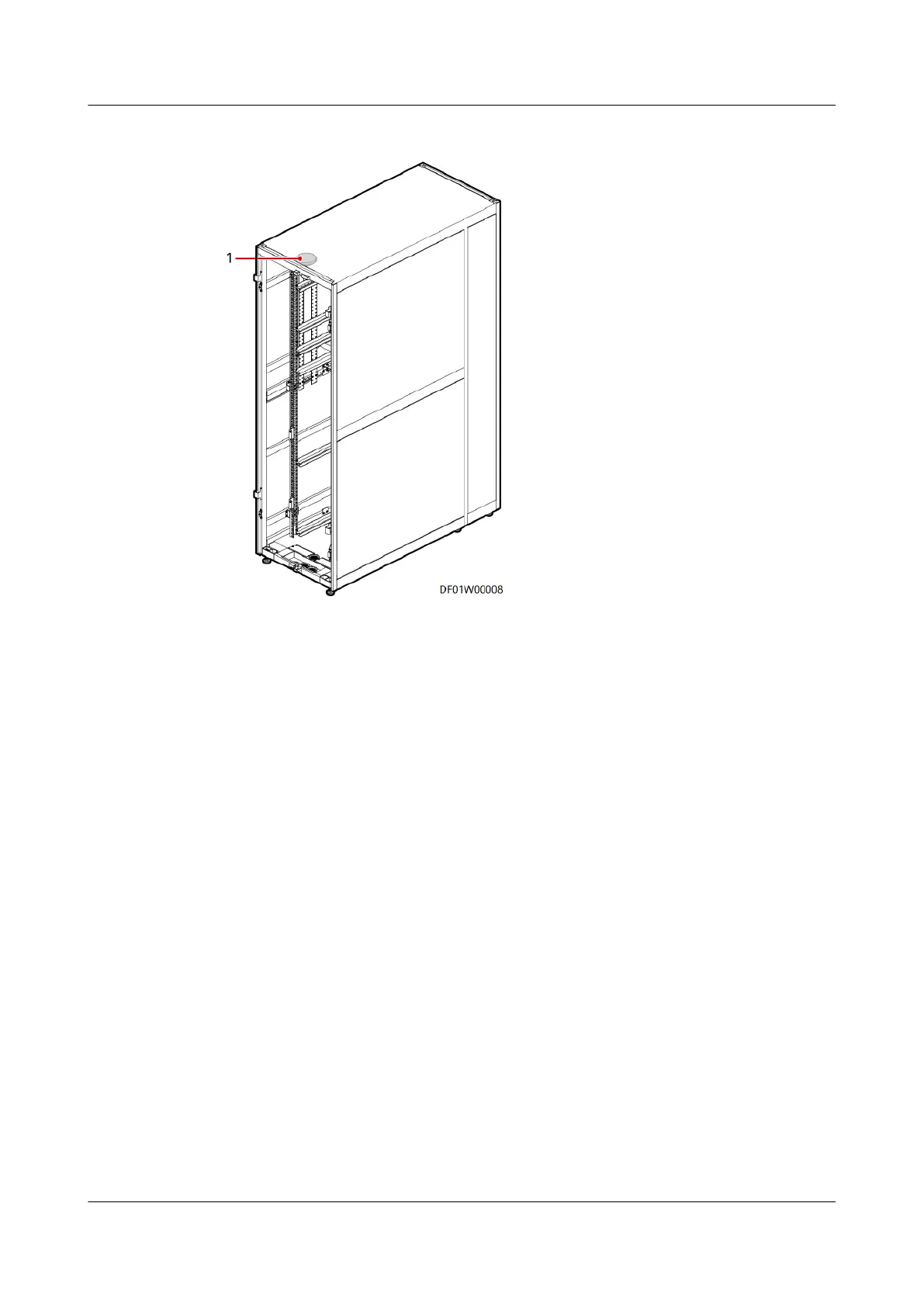
Figure 6-17 Detector position
(1) Smoke detector
Procedure
Step 1 Remove the smoke detector from the base.
Step 2 Remove the cables from the smoke detector and apply insulation measures such
as wrapping the cables with insulation tape to avoid hazards.
Step 3 Install the new smoke detector and reconnect the cables to the new smoke
detector.
Step 4 Install the smoke detector on the base.
Step 5 Blow smoke toward the smoke detector using a smoke pistol until the smoke
detector indicator changes from blinking once every 6s to steady on. If a smoke
detector re alarm is triggered, the smoke detector is functional.
----End
6.4.3.9 Replacing an Electrode Water Sensor
Prerequisites
● Recommended tools and materials: Phillips screwdriver, crimping tool
● A water sensor needs to be replaced.
● A spare water sensor is available.
FusionModule500 Smart Mini Data Center
User Manual (Philippines, FusionModule500-
SU61A12S) 6 O&M
Issue 02 (2021-06-30) Copyright © Huawei Technologies Co., Ltd. 194




 To Next Page