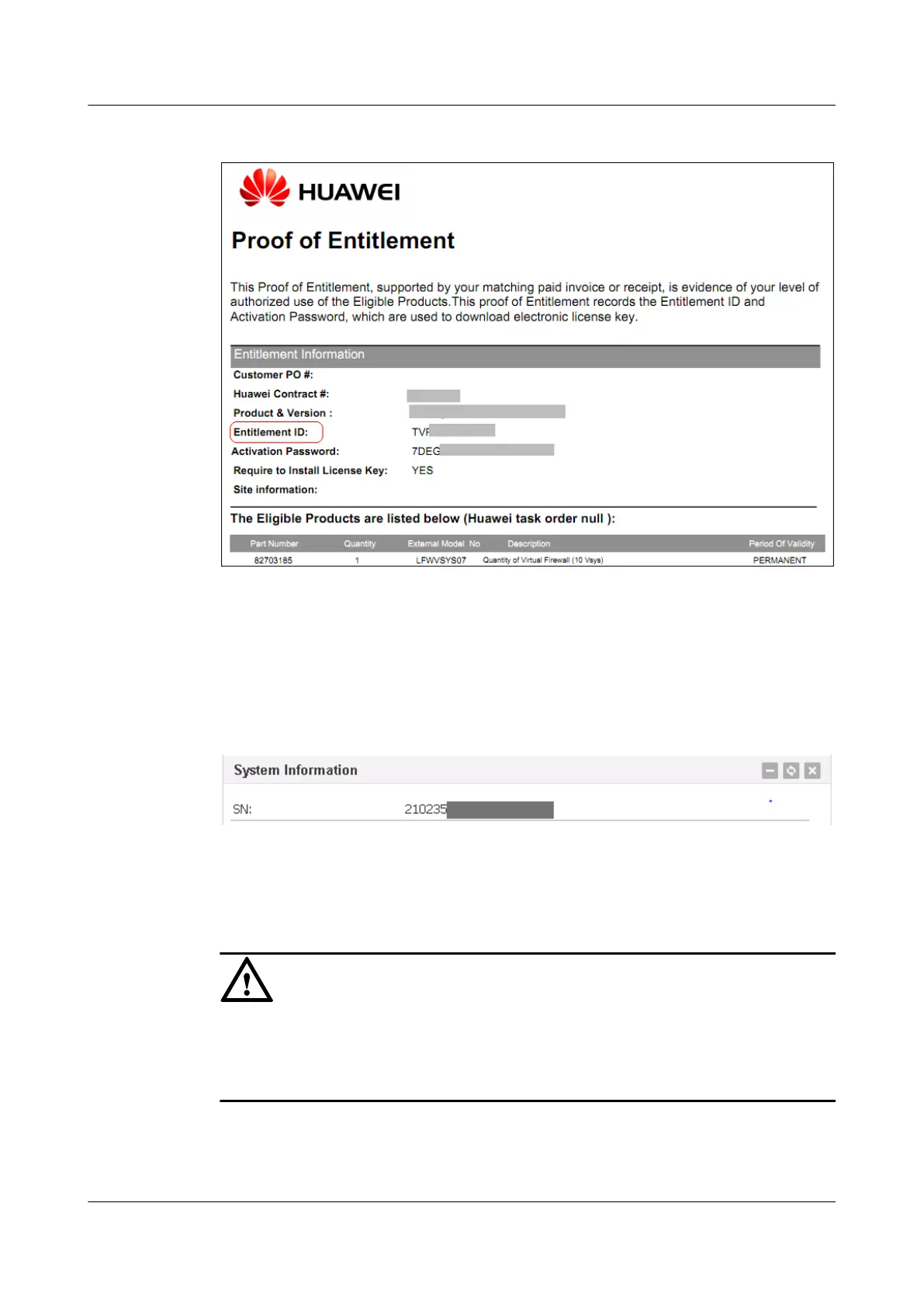
Figure 1-58 License authorization certificate
Step 2 Obtain an equipment serial number (ESN).
l Log in to the device in CLI mode and run the display esn command in any view to
obtain the ESN.
l Log in the device in Web mode and view the ESN in System Information of the
Dashboard page.
Figure 1-59 System Information
Step 3 Obtain the license file from the license self-service.
Log in to the http://app.huawei.com/isdp and obtain the license file according to the procedure
in the system help or displayed information.
NOTICE
To apply for the licenses of multiple devices, make sure that the entitlement ID corresponds to
the ESN.
If you cannot obtain the license file, contact the local technical support personnel.
Step 4 You need to obtain a new license file if you want to expand the license capacity or use new
features that are subject to license control. In this case, follow the preceding steps to apply for
the new license.
HUAWEI USG6000&USG9500
Upgrade Guide
1 USG6000
Issue 01 (2018-01-16) Huawei Proprietary and Confidential
Copyright © Huawei Technologies Co., Ltd.
102



 To Next Page