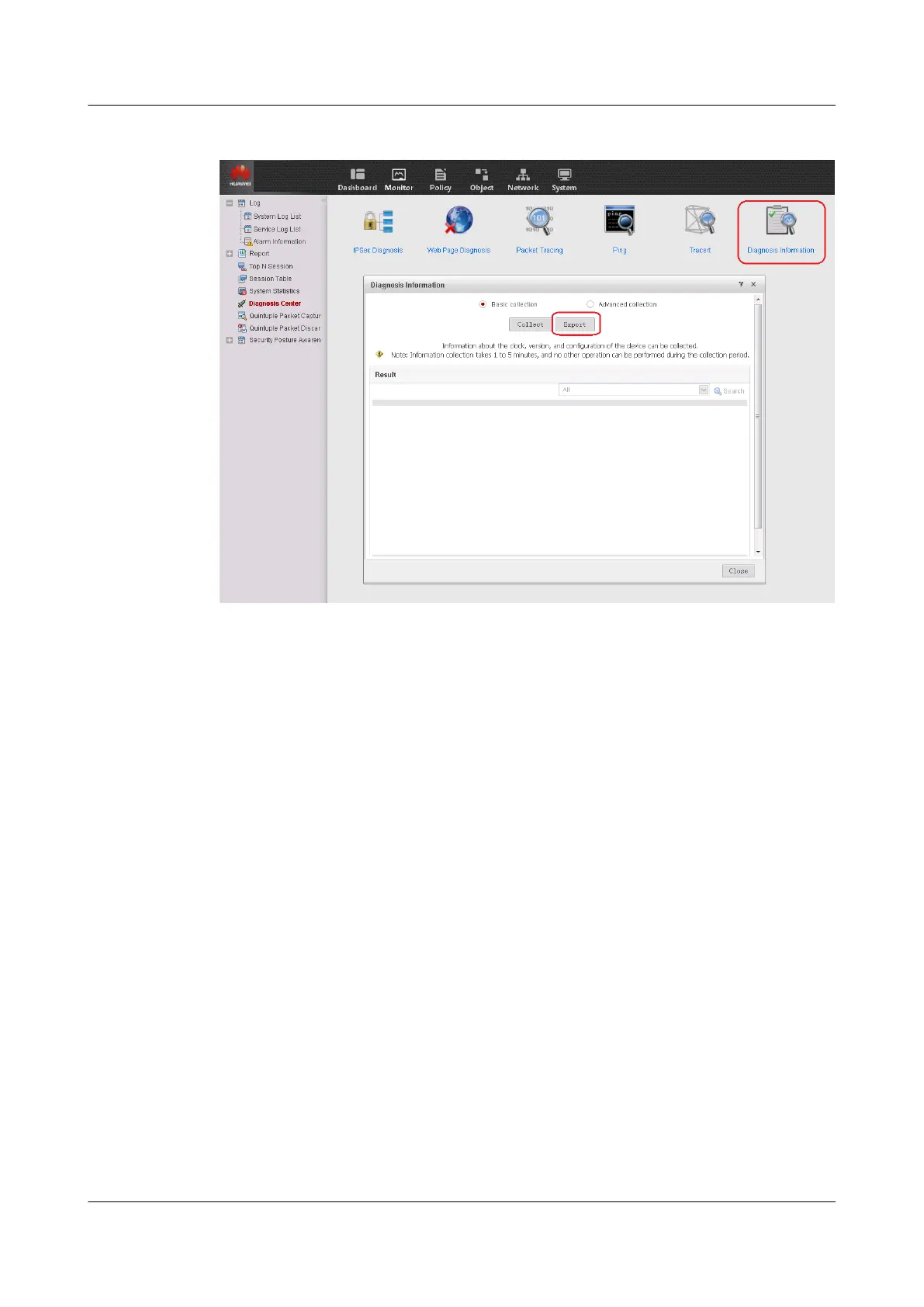
Figure 1-40 Viewing or exporting diagnosis information
Checking Whether Configurations Are Recovered
After the system software is upgraded, compare the current configuration file with the
configuration file backed up before the upgrade is performed to check whether any
configuration is lost or modified.
You can also use Beyond Compare to compare the configuration files before and after the
upgrade.
Recover the configuration based on the check result or contact the technical support
personnel.
Checking Whether Services Are Normal
Check whether services run properly in either of the following ways:
l Compare the entries (such as routes, session entries, and FIB entries) before and after the
upgrade to see if any entry is lost and check whether the service traffic before and after
the upgrade are identical.
l Consult the network administrator to check whether services are running properly.
1.3.5 Upgrade Through CLI
1.3.5.1 Preparations for the Upgrade
HUAWEI USG6000&USG9500
Upgrade Guide
1 USG6000
Issue 01 (2018-01-16) Huawei Proprietary and Confidential
Copyright © Huawei Technologies Co., Ltd.
59



 To Next Page