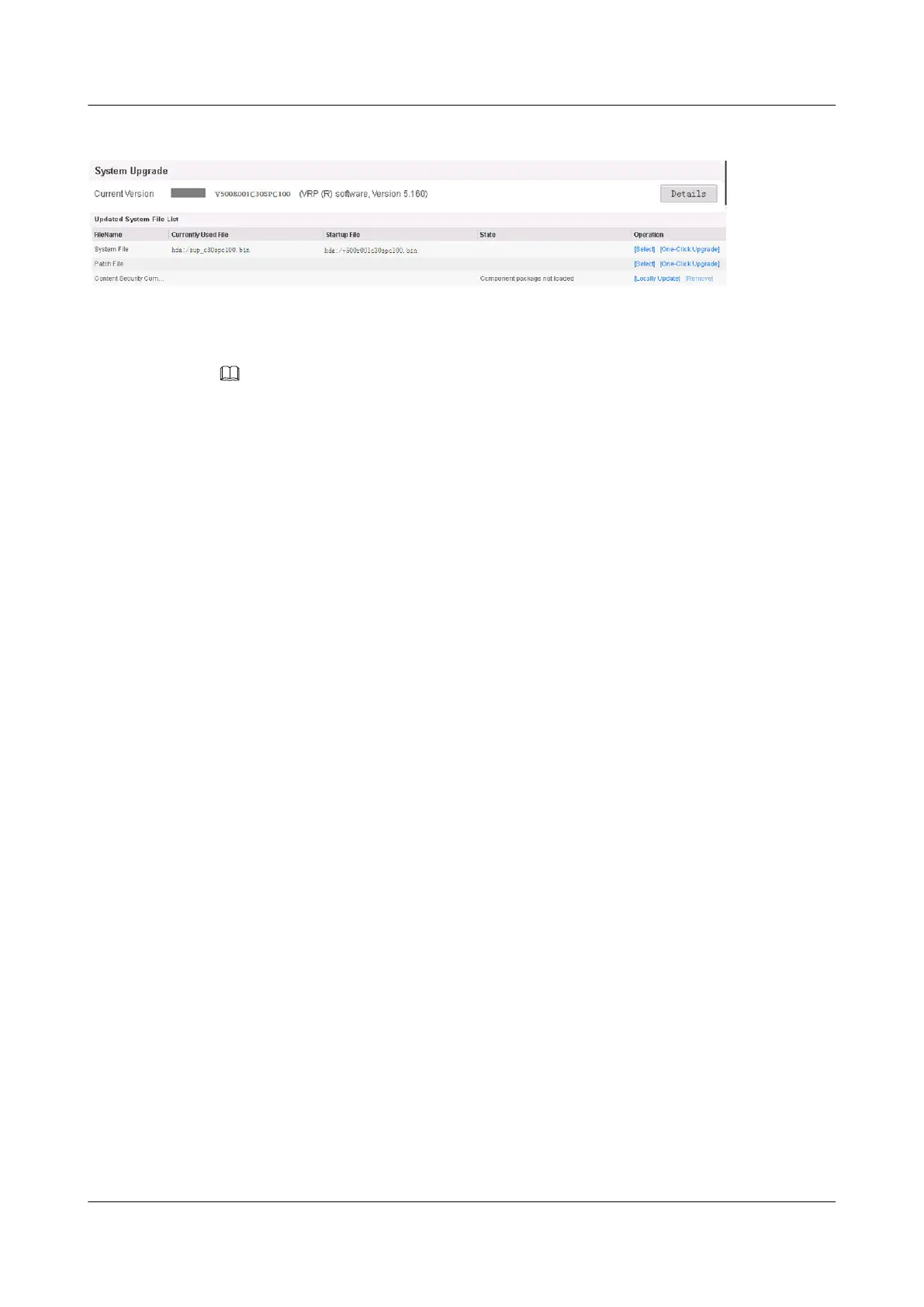
Figure 1-4 System update
NOTE
The root directory of the CF card is hda1:/. You can use the system software on the CF card to start the
device.
1.3.4.1.5 Checking the Use of Licenses
Context
If no license-controlled function, such as the virtual firewall, the number of concurrent SSL
VPN users, and content security function (intrusion prevention/anti-virus/pre-defined URL
category query) is used, skip this section.
The licenses can be either commercial or non-commercial:
l Commercial license
A commercial license is purchased under contract.
l Non-commercial license
A non-commercial license is used for test only and is valid usually for three months.
After the version is upgraded to V5, the license validity also has impact on the service
availability after the upgrade. Ensure that the current license is within its validity period.
Procedure
Step 1 Check information about the current license. You do not need to apply for another license if
the current license does not expire or no function needs to be added.After login, you can
query the license information in License Information on the DashBoard page, as shown in
Figure 1-5:
HUAWEI USG6000&USG9500
Upgrade Guide
1 USG6000
Issue 01 (2018-01-16) Huawei Proprietary and Confidential
Copyright © Huawei Technologies Co., Ltd.
38



 To Next Page