Step 5 To view or download related documentation, log in to , and search for "USG6600" or
"USG6500" or "USG6300" or "USG6100"
----End
1.3.4.1.3 Downloading Content Feature Component Packages
Context
Content feature component packages are not released along with the software package. You
must access the security center website and load the packages in online mode, or download
and load them locally.
In V500R001C80SPC100, the following Content features compose the content security
component package: file blocking, data filtering, application behavior control, mail
filtering, SSL decryption, smart DNS, URL logging, and audit.
Procedure
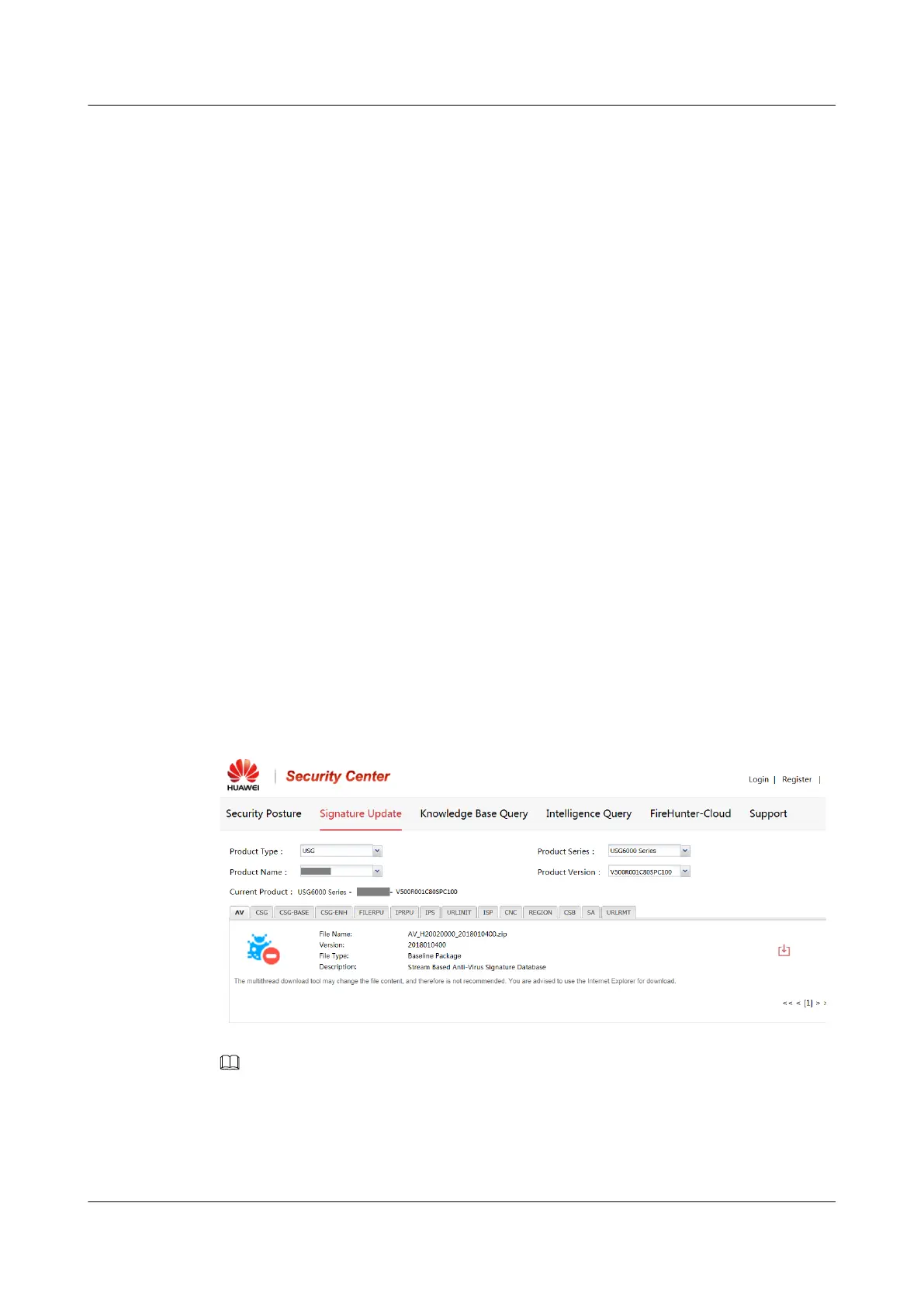
Step 1 Access Huawei security center at http://sec.huawei.com/. (Internet Explorer: version 8.0 or
later or Firefox)
Step 2 Expand the USG6000 Series tab and select the product model and version, such as USG6680
- V500R001C80SPC100.
Step 3 Select and download the component package. The component packages are as follows:
URLRMT: component package for the URL remote query feature.
CSG: content security component package, including the file blocking, data filtering, mail
filtering, application behavior control, audit, URL logging, SSL decryption, and smart DNS
features
NOTE
Other tabs on this page, such as AV, CNC, and IPS, are signature databases, irrelevant to content feature
component packages.
The content feature component package to be loaded must be compatible with the system software.
----End
HUAWEI USG6000&USG9500
Upgrade Guide
1 USG6000
Issue 01 (2018-01-16) Huawei Proprietary and Confidential
Copyright © Huawei Technologies Co., Ltd.
36



 To Next Page