If the latest signature database is required, you can upgrade the signature database in either
the online or local upgrade mode. For details, see the chapter "Upgrade Center " in the
HUAWEI USG6000&USG9500 V500R001C80SPC100 Product Documentation.
Step 17 (Optional) Upload and activate a new license file if required. Skip this step if no new license
file is required.
Run the put command to upload the new license file (for example, license_new.dat) to the CF
card of the NGFW. The name of the file to be uploaded cannot be the same as the name of any
existing file in the CF card. If a file with the same name already exists in the CF card, the file
is replaced by the uploaded file.
Run the license file filename command in the system view to activate the license file.
[NGFW] license active license_new.dat
Info:License is successfully activated.
----End
2.2.5.3 Upgrade Through Web
Upgrade Flow
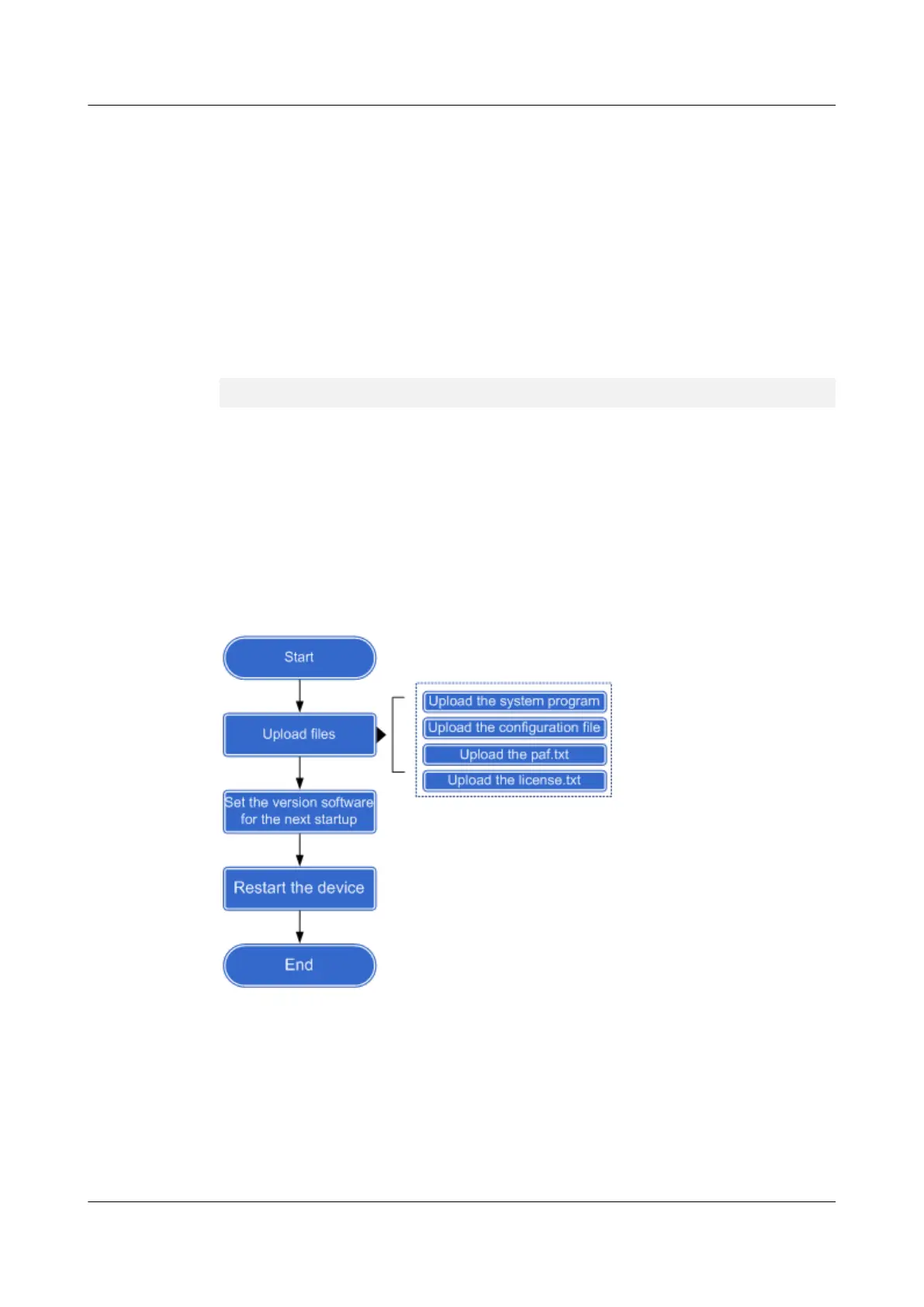
Figure 1 shows the flow of upgrading the version software through Web.
Figure 2-6 Flowchart of the version software upgrade through the Web
Procedure
Step 1 Enter https://192.168.0.1 in the address box of the Internet Explorer on PC2, enter user name
webuser and password Admin@123 to log in to the USG9500.
Step 2 Upload the system program.
1. Choose System > System Upgrade to view the current version.Current version:
USG9580 V500R001C80SPC100 (VRP (R) Version 5.160)
HUAWEI USG6000&USG9500
Upgrade Guide
2 USG9500
Issue 01 (2018-01-16) Huawei Proprietary and Confidential
Copyright © Huawei Technologies Co., Ltd.
148



 To Next Page