1.5 Appendix A: Upgrading System Software Using
BootROM
1.5.1 Background
When the device fails to load the system software, and you cannot log in to the device using
the Web UI or CLI, upgrade the system software using BootROM.
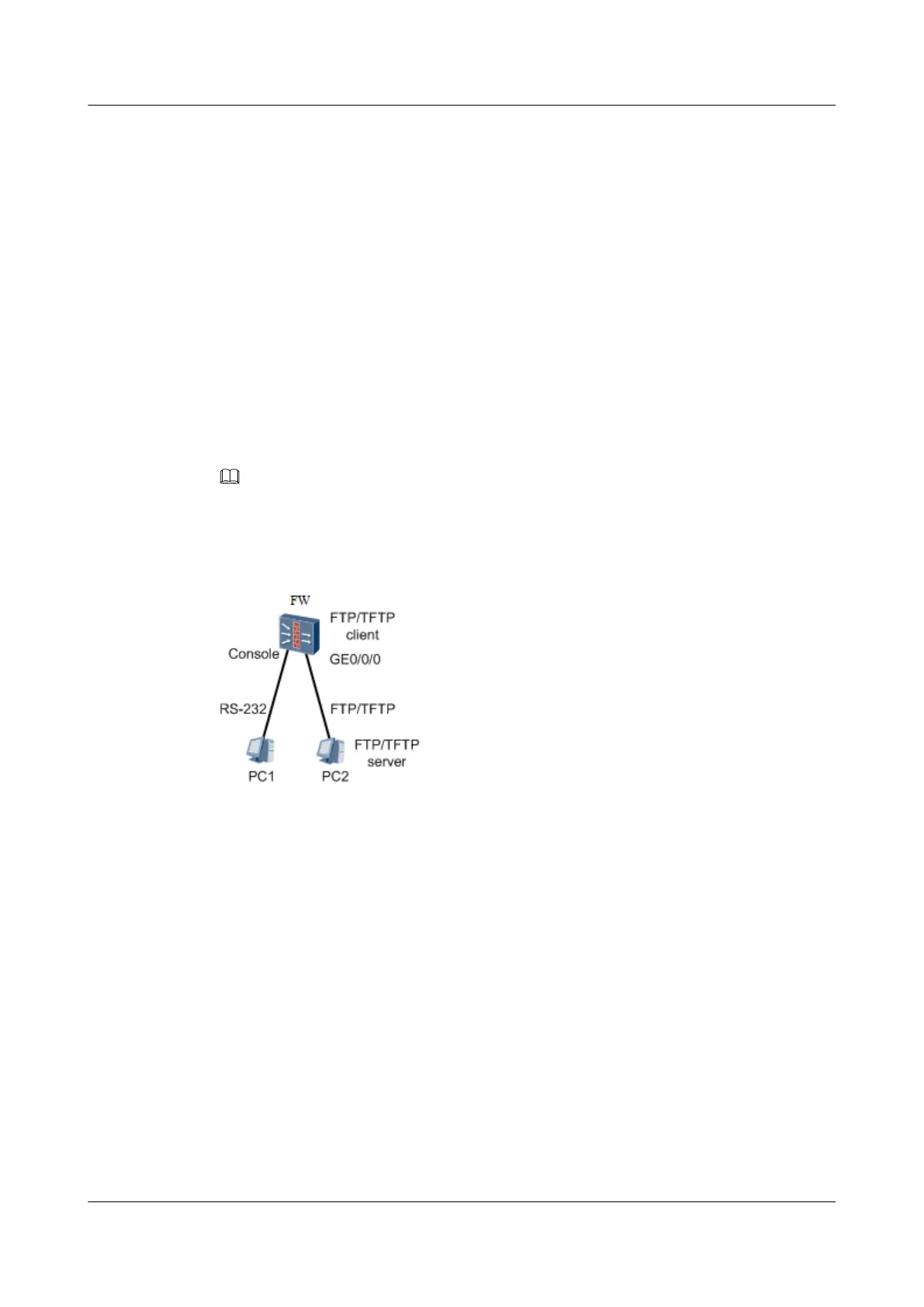
At present, the device supports the system software transmission to the CF card using FTP or
TFTP in the BootROM menu. The device, serving as the client, downloads the system
software from the FTP/TFTP server, as shown in Figure 1. You must install the third-party
FTP/TFTP server software on PC2.
NOTE
You can use only one PC as both the HyperTerminal program and the FTP client. To facilitate
description, two PCs are used as an example.
Figure 1-45 Transferring files through an FTP or TFTP server
The following section provides an example of how the device downloads the system software
from the FTP server.
1.5.2 Upgrade Process Overview
Context
Figure 1 shows the process for upgrading the system software using BootROM.
HUAWEI USG6000&USG9500
Upgrade Guide
1 USG6000
Issue 01 (2018-01-16) Huawei Proprietary and Confidential
Copyright © Huawei Technologies Co., Ltd.
82



 To Next Page