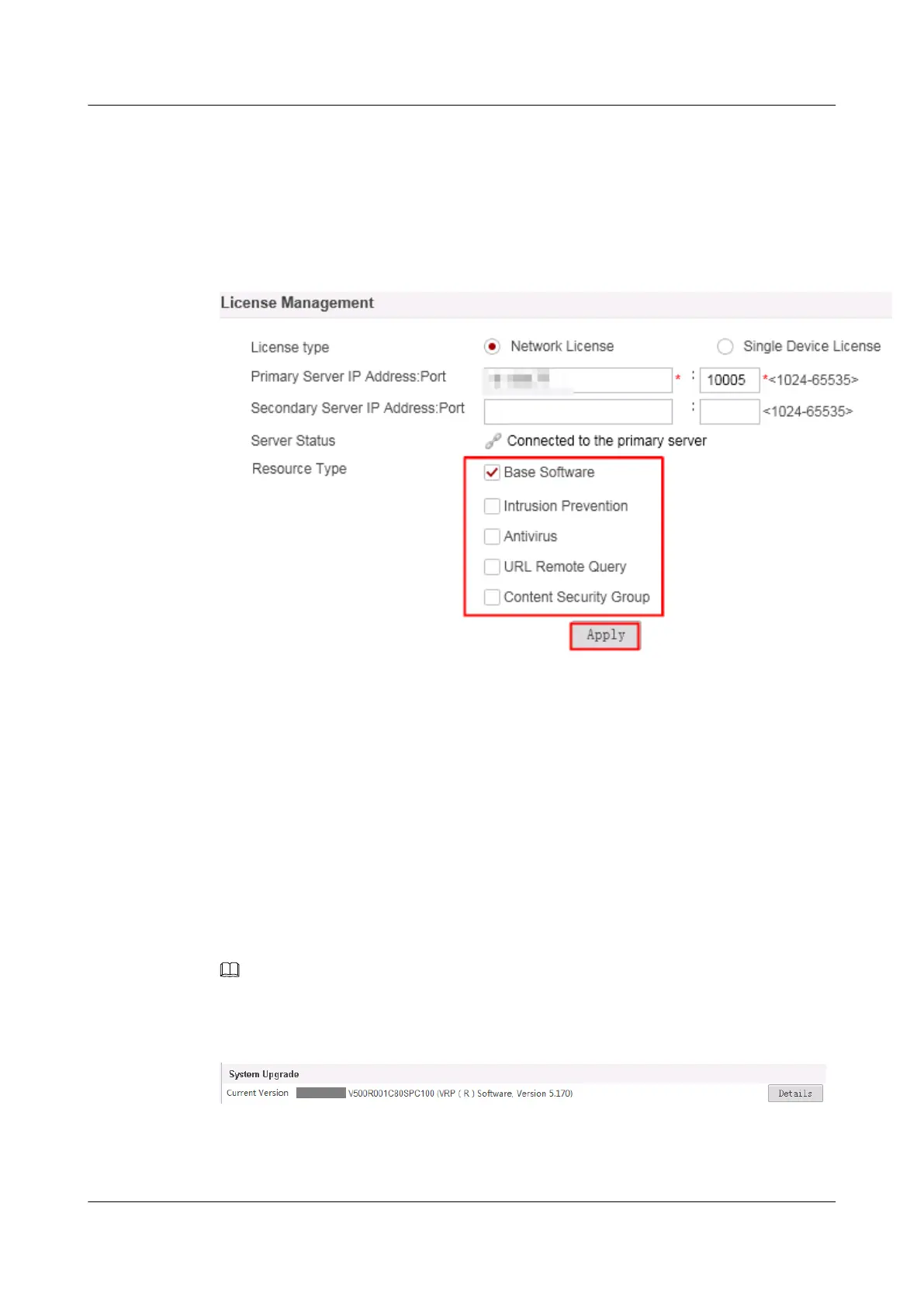
Step 10 (Optional) Configure the license resource type required by the device.
If the network license is not used, skip this step.
Choose System > License Management , select the corresponding resource type, and click
Apply.
Figure 1-28
Step 11 Now, the upgrade to V500R001C30 is complete. The optional follow-up task is to restore and
test services.
----End
1.3.4.3 Upgrade Result Verification
Checking the Running Software Version
After the device is started, log in to the web UI, choose System > System Upgrade, and view
information about the running system version.
You can click Details to view detailed version information.
NOTE
If the login page fails to be displayed, clear the browser buffer or use another browser.
Figure 1-29 Viewing the running system version
In System Software, you can view the running system version and the version for the next
startup.
HUAWEI USG6000&USG9500
Upgrade Guide
1 USG6000
Issue 01 (2018-01-16) Huawei Proprietary and Confidential
Copyright © Huawei Technologies Co., Ltd.
54



 To Next Page