Context
The diagnosis information contains the output of multiple commonly-used display
commands. You can check the operating status of each device module.
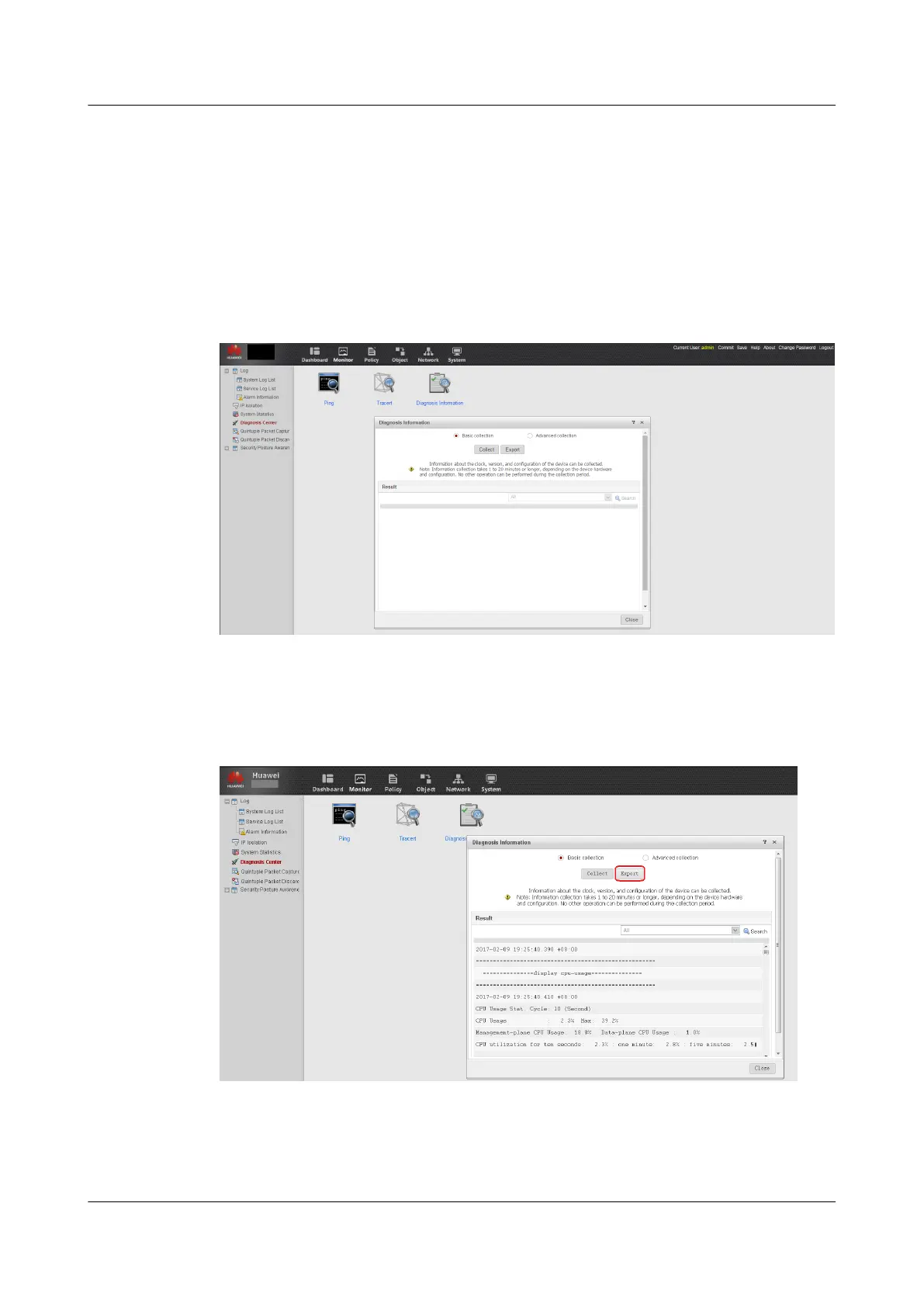
On the Web UI, choose Monitor > Diagnosis Center > Diagnosis Infomation. Click Collect
to view device diagnosis information, as shown in figure 1. You can also save the diagnosis
information to a text file
Figure 1-12 Information collecting
You can either view the diagnosis information or export it for backup to facilitate subsequent
troubleshooting, as shown in figure 2:
Figure 1-13 Displaying or exporting diagnosis information
1.3.4.1.8 Checking the Service Operating Status
HUAWEI USG6000&USG9500
Upgrade Guide
1 USG6000
Issue 01 (2018-01-16) Huawei Proprietary and Confidential
Copyright © Huawei Technologies Co., Ltd.
43



 To Next Page