have disabled the Web service or deleted the default user, do as follows to reconfigure the
service.
NOTE
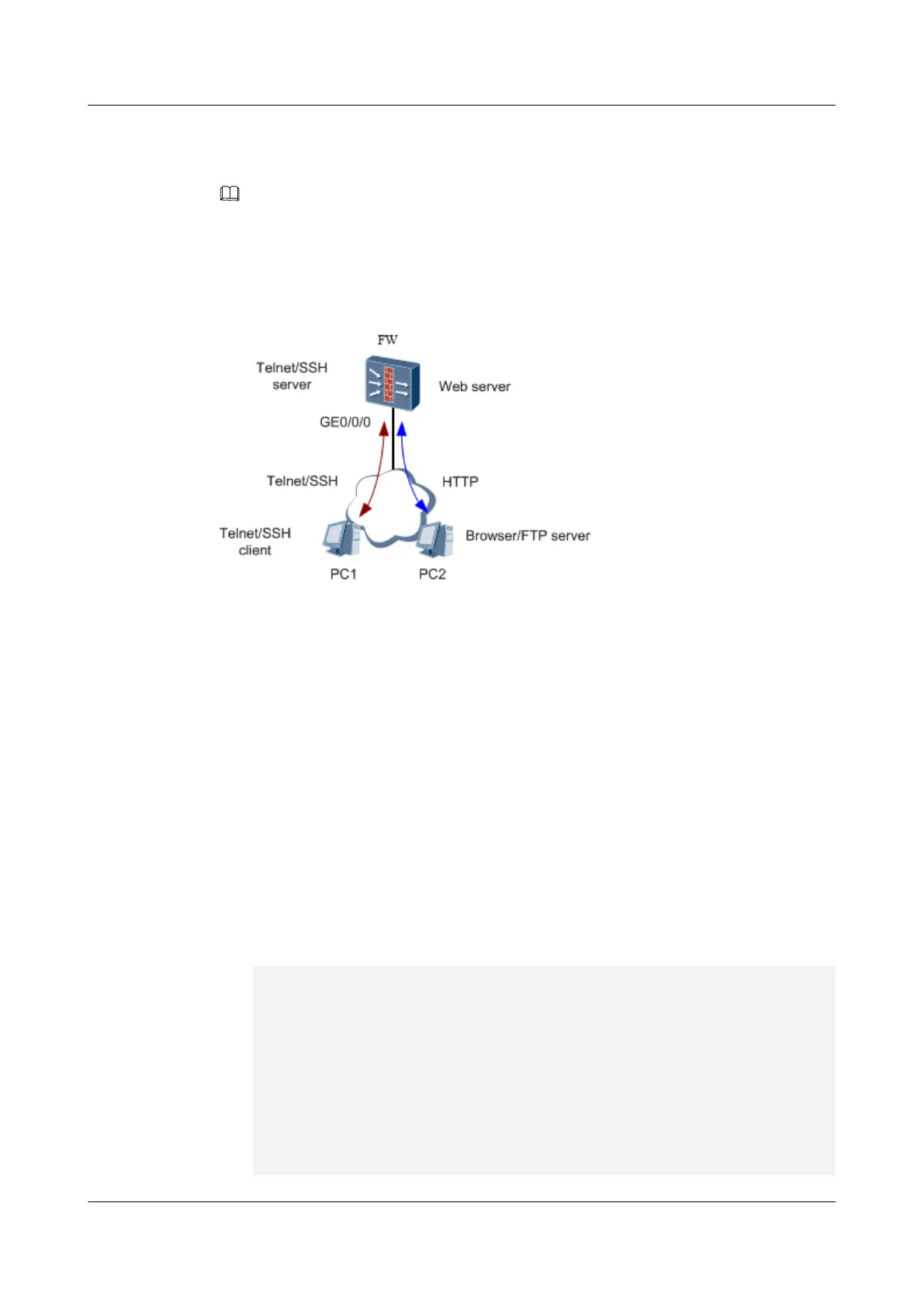
You can use only one PC on which you run both the Telnet/SSH client and the browser/FTP server. To
facilitate description, the network using two PCs is used as an example. The following steps apply to
this two-PC network.
Figure 2-3 Schematic diagram of the USG9500 serving as the Web server
Do as follows to configure the USG9500 as the Web server:
1. On PC1, log in to the CLI of the USG9500 through Telnet or SSH. For the Telnet or SSH
login method, see the related configuration example in
HUAWEI USG6000&USG9500 V500R001C80SPC100 Product Documentation
.
You are recommended to use interface GigabitEthernet 0/0/0 on the MPU of the
USG9500 for login. By default, the IP address for interface GigabitEthernet 0/0/0 is
192.168.0.1, the user name is admin, and the password is Admin@123.
If both MPUs can be detected, use GigabitEthernet 0/0/0 on the active MPU for the
upgrade. You can check whether the MPU is active through the ACT indicator on it. If
the ACT indicator is on, the MPU is active. If the ACT indicator is off, the MPU is
standby.
2. Enter the system view and start the Web service. Configure a user with user name
webuser and password Admin@123 and the level of the Web user. You can use other
user names and passwords as required.
[sysname]web-manager security
enable
Info: Web server has been enabled.
[sysname]aaa
[sysname-aaa] manager-user webuser
[sysname-aaa-manager-user-
webuser]password
Enter
Password:
Confirm Password:
[sysname-aaa-manager-user-webuser]level 3
[sysname-aaa-manager-user-webuser]service-type web
HUAWEI USG6000&USG9500
Upgrade Guide
2 USG9500
Issue 01 (2018-01-16) Huawei Proprietary and Confidential
Copyright © Huawei Technologies Co., Ltd.
133



 To Next Page