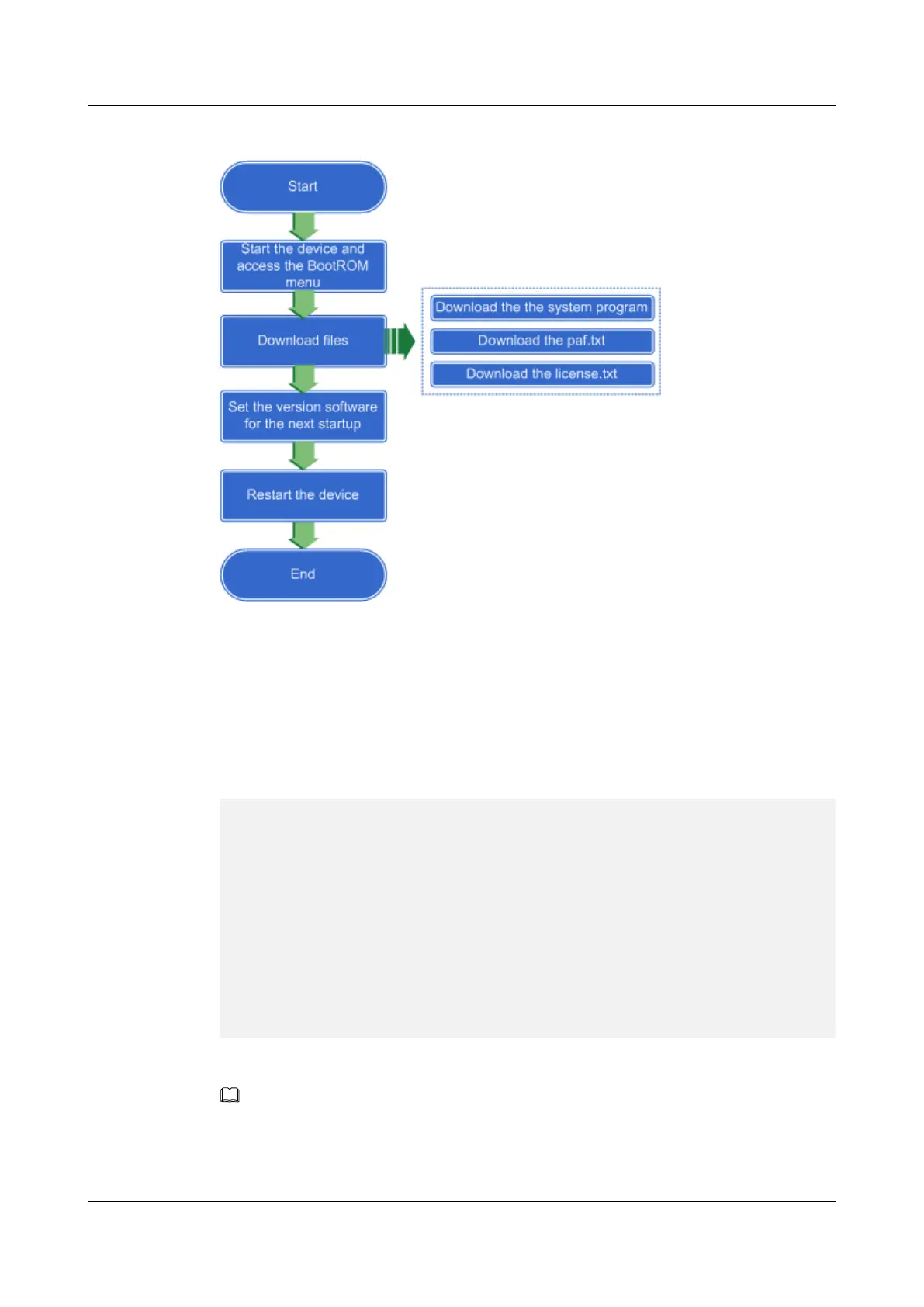
Figure 2-12 Flowchart of the version software upgrade through the BootROM
Procedure
Step 1 Switch on the power supply to power on the USG9500.
Step 2 After the device is powered on, you can view the process of the device startup through the
terminal emulation program (such as the HyperTerminal on Windows XP). When the
following information is displayed, press and hold CTRL+B.
****************************************************
* *
* 8090 boot ROM, Ver 60.01 *
* *
****************************************************
Copyright 2001-2015 Huawei Tech. Co., Ltd.
Creation date: Aug 19 2013, 09:39:45
CPU type : MPC8548E
Press Ctrl+B to enter Main Menu... 1
Password: **********
Then access the BootROM main menu.
NOTE
The default password to access the BootROM main menu is WWW@HUAWEI, which is case
sensitive.
You are advised to change the default password after login for security. Keep your new password secure.
HUAWEI USG6000&USG9500
Upgrade Guide
2 USG9500
Issue 01 (2018-01-16) Huawei Proprietary and Confidential
Copyright © Huawei Technologies Co., Ltd.
156



 To Next Page