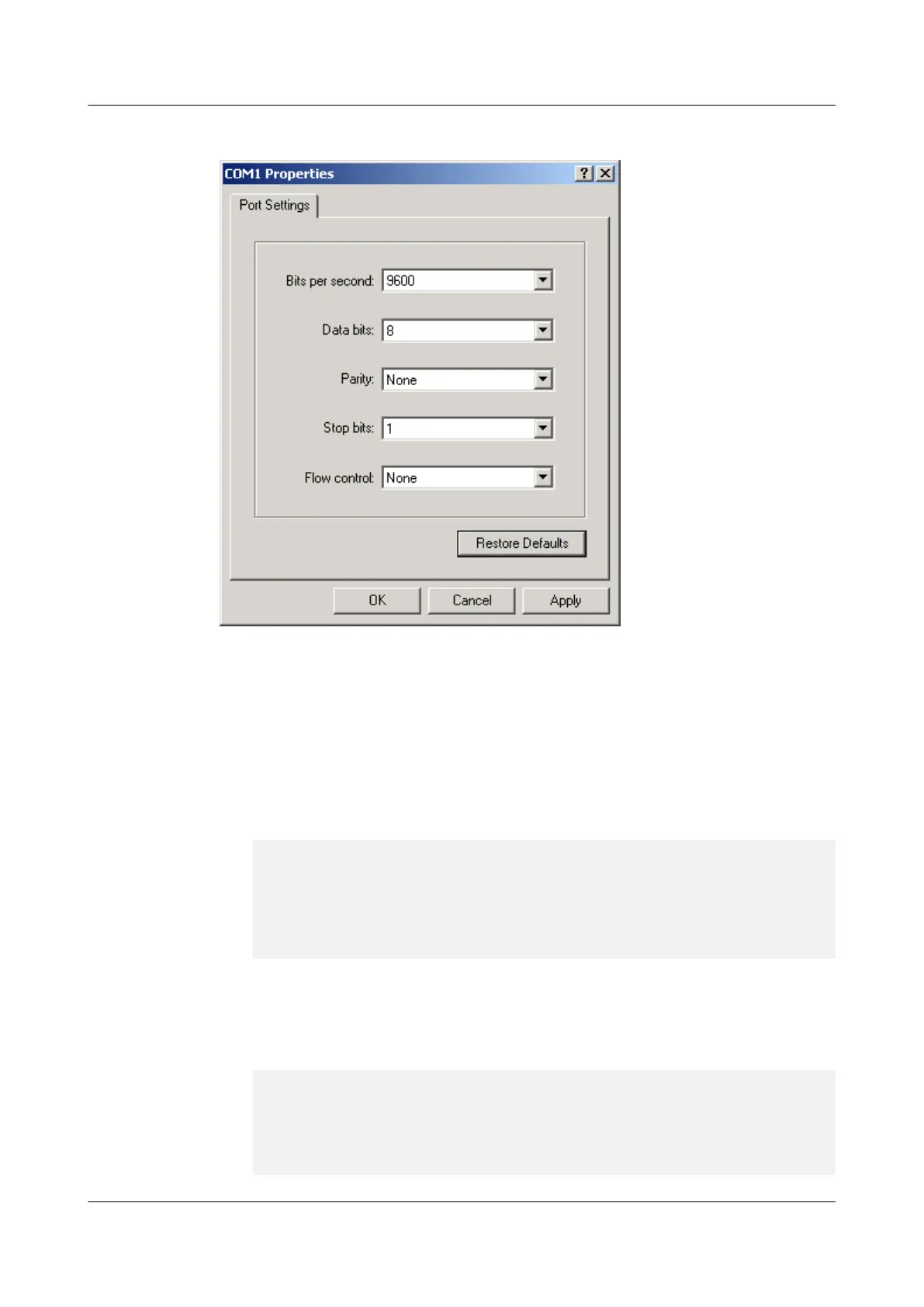
Figure 2-18 Setting port properties
Step 4 Log in to the USG9500, and enter the CLI.By default, the user name and password are admin
and Admin@123 respectively for logging in to the USG9500 through the console port.
Step 5 Configure upgrade environment.
1. Configure STelnet for login.
Set the IP address of GigabitEthernet 0/0/0 on the MPU of the USG9500 to 192.168.0.1
and subnet mask to 255.255.255.0. Set the authentication mode on the virtual type
terminal (VTY) to AAA and protocol to Telnet. Create a local Telnet user with the user
name user1, user level 3, password Password1.
[USG9500] aaa
[USG9500-aaa] manager-user vtyadmin
[USG9500-aaa-manager-user-vtyadmin] password
Enter Password:
Confirm Password:
[USG9500-aaa-manager-user-vtyadmin] service-type telnet
[USG9500-aaa-manager-user-vtyadmin] quit
[USG9500-aaa] bind manager-user vtyadmin role system-admin
If an interface on the interface board is used to construct the Telnet environment, you
need to not only configure the previous commands, but also assign the interface to a
security zone and enable the interzone security policy between this security zone and the
Local zone. The following command output uses assigning GigabitEthernet 1/0/1 to the
Trust zone as an example. The IP address of the Telnet client is 192.168.0.2.
[USG9500] firewall zone trust
[USG9500-zone-trust] add interface GigabitEthernet 1/0/1
[USG9500-zone-trust] quit
[USG9500] policy interzone local trust inbound
[USG9500-policy-interzone-local-trust-inbound] policy 1
[USG9500-policy-interzone-local-trust-inbound-1] policy source 192.168.0.2 0
[USG9500-policy-interzone-local-trust-inbound-1] policy destination
HUAWEI USG6000&USG9500
Upgrade Guide
2 USG9500
Issue 01 (2018-01-16) Huawei Proprietary and Confidential
Copyright © Huawei Technologies Co., Ltd.
179



 To Next Page