Prerequisites
To upgrade system software using the Web UI, upload the system software to the CF card of
the properly operating USG6000 , specify the system software to be used at the next startup,
and restart the USG6000 .
The premise is that you have logged in to the Web environment using the Web UI. If the login
using the Web UI is not configured, log in to the USG6000 using the console port to configure
the Web environment. For configuration details, see Setting Up an Environment for
Upgrading System Software Using Web.
By default, the device allows an administrator to log in to the web UI using HTTPS.
NOTE
The network using two PCs is used as an example to facilitate description. You can use only one PC as
Telnet/SSH and HTTPS clients.
Preparing the Upgrade Tool
Prepare the following tools for the upgrade:
l Login tool
Login tools help you log in to the device on the Web UI. This document uses the tool in
Windows (Windows XP+SP2) as an example. The browser of the PC must meet any of
the following requirements:
– Internet Explorer: version 8.0 or later
– Firefox (recommended): version 10.0 or later
– Chrome: version 17.0 or later
l File comparison tool.
A file comparison tool is used to compare the configuration files before and after the
upgrade. Use proven third-party tools, such as Beyond Compare.
Preparing the Upgrade Environment in Web Mode
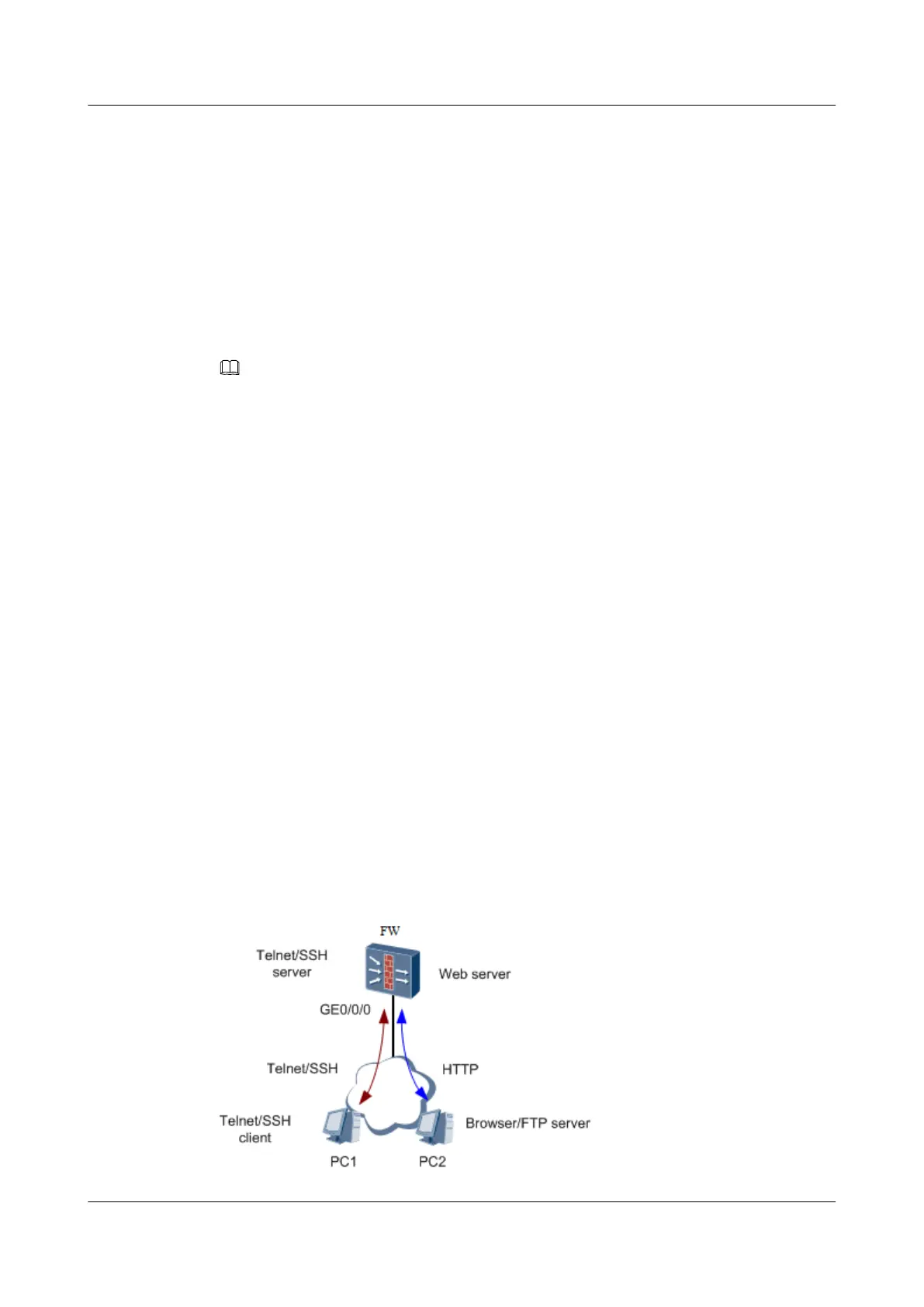
As shown in Figure 1, the USG6000 is configured as the Web server and the version software
is located on PC2. On PC2, log in to the USG6000 using the browser and then upload the
version software to the CF card of the USG6000 through Web.
Figure 1-2 Schematic diagram of the USG6000 serving as the Web server
HUAWEI USG6000&USG9500
Upgrade Guide
1 USG6000
Issue 01 (2018-01-16) Huawei Proprietary and Confidential
Copyright © Huawei Technologies Co., Ltd.
33



 To Next Page