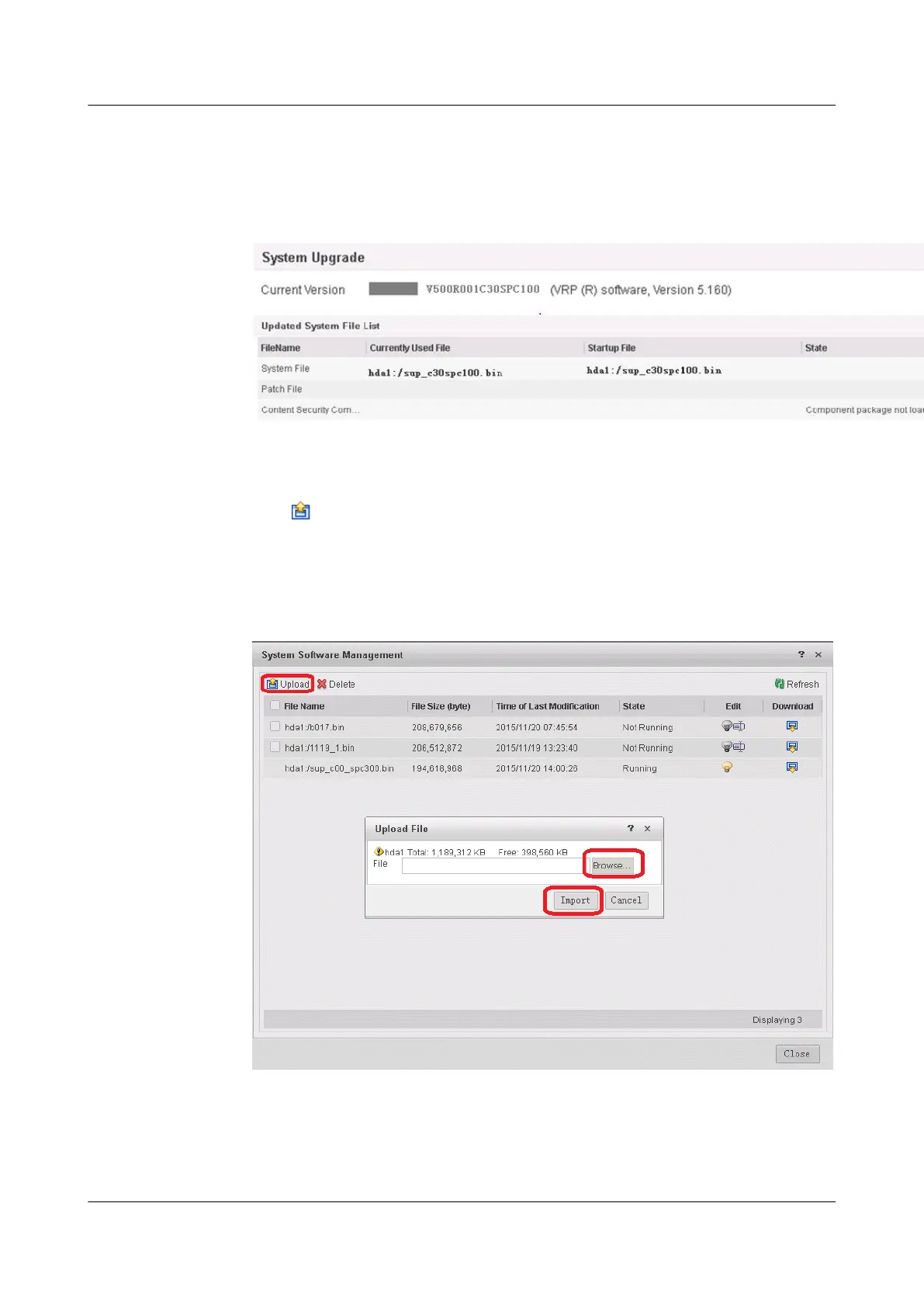
1. Choose System > System Upgrade. You can view system software information in
System Software
Figure 1-25 Viewing system software information
2. Click Select for System Software. The System Software Management page is
displayed.
Click
. The Upload File dialog box is displayed.
Delete unwanted files if the free space in the CF card is insufficient.
Upload a file.
Figure 1-26 Uploading a file
HUAWEI USG6000&USG9500
Upgrade Guide
1 USG6000
Issue 01 (2018-01-16) Huawei Proprietary and Confidential
Copyright © Huawei Technologies Co., Ltd.
51



 To Next Page