9502 User Guide
3004146-0001 Rev H
Optional Mounting
Accessories
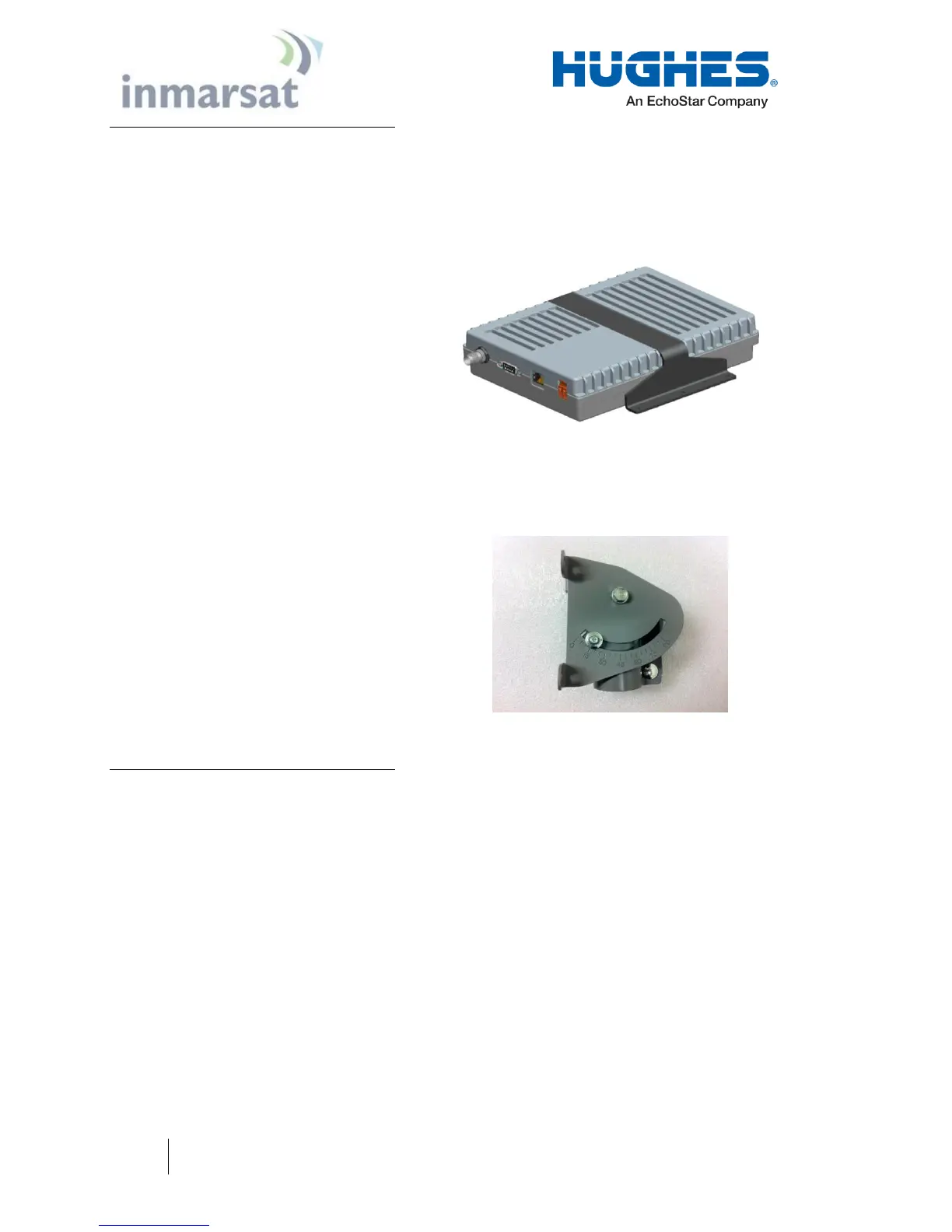
The IDU can be mounted using the IDU strap (P/N 3500617-0001)
if desired. Strap will require 4 each mounting bolts either M3.5 or
6/32” (not included).
Figure 1-4 - IDU Mounting Strap
The ODU can be mounted using the Basic Fixed Mount Kit (P/N
3004066-0002) or by using the azimuth elevation bracket (P/N
1022994-0022) and an existing 1.5” diameter pole.
Figure 1-5 - Azimuth/Elevation Bracket
Main features of the 9502
The main features of the Hughes 9502 terminal are listed below:
Use of Internet Protocol (IP) via the BGAN satellite
network
Remote Management
o Web UI interface
o SMS Control
o AT Command Control
o Log file upload
o Terminal configuration
o Remote firmware upgrade
Power Savings and Sleep Mode


 To Next Page