9502 User Guide
3004146-0001 Rev H
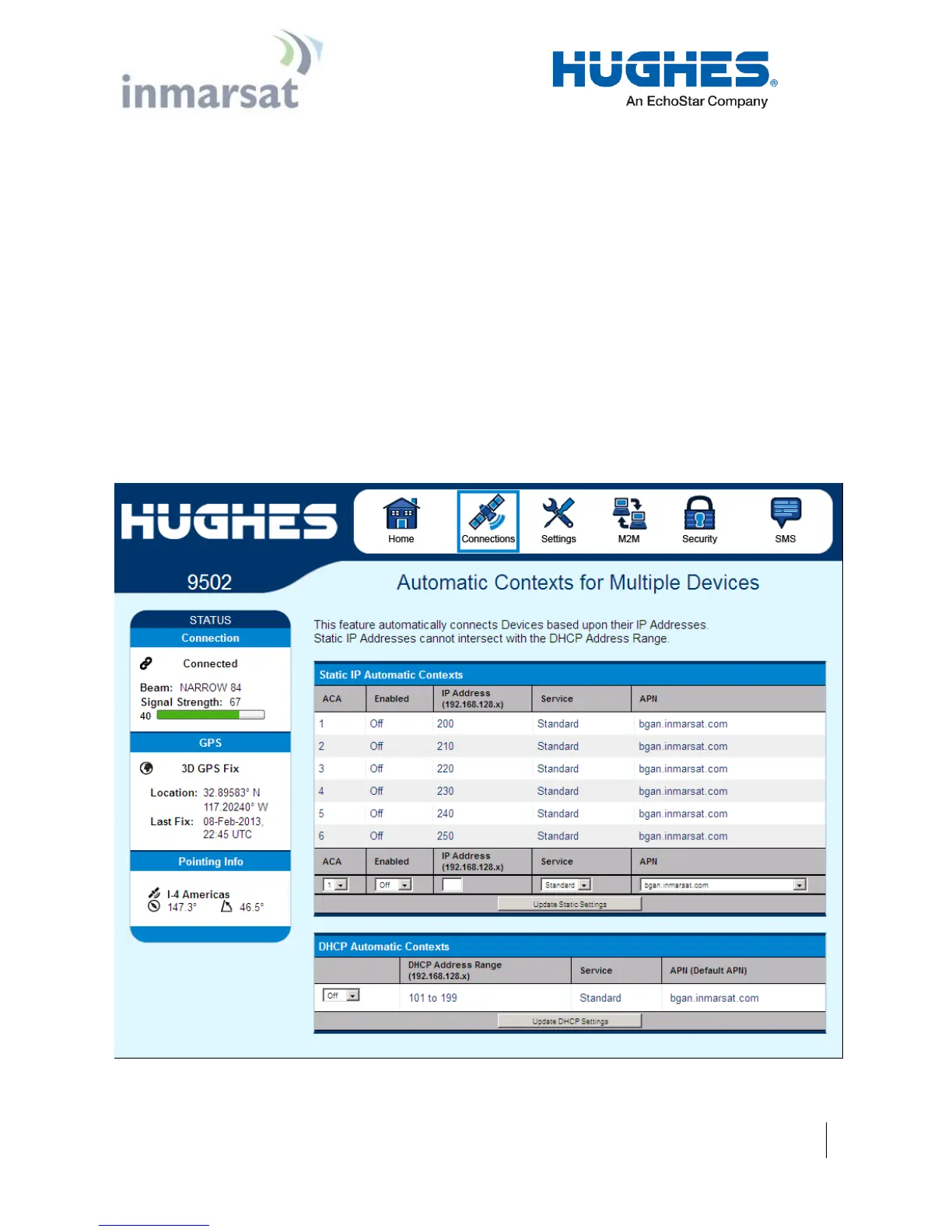
Automatic Contexts
This web page (in release 5.9.3.1 and higher) allows you to use
Automatic Context Activation (ACA) for multiple devices. (The
M2M page Always on context can be used if you only require a
single context.) The ACA page is not available in NAPT mode.
Static IP Automatic Contexts: You can define static ACA entries
for specific addresses. If an entry is set to “On”, the UT will set up
a context for this address at startup, regardless of whether it sees it.
If set to “Data”, the UT will activate the context when it sees data
from the device destined to the space link.
If the context is deactivated by the network, e.g. due to inactivity,
the UT will reactivate it.
To turn on ACA for a particular static address, select “On” or
“Data” from the drop down list and enter an address.
When you are finished, click on Update Static Settings and you
should see a message saying “Operation Successful”.
Figure 2-4 – Automatic Contexts


 To Next Page