9502 User Guide
3004146-0001 Rev H
Powering up the Hughes
9502
The 9502 will power up automatically when DC power is applied.
It does not have a power button. By default it will bypass antenna
(ODU) pointing and automatically register, attach and activate a
PDP context.
Once you have applied DC power, the terminal goes through a
power-on-self-test (POST) that takes approximately 15-20 seconds
and then the power LED will start flashing for another 15 seconds.
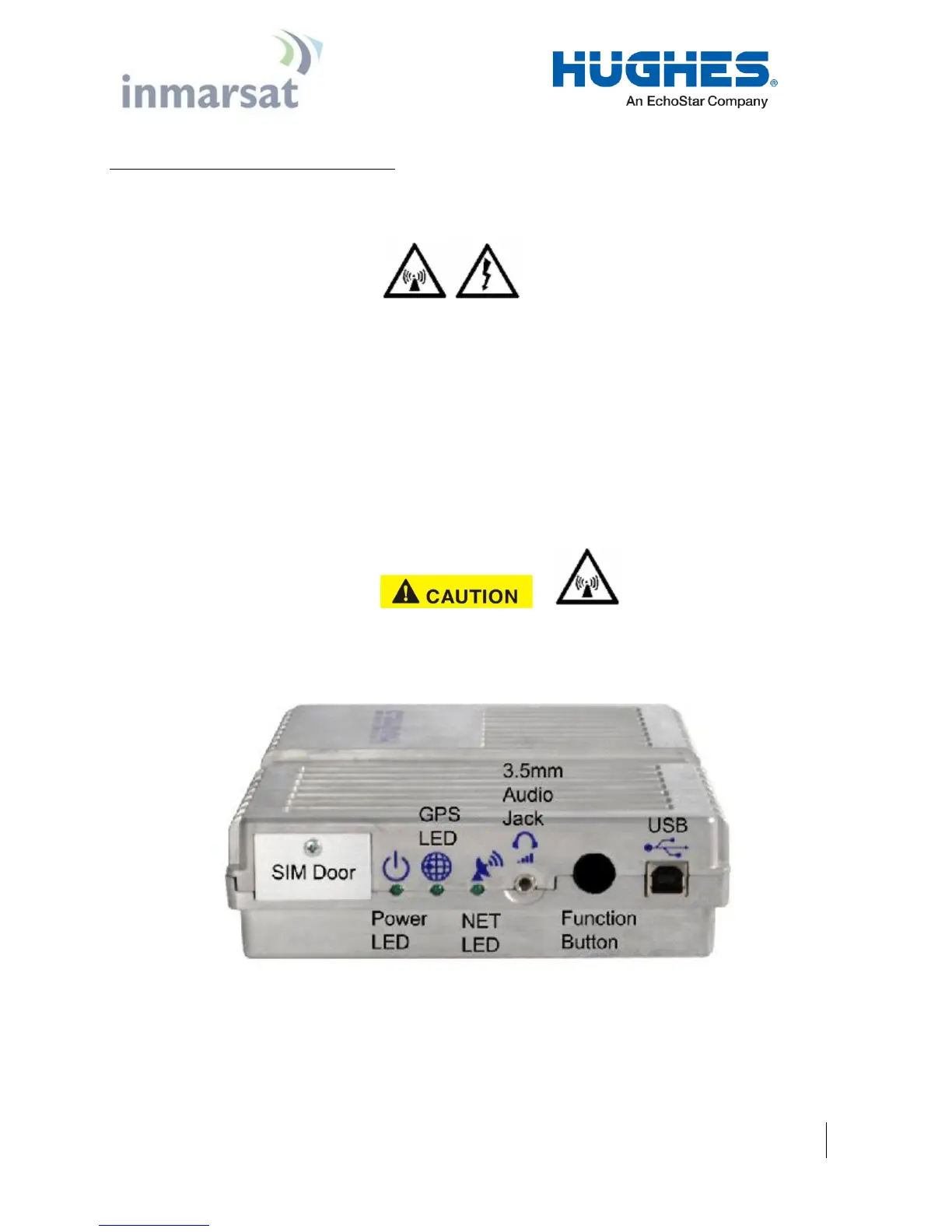
If you want to enter pointing mode, you will need to short press
(<2 seconds) the function button within those 15 seconds. If you
do not short press the Function button, the unit will start to register
with the network and set up a PDP context.
If the unit bypasses ODU pointing and starts to register with the
network, the ODU is now transmitting so please stay at least 1 m
clear of the front of the ODU to avoid RF radiation.
Figure 4-10 - Function Button


 To Next Page