9502 User Guide
3004146-0001 Rev H
IP Watchdog
Install Mode
XL-band ready
NAT, NAPT and Relay Modes
Auto Power ON when power is applied
Automatic PDP Context Activation (Static or DHCP)
Dedicated M2M webUI
Security
o Ethernet MAC Filtering
o Administration Password
o SMS Control password
o White List for SMS control
o AT Command password lock
o SIM Personalization
Phone-to-SIM
DP SIM Lock
SP SIM Lock
Interfaces
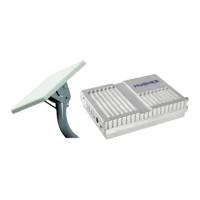
The Hughes 9502 has the following interfaces:
Ethernet connection (RJ45)
USB 1.1 connection (USB Type-B) for PC to configure
terminal (requires installation of Hughes USB driver. See
www.bgan.hughes.com )
TNC type RF connector on IDU and N-type RF connector
on the ODU
Integrated GPS receiver and L-band ODU
RS232 serial interface (DB9 male, DTE) to external
NMEA 0183 based GNSS device (e.g., GLONASS
receiver). This port cannot be used for serial data.


 To Next Page