9502 User Guide
3004146-0001 Rev H
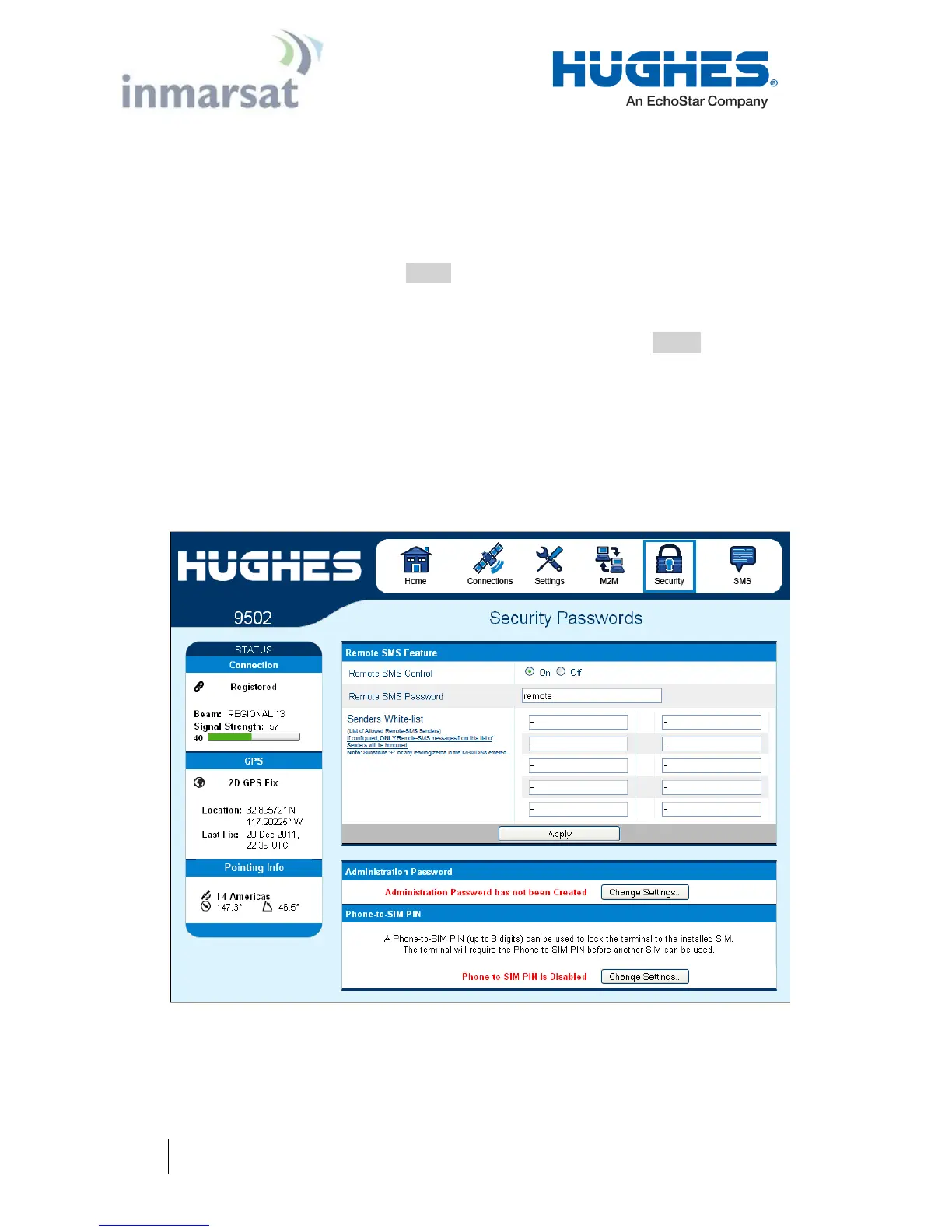
Security Passwords
The security passwords page includes the following functions:
Personalization Key to lock the UT to a particular USIM (SIM
to Phone lock). This is Off by default.
Administration password – Off by default. Default password is
admin
SMS Remote Control – On by default in 5.9.4.3 and above.
On/Off radio button
SMS Remote Password – default is remote (case sensitive). If
the Enhanced Security feature is enabled, the password will be
displayed encrypted.
Sender White-list – is a list of numbers that the terminal will
allow a remote SMS message to come from. When entering
the number use the + symbol in front of the country code e.g.,
+870 or just start with the country code e.g., 870. Do not use
00 in front of the country code.
Figure 2-14 – Security Passwords
If the Enhanced Security feature is enabled, a link to the Enhanced
Security page will be displayed as shown below.


 To Next Page