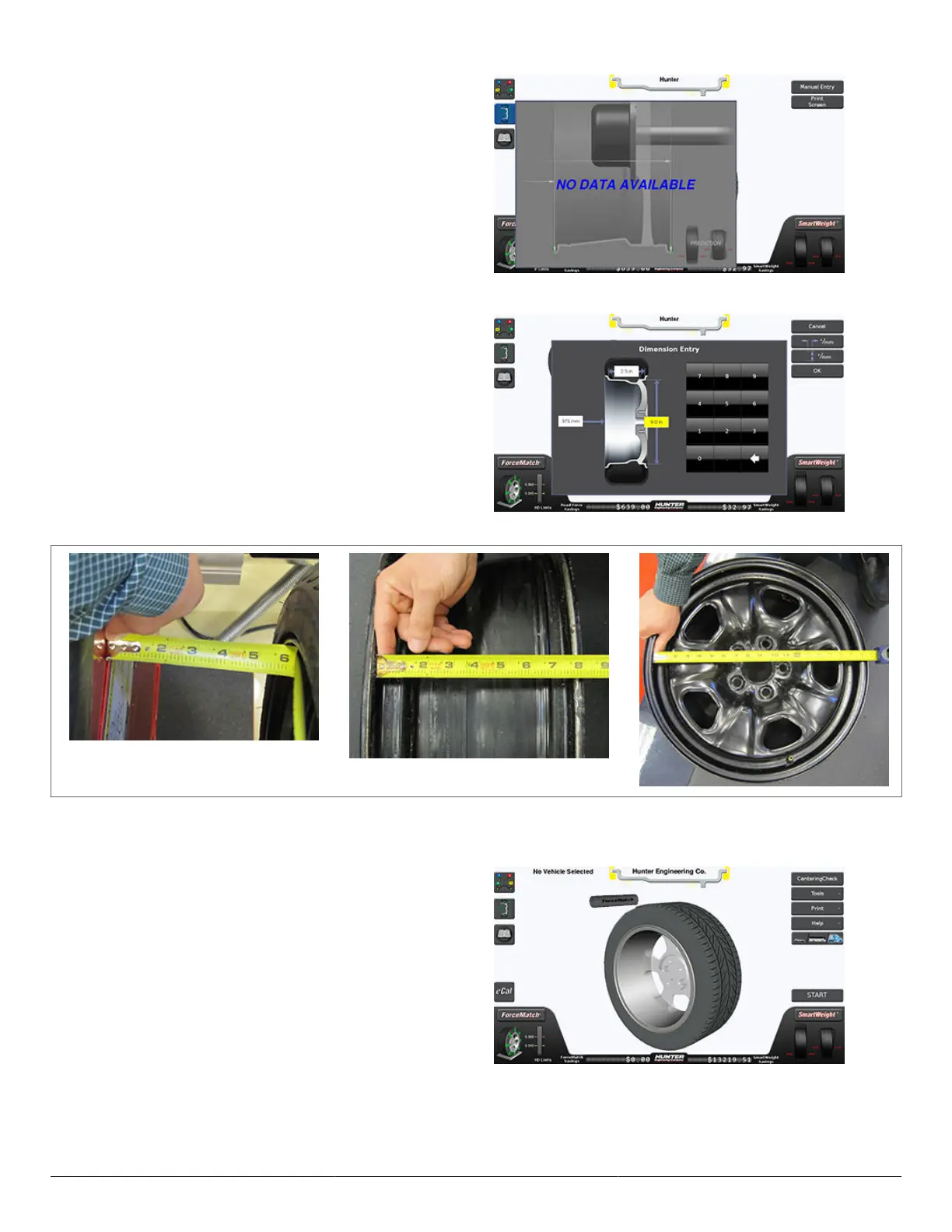
Press the Manual Entry button in the upper right-hand
portion of the screen.
Use a tape measure to measure the lengths called out
on-screen. Touch each box and enter the appropriate
measured dimensions. When nished, press OK to end
manual dimension entry.
3.9.2. Rim Dimension Manual Entry - Clip/Clip
In the event of an SmartScan™ failure, balancing can still
be performed by using a tape measure to manually input
rim dimensions.
Press the dimension button on in the upper left-hand
portion of the screen.
HD Elite Wheel Balancer
Page 29 of 51



 To Next Page