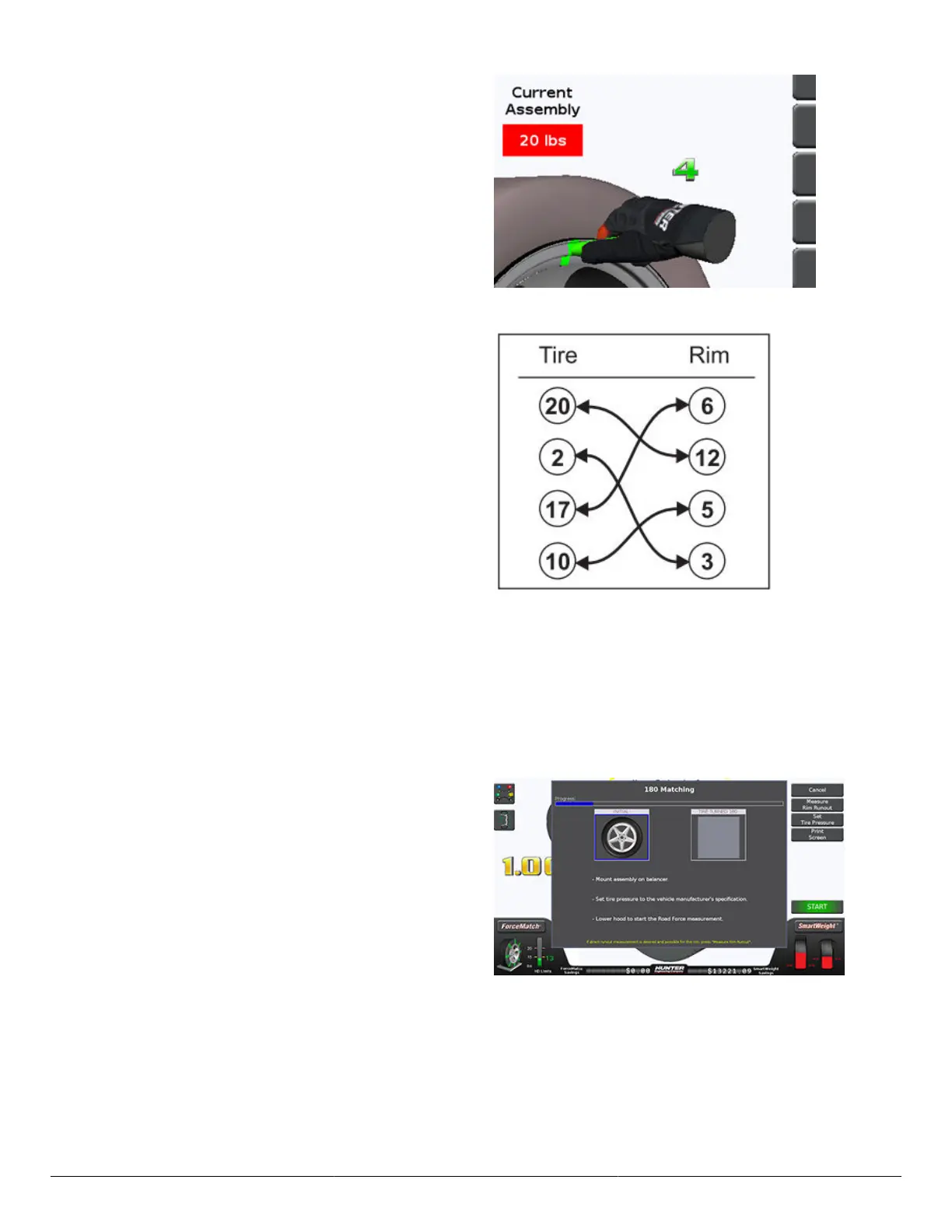
When the tire and rim assembly is rotated to the low spot
on the rim, a number (match code) is displayed above
the tire.
This is the value of the low spot on the rim. It is an
arbitrary number. The below match code is 4.
Use a tire changer and align the tire and rim marks to
one another as performed in the standard ForceMatch®
procedure.
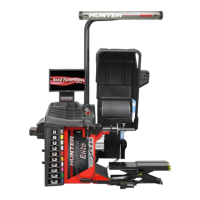
By matching the highest tire match code value with the
highest rim match code value, the ForceMatch® values
can be reduced in a set of two or more tire and rim
assemblies.
The diagram shows a set of four tires and rims and the
best use of match codes to reduce ForceMatch® values.
A routine practice of marking the match code values on the tires and rims when using Forcematching® can reduce the
overall time needed to perform optimal ForceMatch® results.
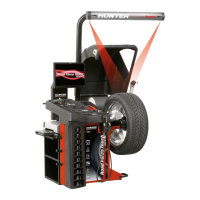
180 Matching
180 Matching will minimize ForceMatch® in the tire and wheel assembly. It requires a tire changer, as the tire will be
re-positioned about the wheel during the procedure.
The 180 Matching procedure can be launched by
touching the “ForceMatch®” > “Procedures” > “180
Matching” button.
The progress bar at the top of the screen indicates to the
operator how far along the procedure has progressed.
Mount the assembly on the balancer. Set the tire
pressure to the vehicle manufacturer’s specication.
Lower the hood to start the ForceMatch® measurement.
HD Elite Wheel Balancer
Page 42 of 51



 To Next Page