102 Excelon XD/XQ Operator’s Manual
2) Check the drill hole diameter with ⑥. (Drill Hole Diameter Adjustment)
Check the hole size whether the Ø 2.0mm straight pin passes through the hole
softly.
3) Check the drill axis with ⑦and ⑧. (Drill Angle Adjustment)
Two holes are parallel with the lens edge.
4) Check the drill position with ⑨ and ⑩. (Drill Position Adjustment)
The distance of ⑨ to ⑩ is 39.0±0.1mm. (Ø 1.0mm drill bit : 38.8±0.1mm)
5) Check the drill tip angle with ⑪ and ⑫. (Drill Tip Angle Adjustment)
Two holes are overlapped on the lens front surface.
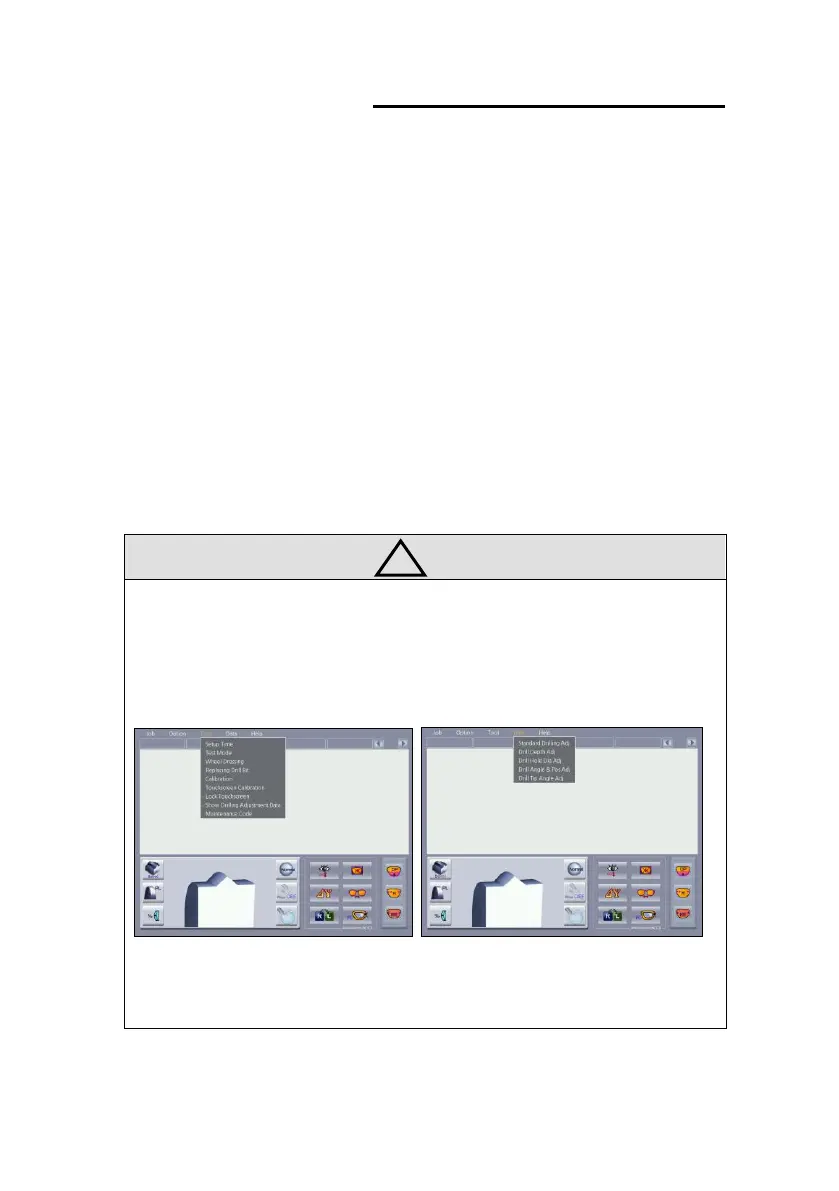
• How to load drilling adjustment data
Select “Tool – Show Drilling Adjustment Data” in the menu bar.
“√” mark displayed on the “Show Drilling Adjustment Data” label and Drilling
adjustment data added to the “Data” menu.
Select adjustment data to use in the “Data” menu.
To hide drilling adjustment data, select “Tool – Show Drilling Adjustment Data”
again.



 To Next Page