28 Excelon Operator’s Manual
Frame Tracing
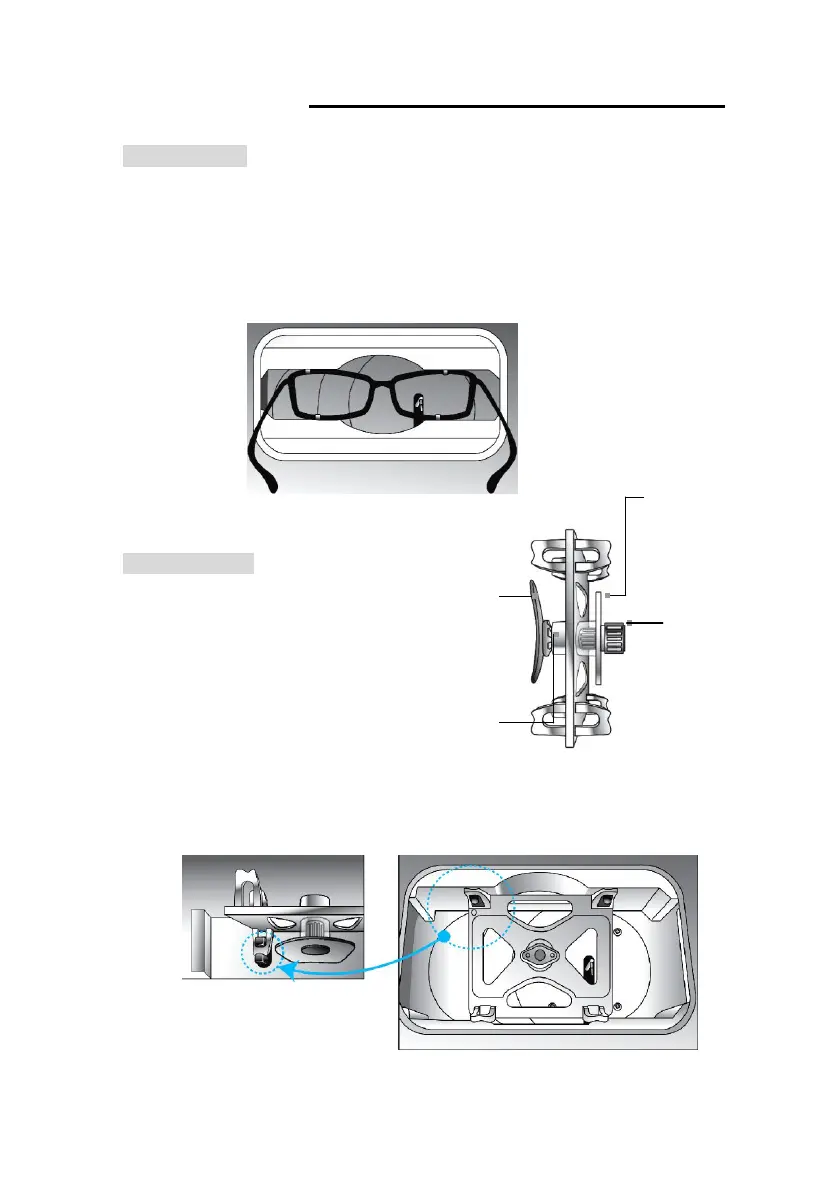
① Place the frame between the upper grippers and the lower grippers.
② Move the frame in order that the bridge of frame is located at the central position
between the left and right side grippers.
③ Press the FRAME button to select the frame material(METAL,PLASTIC,OPTYL).
④ Press the Reading Button (B, R, L)
Pattern Tracing
① Mark the pattern or demo lens
at its optical center using
Lensmeter.
② Block it at the middle marked
spot using Blocker
③ Place it to the Pattern Holder
④ Press the FRAME button to select the tracing mode (LO CURV, HI CURV)
⑤ Press the Reading Button (R, L)
[ How to place the Pattern
Holder to Gripper ]



 To Next Page