82 Excelon Operator’s Manual
7. System Maintenance
7.1 Automatic Calibration of Frame Reader
Execute Automatic CALIBRATION for Frame Reader in the followings.
• The traced data seems to show the error in the Size and Axis
• The Frame Reader seems not to work properly
Automatic calibration for frame reader consists of three parts: Stroke, Frame, Pattern.
In case of any change happened in the Stylus, do the Stroke calibration first. If it is
needed, full calibration order is like this: Stroke -> Frame -> Pattern.
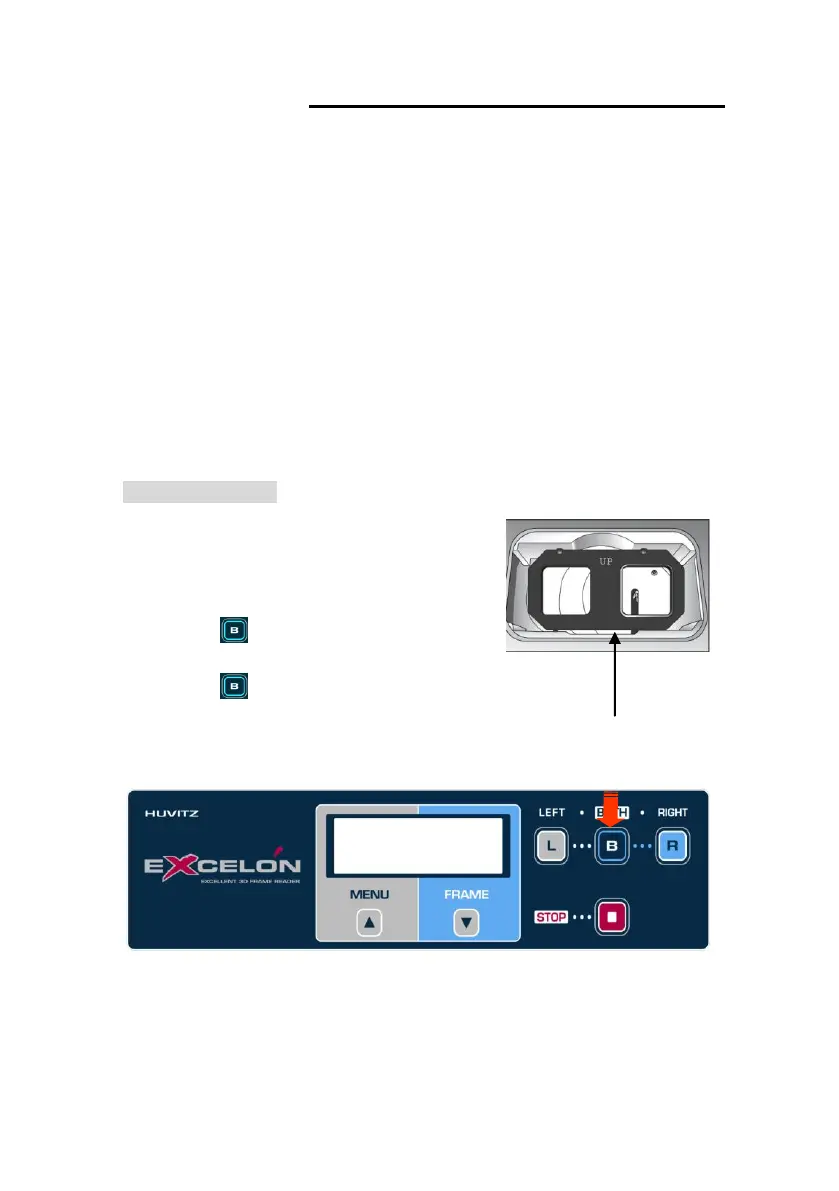
Frame Calibration
Procedures for frame calibration
① Select ‘CALIB’ menu by MENU button
② Select ‘FRAME’ sub-menu by FRAME button
③ Press for execution
④ Load Standard Frame
⑤ Press to begin
Then follow instructions displayed on the LCD
B: Execute
[CALIB] FRAME



 To Next Page