Excelon Operator’s Manual 71
6.3.2 Wheel Settings
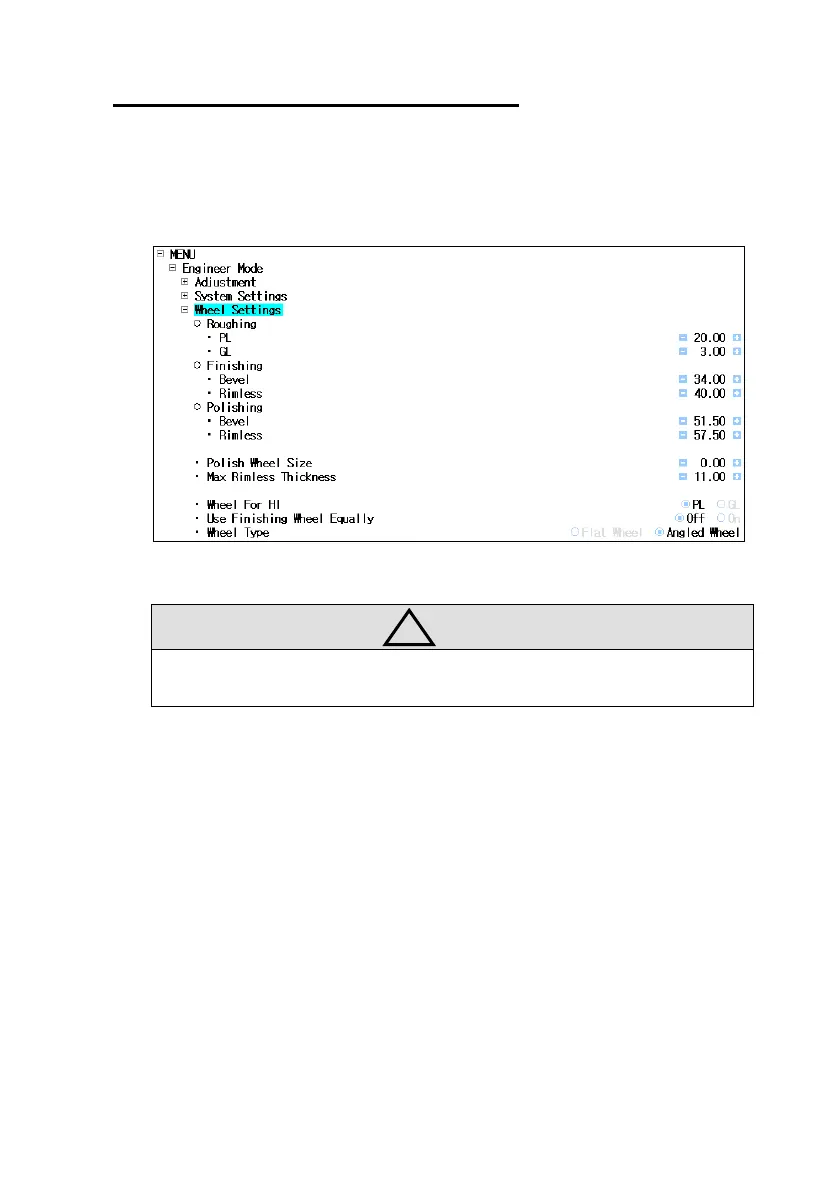
▪ Set wheel information
▪ Location : Engineer Mode Wheel Settings
▪ Wheel Position : Set wheel position
These values must correspond to actual wheel position
Please keep the factory settings.
▪ Polish Wheel Size : Compensation value for Polishing wheel size
▪ Max Rimless Thickness : Set maximum lens thickness to rimless edging.
▪ Wheel For HI : Set the roughing edging wheel for Hi-Index Lens
▪ Use Finishing Wheel Equally : Use finishing wheel equally (only used when the
wheel type is flat)
▪ Wheel Type : Set wheel type (Keep the default value)



 To Next Page