42 Excelon Operator’s Manual
5.4.2 Frame Change
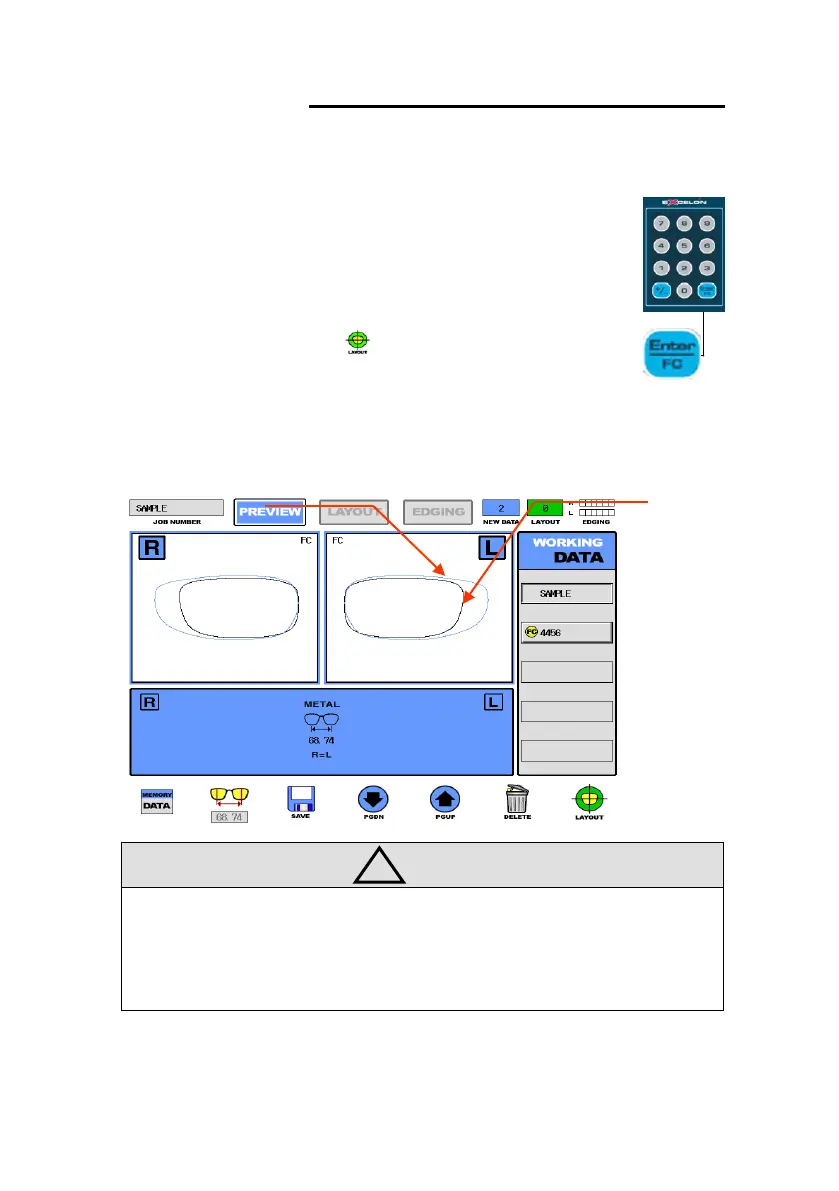
The result display after selecting the old lens and the new frame is as following:
• If the margin for new frame comes to less than 1mm, frame change job would
be blocked.
• If you would like to cancel the frame change, select the old lens data again or
press the FC button again.
① Select the previous lens data from menu(WORKING DATA) using
Data Selection Button.
② Execute FC button for Frame Change.
③ Select the new frame data from the Menu(WORKING DATA)
using Select Button (The data with Blue Color in PREVIEW MODE)
④ Execute LAYOUT Button for Layout and Edging Process
⑤ In layout display, if necessary, adjust the PD and the optical
height.



 To Next Page