Excelon Operator’s Manual 55
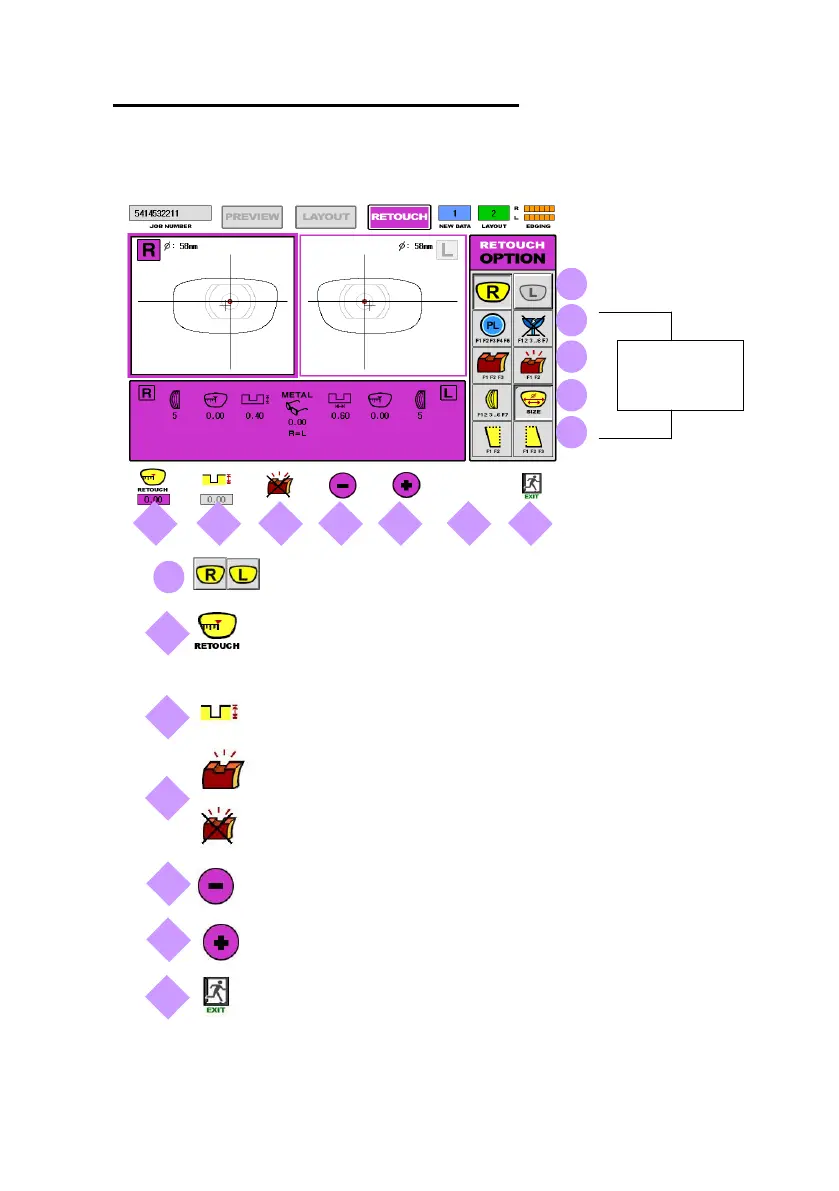
5.4.5 Retouch Mode
Right/Left
I Input the Lens Size to be decreased by Retouch (Unit : mm)
→ Input Value : ‘0” or ‘-‘ (Minus Number)
Input the Grooving Depth adjusted by Retouch (Unit : mm)
Activate Polishing (Press one more time to cancel)
Cancel Polishing (Press one more time to activate)
Decreasing the value (Retouch Size of Grooving Depth)
Increasing the value (Retouch Size of Grooving Depth)
Exit (Return to Edging Mode)
Not Available
(Not Active)



 To Next Page