Excelon Operator’s Manual 83
• The result of Automatic Calibration will be automatically memorized.
• Be sure to check the related information before executing the calibration work
because you cannot get back the machine to the previous status. .
• During the calibration, STOP button stops and aborts processing job.
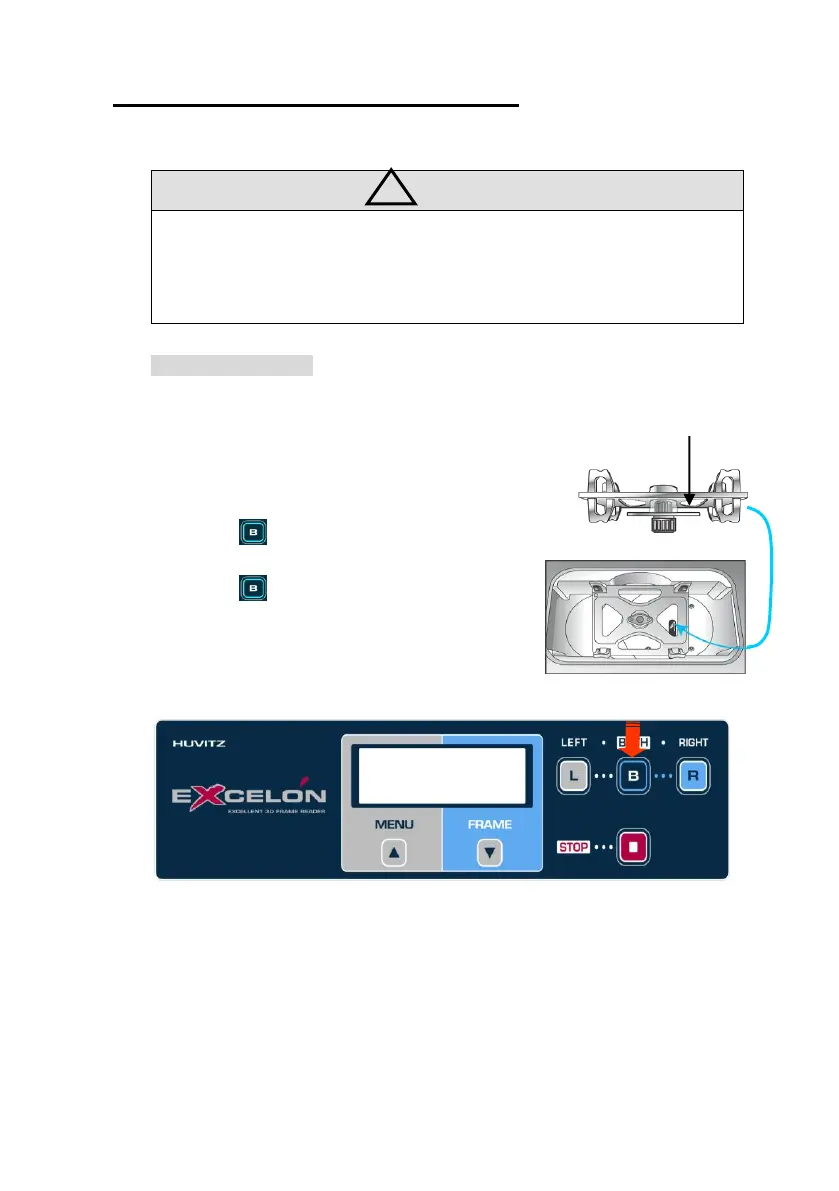
Pattern Calibration
Procedures for pattern calibration
① Select ‘CALIB’ menu by MENU button
② Select ‘PATTERN’ sub-menu by FRAME button
③ Press for execution
④ Load Standard Pattern
⑤ Press to begin
Then follow instructions displayed on the LCD
B: Execute
[CALIB] PATTERN



 To Next Page