46 Excelon Operator’s Manual
You can execute the Frame Tracing and the Layout Job during the Lens
Edging Process (Up to 15 Jobs). If you press TAB button at the EDGING
MODE after carrying out the Layout Job, you can move to PREVIEW MODE. If
you execute the Layout Job with the selected data, the previous job will be
automatically stored and will be displayed with “ ” in PREVIEW MODE.
Remember that the layout job saving key is F7 .
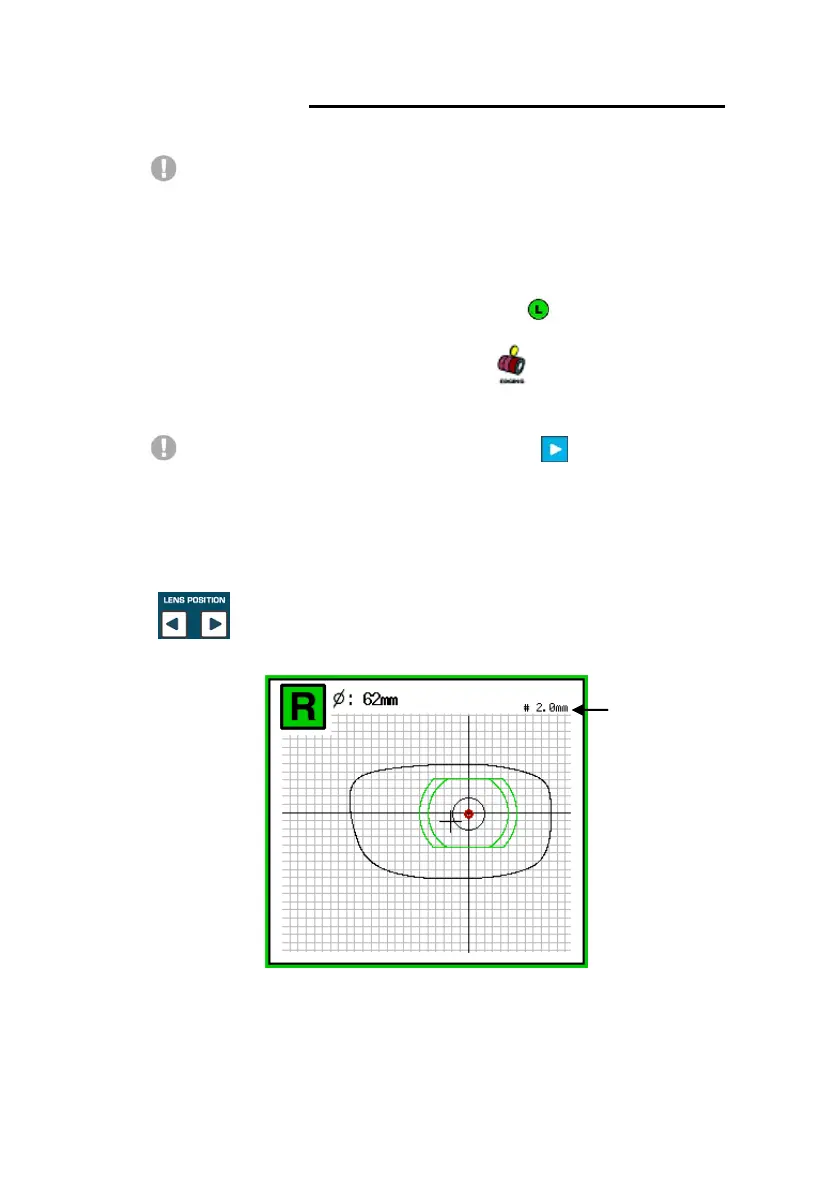
In the layout mode, if you press the [START] button, grids will be
shown on the screen. Using this grid ruler, you can identify the dimension of
each elements such as the size of frame, the distance from the far vision center
to the near vision center and the size of near vision area and so on. And also
you can change the interval of the grid pressing the R/L lens position buttons
.



 To Next Page