Controller‐Maintenance&Service
43
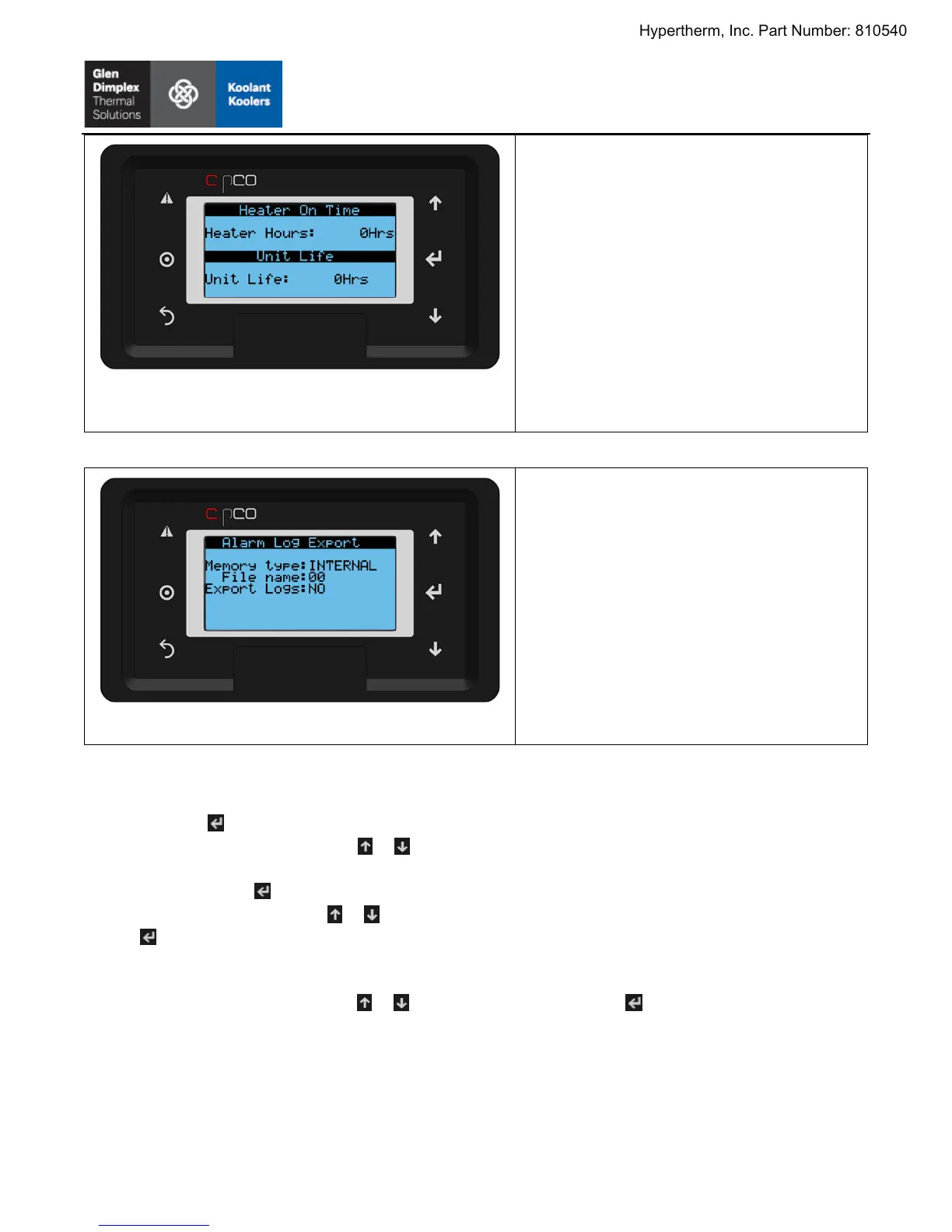
Figure39:Maintenance& Service,HeaterandUnitRun
Time
UndertheRUNTIMERSoption(page2):
HeaterHours:Totaloperatingtime(in
hours)oftheheater.
UnitLife:Totaloperatingtime(inhours)of
thechiller.
Note:ThesetimersarealsoavailableintheDEVICES
menu(refertoFigure24)
Figure40:Maintenance& Service,AlarmLogExport
UndertheRUNTIMERSoption(page4):
Memorytype:INTERNAL=Alarmlogwill
besavedtointernalcontrollermemory.
USB=Alarmlogwillbesavedtoa
microUSBmemorystickinthemicro
USBport.
Filename:Filenameforthealarmlogf
ile
(00–99).
ExportLogs:NO=alarmlognotexported,
YES=alarmlogexportedtoMemory
typelocationandsavedasFilename.
Toexportthemostrecentalarmlog:
1. Pressthebuttonwheninthisscreen.
2. UnderMemoryTypepresstheorarrowtotoggletheexportlocation(INTERNALwillexportthelog
ontothecontroller’slocalstorage,USBwillexportontoanattacheddeviceviathecontroller’sUSB
port).Pressthebuttontoconfirm.
3. UnderFilenamepresstheorarrowtosetth
enameofalarmlogfile(between00to99).Pressthe
buttontoconfirm.
4. IfUSBwasselectedinstep2openthemicroUSBcoveronthecontrollerandattacha USBstorage
device.Otherwise,gotostep5.
5. UnderEXPORT LOGSpresstheorbuttontotoggletoYES.Presstoexportthealarmlog.
6. Thealarmloghasnowbeenexportedtotherootlocationoftheselectedlocationstep2asa.txtfile.
Thecontroller’sinternalstoragecanbeaccessedlikeanyother storagediskviamicroUSB.
Hypertherm, Inc. Part Number: 810540


 To Next Page
 Loading...