EasyManua.ls Logo

Icom GM600 - User Manual

Icom GM600
124 pages
Print Icon
To Next Page IconTo Next Page
Loading...
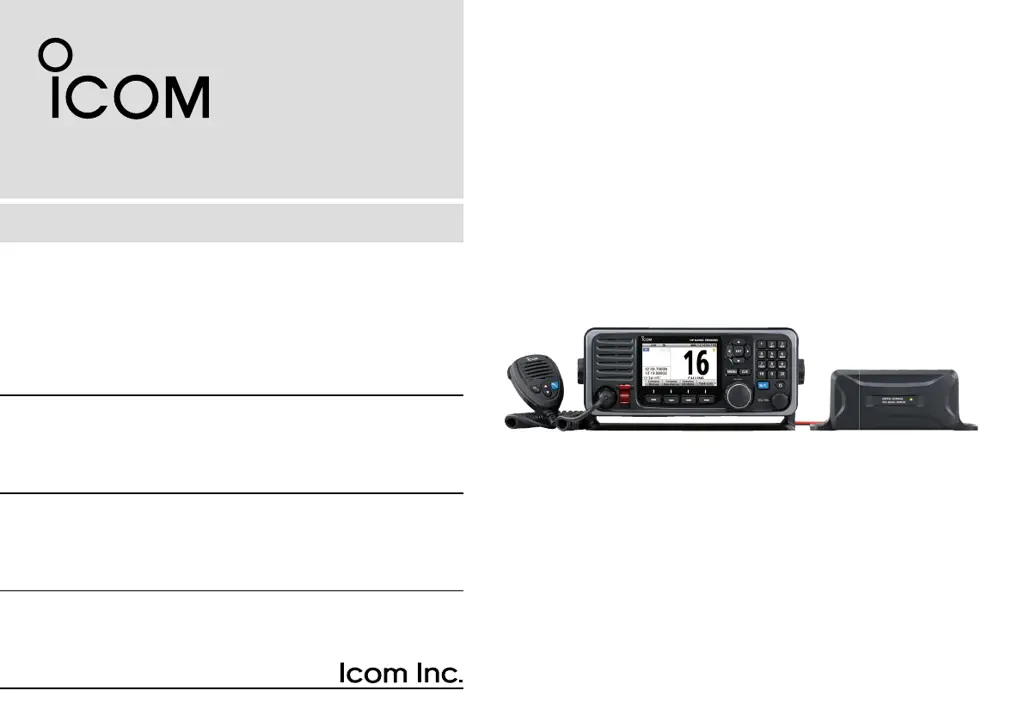
INSTRUCTION MANUAL
GM600
VHF MARINE TRANSCEIVER

Table of Contents

Other manuals for Icom GM600

Questions and Answers

  • W
    williamssherrySep 7, 2025
    Why is the received DSC call content not printing out on my Icom Transceiver?
    • E
      Erica WilliamsSep 7, 2025
      If the received DSC call content is not printing out, check the printer connection or paper. The printer may not be correctly connected, or the paper could be exhausted.
  • J
    Jared JohnsonAug 22, 2025
    What to do if my Icom Transceiver is locked up?
    • U
      uhernandezAug 22, 2025
      If your Icom Transceiver is locked up and unresponsive, this could be due to a software error. Try turning OFF the DC power source, and then turn it ON again.
  • M
    Michael PayneSep 4, 2025
    Why is the Main screen not displayed on my Icom GM600 Transceiver?
    • T
      Thomas HernandezSep 5, 2025
      If the Main screen is not displayed at power ON for your Icom Transceiver, it may be because the MMSI (DSC self ID) code is not set. Set the MMSI (DSC self ID) code.
  • T
    Taylor JonesSep 3, 2025
    Why communication cannot be established on Icom Transceiver?
    • F
      fhernandezSep 3, 2025
      If you are unable to establish communication with your Icom Transceiver, the antenna may be defective, or the coaxial cable connector is shorted or cut. You should repair the problem and then reconnect to the antenna connector.
  • R
    Rebecca GomezSep 2, 2025
    Why is the sensitivity too low on my Icom Transceiver?
    • S
      Steven RobertsSep 2, 2025
      If you are experiencing low sensitivity with your Icom Transceiver, and only strong signals can be heard, the antenna may be defective, or the coaxial cable connector is shorted or cut. You should repair the problem and then reconnect to the antenna connector.
  • S
    Susan KnoxAug 31, 2025
    Why does my Icom Transceiver display “NO POSITION” and “NO TIME”?
    • A
      Andrew MorrisAug 31, 2025
      If “NO POSITION” and “NO TIME” are displayed on your Icom Transceiver instead of the position and time, it could be due to a GPS receiver not being correctly connected. Check the GPS receiver connection. It's also possible that the position and time have not been manually entered, so enter the position and time.
  • P
    Patrick LoweAug 30, 2025
    What to do if I cannot transmit or select high power on my Icom Transceiver?
    • J
      Joseph PhillipsAug 30, 2025
      If you cannot transmit or select high power on your Icom Transceiver, it might be because some channels are set for low power or receive only due to regulations. Try changing channels. Alternatively, the output power might be set to low; push [HI/LO] to select high power.
  • J
    Jose HarrisAug 29, 2025
    Why my Icom GM600 does not turn on?
    • A
      Ashley WilsonAug 29, 2025
      If your Icom Transceiver does not turn ON, it might be due to a bad connection to the power supply. Check the connection to the transceiver and power supply. Another possible cause is a blown fuse. If this is the case, repair the problem, and then replace the fuse.
  • J
    James MathisAug 27, 2025
    How to fix little or no sound from Icom GM600 speaker?
    • X
      xmoranAug 27, 2025
      If you're experiencing little or no sound from the speaker of your Icom Transceiver, there are a few potential causes. First, the squelch level might be set too high; try setting the squelch to the threshold point. Second, the volume level may be set too low; adjust the volume to a suitable level. Finally, the internal speaker might be turned OFF; make sure to turn it ON.
  • O
    oshawAug 26, 2025
    What to do if Icom Transceiver is locked up and not responding?
    • N
      Nathaniel McleanAug 26, 2025
      If your Icom Transceiver is locked up and not responding, a software error may have occurred. Turn OFF the DC power source, and then turn it ON again.

Summary

IMPORTANT SAFETY AND USAGE GUIDELINES

EMERGENCY PROCEDURES

Distress Call Procedures

Provides detailed procedures for sending distress calls via Channel 16 and DSC.

PRECAUTIONS

Safety Warnings

Outlines critical warnings and cautions regarding power connection, placement, and cleaning.

OPERATING RULES

Priorities and Privacy

Covers rules on call priorities, monitoring Channel 16, and privacy of overheard communications.

PANEL DESCRIPTION

Front Panel Controls

Identifies and describes the components of the transceiver's front panel.

PREPARATION

Entering the MMSI Code

Step-by-step guide to entering the 9-digit MMSI code during initial power-on.

BASIC OPERATION

Channel Selection

Explains how to select channels by sequence, number, Channel 16, or the Call channel.

BASIC OPERATION (Continued)

BASIC OPERATION (Continued)

Receiving and Transmitting

Step-by-step instructions for receiving signals and transmitting voice communications.

SCAN OPERATION

DSC OPERATION AND MESSAGING

DSC Address ID Management

Guides on entering and managing DSC Individual and Group IDs.

DSC OPERATION (Continued)

Entering Position and Time

Explains manual entry of position (latitude/longitude) and UTC time for DSC calls.

DSC OPERATION (Continued)

DSC Task Mode

Describes how to manage and activate DSC tasks, including the Task List.

Received Call Log

How to access and view distress and other messages stored in the received call log.

DSC Settings

Configuration options for DSC settings like automatic acknowledgment and alarm status.

Transmitted Call Log

How to access and view transmitted calls stored in the log.

DSC OPERATION (Continued)

Sending Distress Calls

Provides procedures for sending various types of distress calls, including simple and regular calls.

DSC OPERATION (Continued)

Sending Non-Distress Calls

Guides for sending various non-distress DSC calls like Individual, Group, and All Ships.

Receiving DSC Calls

Explains how the transceiver handles incoming DSC calls, including distress and non-distress types.

CONNECTIONS AND MAINTENANCE

CONNECTIONS AND MAINTENANCE (Continued)

Power Source Connection

Step-by-step guide for connecting the transceiver to a DC power source via the PS-310.

TROUBLESHOOTING GUIDE

BAM ALERTS REFERENCE

Icom GM600 Specifications

General IconGeneral
Waterproof RatingIPX7
Power Supply13.8 V DC
DSCYes
DisplayLCD
ModeFM
Voltage13.8 V DC
TypeMarine VHF Transceiver
Frequency Range (Rx)156.025 - 163.275 MHz
Output Power25 W, 1 W
External ConnectionsNMEA 0183

Related product manuals