Ethernet 10/100 Network Interface
The communication between the Protege system and the controller uses a 10/100 ethernet network operating the
TCP/IP protocol suite. The IP address of the controller can be configured using an LCD keypad terminal or via the
built-in web interface. The default IP address is set to a static address of 192.168.1.2 with a subnet mask of
255.255.255.0. These IP address settings are commonly used for internal networks.
Installing the module on an active network requires knowledge of the configuration and structure for the network.
Always consult the network or system administrator and ask them to provide you with a fixed IP address that can
be assigned to the module.
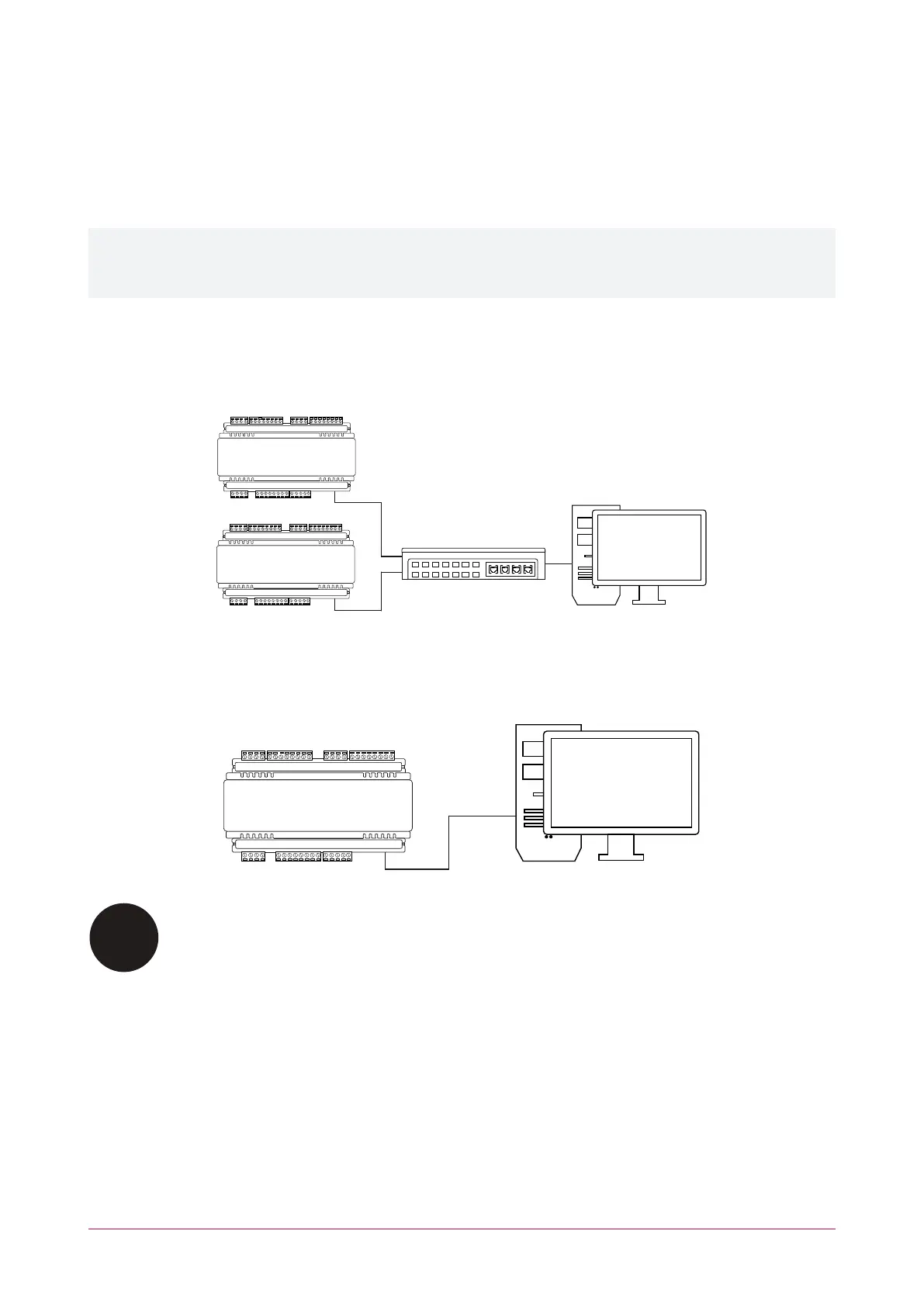
When installing an ethernet connection the module should be interfaced using a standard segment (<100m in
length) and should be connected to a suitable ethernet hub or switch:
Ethernet 10/100 Switch hub Connection:
Temporary direct connections can be used for onsite programming by using a standard ethernet cable.
Ethernet 10/100 Direct Connection:
⦁ All network equipment such as hubs/routers/gateways used with the controller must comply
with the UL and ULC standard requirements associated with a signal receiving center.
⦁ The controller must be installed in the same room as the network equipment that provides it
the network connection.
PRT-CTRL-DIN | Protege GX DIN Rail Integrated System Controller | Installation Manual 18



 To Next Page