Defaulting a Controller
The controller can be factory defaulted, which resets all internal data and event information. This allows you to
remove all programming and start afresh.
Defaulting the controller resets the IP address to the factory default IPof 192.168.1.2
1. Remove power to the controller by disconnecting the 12V DC input.
2. Wait until the power indicator is off.
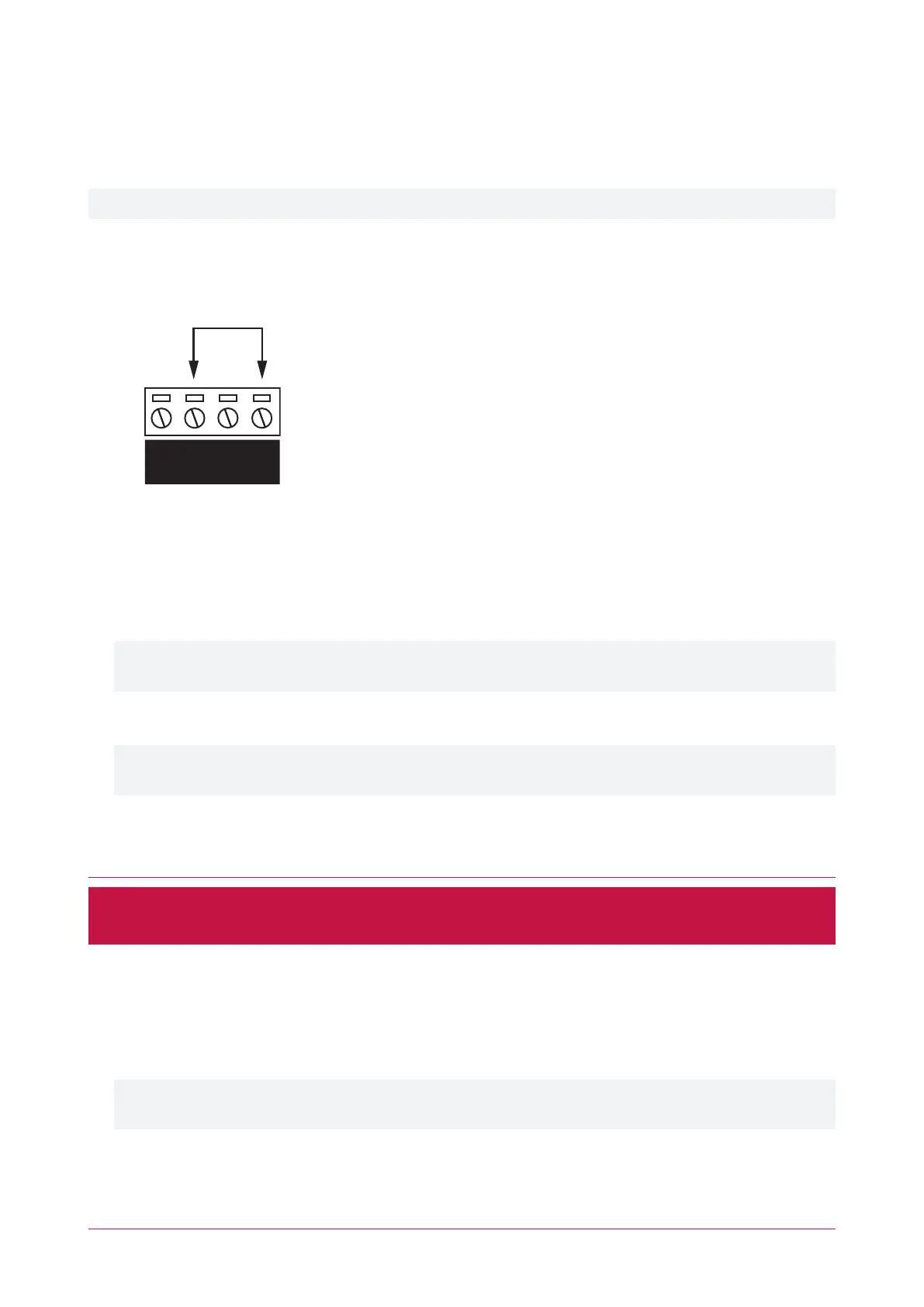
3. Connect a wire link between the Reader 2 D0 input and the Reader 2 L1 output.
4. Power up the controller. Wait for the status indicator to begin flashing steadily.
5. Remove the wire link before making any changes to the controller's configuration.
The system will now be defaulted with all programming and System Settings returned to factory configuration,
including resetting the IPaddress and all network configuration, and removing all operator records.
⦁ Defaulting the controller resets the IP address to the factory default IPof 192.168.1.2.
Earlier versions of the controller firmware do not reset the IP address. If the controller is not available on
192.168.1.2 you will be able to connect to it via its previous IP address.
⦁ Any configured system settings (e.g. Default Gateway, Event Server) are reset to their default values.
⦁ Any custom HTTPS certificates are removed and the default certificate is reinstalled.
Earlier versions of the controller do not have a default HTTPS certificate installed. If the controller is not
available via HTTPS, connect to it via HTTP.
⦁ All operator records are removed and the admin operator must be recreated.
⦁ All other programming is removed.
After Defaulting a Controller
Before making any changes to the controller's configuration or upgrading the firmware, remove the wire link
used to default the controller.
After defaulting a controller a number of essential steps will need to be performed to resume normal operation.
Not all of the following steps will necessarily be required, depending on your site configuration:
1. Connect to the controller's web interface using HTTPS, unless it is an older controller with no default certificate
loaded, then it will connect using HTTP.
2. Recreate the admin operator and log in to the controller's web interface.
If you are not prompted to create the admin operator, the default username is admin with the password
admin.
3. Reset the controller's IPaddress to its previous value.
4. Reconfigure any additional network settings.
PRT-CTRL-DIN | Protege GX DIN Rail Integrated System Controller | Installation Manual 35



 To Next Page