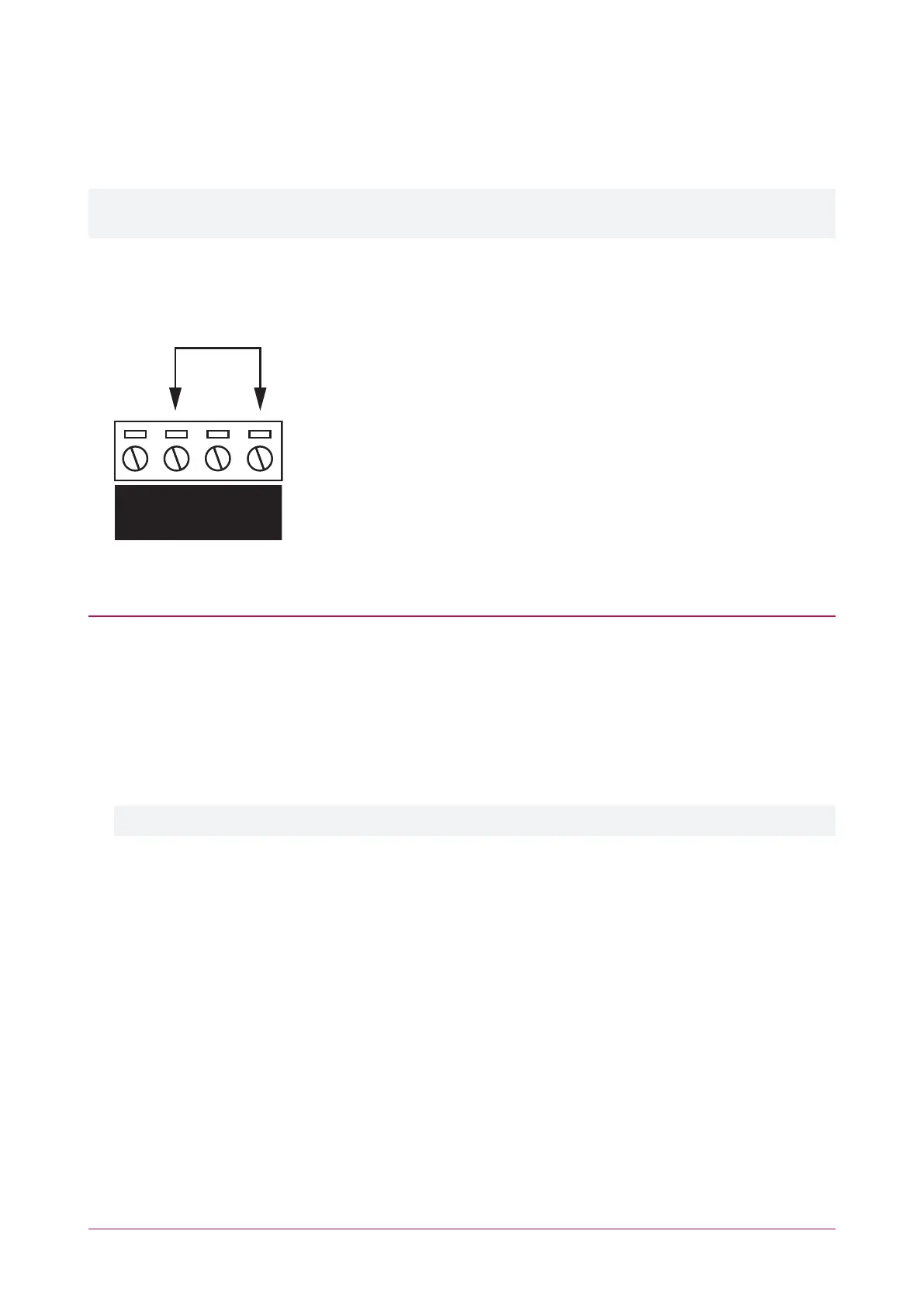
Temporarily Defaulting the IP Address
If the currently configured IP address is unknown it can be temporarily set to 192.168.111.222 so that you can
connect to the web interface to view and/or change it.
This defaults the IP address for as long as power is applied, but does not save the change permanently. Once the
link is removed and power is cycled to the unit the configured IP address is used.
1. Remove power to the controller by disconnecting the 12V DC input.
2. Wait until the power indicator is off.
3. Connect a wire link between Reader 1 D0 input and Reader 1 L1 output.
4. Power up the controller. Wait for the status indicator to begin flashing steadily.
Accessing the Controller
5. When the controller starts up it will use the following temporary settings:
- IP address : 192.168.111.222
- Subnet Mask : 255.255.255.0
- Gateway : 192.168.111.254
- DHCP : disabled
6. Connect to the controller by entering https://192.168.111.222 into the address bar of your web browser, and
view or change the IP address as required.
Remember to change the subnet of your PC or laptop to match the subnet of the controller.
7. Remove the wire link(s) and power cycle the controller again.
You can now connect to the controller using the configured IP address.
PRT-CTRL-DIN | Protege GX DIN Rail Integrated System Controller | Installation Manual 34



 To Next Page